
Your 100,000 Free Customer.io AI Credits Will Run Out. Here's the Forecast Before the Meter Starts
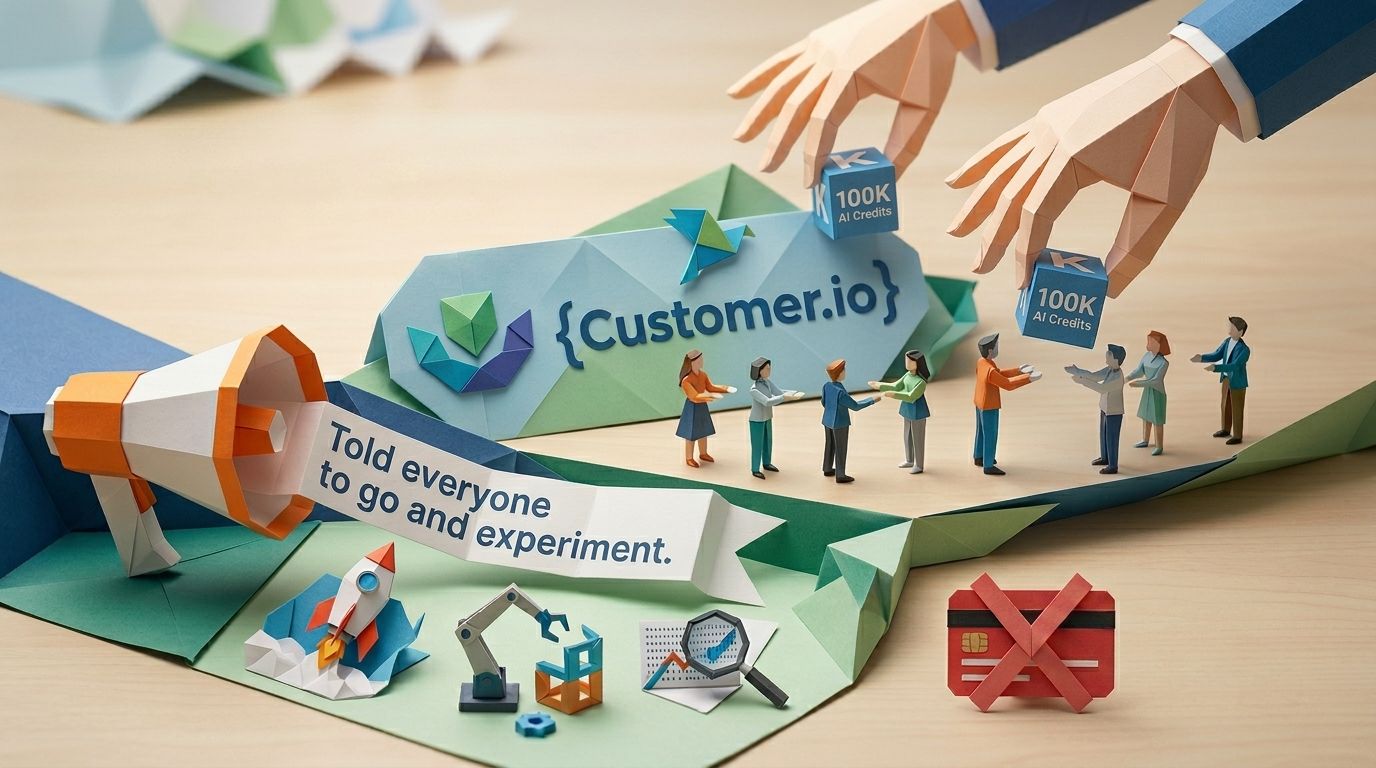
On 8 April 2026, Customer.io handed every paying account 100,000 AI credits and told everyone to go and experiment. Free. No card, no commitment. The catch sits in the small print. The grant was "valid for 90 days from the date of becoming a paying customer", and the introductory programme ran through 30 June 2026 (Customer.io's biggest product release). Purchased credits never expire. Introductory ones do (AI credits, Customer.io Docs).
So there's a date in your calendar whether you've written it down or not. That's the day the meter starts: the free runway ends, your LLM actions quietly fall back to their default values, and keeping the AI switched on becomes a line item someone has to forecast.
This post is that forecast. What actually burns credits (less than you'd think), a burn-rate model you can run in a spreadsheet, a keep/cap/kill ranking for AI features by cost per outcome, and the settings that stop one misconfigured action draining the bundle. Written for whoever signs the invoice.
Update (August 2026): the introductory window has closed. This post originally pinned the expiry to 8 July 2026 for existing accounts. Neither the docs nor the announcement carries that date any more. The live sources give a different shape: 90 days from the day each account became a paying customer, with the programme itself closing on 30 June 2026. The last grants therefore expire in late September 2026. If you were on a paid plan in the spring, your free runway is over and you're on the $10-per-100,000 meter. The model rate card has grown too—Gemini 3 Flash Lite and Claude Opus 4.7 are now on it—and the table below has been corrected.
TL;DR:
- Only LLM actions spend credits. The docs are flat about it: "Other AI features—including the Agent, segment builder, content analysis, and in-app message suggestions—don't use AI credits." The Agent is included in your plan at no extra cost.
- The free grant was 100,000 credits, valid 90 days from the day you became a paying customer, and the programme closed on 30 June 2026. After that, credits cost $10 per 100,000, sold only in increments of 100,000.
- There is no automatic bill. When the balance hits zero, LLM actions fall back to their configured values and your automations keep running. The AI switches itself off quietly rather than charging you.
- The model dropdown is the cost dial. Gemini 2.5 Flash Lite is the 1x baseline; Claude Opus 4.6 and 4.7 run at roughly 50x. Same prompt, same audience, fifty times the spend.
- Read your per-call cost from the Test prompt modal, multiply by the people reaching that action, total it across every live action. That sum is next month's burn. One credit costs $0.0001.
The pricing nobody read: 100,000 free, 90 days, then $10 per 100,000
Customer.io's AI pricing is three numbers. Every paid account got a one-time grant of 100,000 AI credits (Customer.io's biggest product release). The grant expires 90 days after it's issued. After that, more credits cost $10 per 100,000, and you "can only purchase additional credits in increments of 100,000" (AI credits docs).
A few details change how that lands. The grant is account-level and shared across every workspace, so if you spend 75,000 in one workspace and 25,000 in another, you're done. The introductory programme ran through 30 June 2026, and the credits were valid for 90 days from the date each account became a paying customer, so the clock started on a different day for everyone. Trial plans don't get credits at all. And there's an order of operations that matters, purchased credits never expire, introductory credits do, and your account always spends the free intro credits first. Buying more takes Account Admin or billing access. The Agent itself "is included in your Customer.io plan at no additional cost" (AI marketing launch demo, Customer.io).
Here's the part that catches people out. There's no automatic bill. When the grant runs dry or expires, Customer.io doesn't charge your card. Your LLM actions simply start using their fallback values and the campaigns keep running (AI credits docs). To get more, someone with billing access has to open Plans & Billing and click Buy Credits. So the surprise isn't an invoice nobody forecast. It's quieter than that: your AI stops being AI, and nobody notices until the personalisation starts looking generic.
What actually consumes credits (and what doesn't)
Only one thing in Customer.io's AI suite spends credits: LLM actions. The Agent, the segment builder, content analysis, in-app message suggestions, Routines... none of them touch your balance. The docs are blunt about it: "Only LLM actions consume AI credits in your account" (AI credits docs).
That gap between how the suite is marketed and how it's priced is worth sitting with. You can run the Agent all day, build segments by describing them in plain English, analyse email content, and schedule recurring Routines, and your 100,000 credits sit untouched. The meter only moves when an LLM action calls a model.
LLM actions: the only thing that burns credits
An LLM action is a step you drop into a campaign workflow. It sends a prompt to a model at runtime, once per person, and stores the response as an attribute you can use later in the journey (LLM actions docs). Personalised product recommendations, intent scoring, sentiment-based branching... the model runs per person, so cost scales directly with how many people reach that step. One action in a campaign that 50,000 people pass through is 50,000 model calls.
Free and capped, not metered: the Agent, Routines, and the rest
The Agent is a conversational collaborator you ask to build campaigns or analyse performance. Routines are recurring Agent sessions that read your workspace on a schedule and email you a summary (Routines docs). Both are free. Routines aren't limited by credits at all, they're limited by plan: one active routine per user per workspace on Essentials, five on Premium and Enterprise, with a weekly minimum interval on Essentials and daily above it. If you want the rundown on which ones earn their slot, that's a separate post.
Free isn't the same as safe, mind you. The Agent can take a prompt straight to a launched campaign, which is exactly why there are guardrails worth locking before you let it build. That's a control problem, not a cost one. Credits stay out of it.
The two moments a credit is spent
Credits leave your balance in exactly two situations (LLM actions docs). The first is when a person reaches a live LLM action in a campaign. The second is when you click Test prompt to see how an action behaves. (The credits page calls the same button Preview Response—one control, two names in the docs.)
Previewing liquid is free, because it only renders your variables with sample data, no model call (LLM actions docs). Test prompt is different: it calls the real model and costs credits every time. Build an action, test it twenty times while you tune the wording, and you've spent credits before a single customer has seen it. Worth knowing if your team iterates by hammering the Test button.
A burn-rate model you can run in a spreadsheet
Monthly burn for one action is two numbers multiplied: credits per call, and the number of people who reach it.
monthly credits ≈ credits per call × people reaching the action per month
Customer.io doesn't publish a fixed credits-per-call figure, and it can't, because the number depends on your prompt length and the model's response length (AI credits docs). So don't guess it. Read it. When you click Test prompt, the modal shows exactly how many credits that run used (LLM actions docs). That's your per-call number for that prompt on that model. Drop it in the spreadsheet and multiply.
The model multiplier is the dial that matters
The thing that swings the per-call number most is the model you pick. Customer.io rates every model against a base, Gemini 2.5 Flash Lite, set at 1x (AI credits docs). The spread is wide:
| Model | Credit burn rate |
|---|---|
| Gemini 2.5 Flash Lite | 1x (base) |
| Gemini 3 Flash Lite | ~2.5x |
| Gemini 2.5 Flash | ~3x |
| Gemini 3 Flash | ~5x |
| Claude Haiku 4.5 | ~10x |
| Gemini 2.5 Pro | ~12.5x |
| Gemini 3 Pro | ~20x |
| Claude Sonnet 4.6 | ~30x |
| Claude Opus 4.6 | ~50x |
| Claude Opus 4.7 | ~50x |
To compare models without re-testing each one, take your base-model cost and multiply by the target model's burn rate. Run the same prompt on Opus 4.6 instead of Flash Lite and you spend roughly fifty times the credits for it.
Here's the maths with one clearly-labelled assumption. Say your Test prompt shows 2 credits per call on the base model, and 5,000 people hit that action a month. On Flash Lite that's 10,000 credits a month, so your free 100,000 covers ten months of that one action. Switch it to Claude Sonnet 4.6 at roughly 30x and the same action costs 300,000 credits a month: the free grant is gone in about ten days and you're buying three 100,000 packs a month at $10 each. Same action, same audience. The only thing that changed was the model in the dropdown.
For most marketing tasks, classify a sentiment, pick a persona, draft one line, a quick model does the job. Reasoning models earn their multiplier only on hard tasks.
Keep, cap, kill: ranking LLM-action uses by cost per outcome
The right question isn't how many credits an action uses. It's what the credit buys. Rank every LLM action by cost per outcome and the list sorts itself.
Keep: runtime decisions a template can't make
Worth the credits are the jobs where the model decides something per person that you couldn't hard-code in advance: inferred intent, persona classification, sentiment on a support reply, routing a journey based on real-time context (LLM actions docs). These change what happens next for that specific person, and a static template can't, because it doesn't know the answer until the data arrives. This is where LLM actions pay for themselves, and where the existing credits-first playbook for LLM actions goes deeper on the build.
Before you scale any of them, prove the action beats doing nothing. The Customer.io holdout group is now a checkbox: run the action on most of your audience, hold back a slice, and check the AI arm actually converts better before you pay to roll it out to everyone.
Kill: generating what a template or a human already does
Not worth the credits is using a model to produce something you already have. Subject-line variants you could write in five minutes. A "personalised" greeting that's really just {{customer.first_name}}. Reformatting copy that already lives in a template. Each one spends a credit to replace work a Liquid tag or a copywriter does for nothing. If the output is the same every time, it shouldn't be an LLM action.
Cap: useful but easy to overspend
In between sit the actions that earn their place but scale faster than you expect: content generation for large always-on audiences, anything running on a reasoning model, actions with no audience condition in front of them. Keep them, but gate and watch them. Tie each one to a Goal so you're measuring the outcome rather than the open rate, and you'll see quickly whether the spend maps to anything finance cares about.
The settings that stop a runaway bill
Four settings decide whether an action sips credits or drains the bundle.
Condition the audience first. An LLM action runs for everyone who reaches it unless you tell it otherwise, so add a condition on the action so only the people who need it trigger the model (LLM actions docs). Scoring upgrade intent? Run it on active trial users, not the entire list.
Pick the cheapest model that does the job. The multiplier is your biggest lever by far. Start on the base model and move up only when the output isn't good enough.
Mind the Test button. Every Test prompt run costs credits (LLM actions docs), so preview liquid for free to check your variables and save Test for when the prompt is nearly there.
Set fallback values on purpose. When credits run out or an action fails, it uses its fallback. By default there isn't one, and the failure is quieter than you'd want: "If the LLM action fails and has no fallbacks set, the attributes remain unchanged; they won't be cleared or unset" (LLM actions docs). So the next step doesn't error. It reads last month's value, or nothing at all, and branches on that. Decide what each action should do with no AI available and write that fallback in. Failed actions retry twice before giving up, so a broken prompt costs more than a single call.
And get the low-balance alerts to the right person. Customer.io messages you when credits run low and again when they're exhausted (AI credits docs). Make sure that reaches whoever owns the budget, not just whoever built the campaign.
How to forecast next month before it happens
List every live LLM action, read each one's per-call cost from Test prompt, multiply by the audience you expect, and add them up. That sum is next month's burn.
The steps in order: open each campaign and find the Run LLM blocks. For each, run Test prompt on the model it actually uses and note the credits per call. Estimate how many people will reach that action next month. Multiply the two, then total across every action.
Turn it into money with one fact: at $10 per 100,000 credits, a single credit costs $0.0001. So 300,000 credits a month is $30 a month. If your total comes in under whatever free balance you have left, you've got runway. If it comes in over, you'll be buying packs, so put that line in the budget now rather than discovering it the month the balance hits zero.
AI credits are one line in a larger platform bill. If you're benchmarking the whole thing, here's how Customer.io's pricing compares to Braze, Klaviyo, Iterable and HubSpot.
Put your expiry date in the calendar, run the numbers before it, and decide which actions you're actually paying to keep. The grant was free. The habit isn't.
Frequently asked questions
How much do Customer.io AI credits cost?
Every paid Customer.io account got a one-time grant of 100,000 AI credits at no cost (Customer.io's biggest product release). After that, additional credits are $10 per 100,000, sold only in increments of 100,000 (AI credits docs). You need Account Admin or billing access to buy them.
How long do 100,000 free AI credits last?
Two different clocks apply. The first is usage: how fast you burn 100,000 depends on how many LLM actions you run, how many people reach them, and which models you choose. The second is time: the introductory credits expire 90 days after they're granted regardless of how many you've used (AI credits docs). Customer.io granted them for 90 days from the date an account became a paying customer, and the introductory programme closed on 30 June 2026 (Customer.io's biggest product release), so the last of them expire in late September 2026.
Do Customer.io AI credits expire?
The introductory 100,000 credits expire 90 days after they're issued. Credits you buy afterwards do not expire (AI credits docs). If you hold both, your account spends the introductory credits first.
Is the Customer.io AI Agent free?
Yes. The Agent is free and included in your plan, and it doesn't consume AI credits (AI marketing launch demo, Customer.io). Only LLM actions spend credits.
Do Customer.io Routines use AI credits?
No. Routines are recurring Agent sessions, and the Agent doesn't consume credits (AI credits docs). Routines are limited by plan instead: one active routine per user per workspace on Essentials and five on Premium and Enterprise, with a weekly minimum interval on Essentials and daily above it (Routines docs).
Which Customer.io AI features use the most credits?
Only LLM actions use credits at all, so they're the entire bill. Within an LLM action, the model is the biggest driver: reasoning models cost far more than quick ones. Claude Opus 4.6 and Opus 4.7 both run at roughly 50x the base model, while Gemini 2.5 Flash Lite is the 1x baseline (AI credits docs).
How many credits does one LLM action use?
There's no fixed number. Credits per call depend on the model, the size of your prompt, and the length of the response (AI credits docs). Read the real figure from the Test prompt modal, which shows the exact credits used for that run (LLM actions docs).
Can I cap or limit AI credit spend?
There's no hard spend cap, but you have several levers. Gate each LLM action behind a condition so only the people who need it trigger the model, choose the cheapest model that works, and lean on the fact that credits never auto-bill, so topping up is always a deliberate purchase (LLM actions docs). Customer.io also alerts you when your balance runs low (AI credits docs).
What happens when my Customer.io AI credits run out?
Your LLM actions switch to their configured fallback values and your campaigns keep running (AI credits docs). Nothing breaks and your card isn't charged. The risk is quiet: any personalisation or branching that relied on the model now uses the fallback, so the AI effectively turns off until you buy more credits.
Does testing an LLM action use credits?
Yes. Clicking Test prompt calls the real model and spends credits each time (LLM actions docs). Previewing liquid is free, because it only renders your variables without calling a model, so use preview to check variables and save Test for final tuning.
Are AI credits shared across workspaces?
Yes. Credits are applied at the account level and shared across all your workspaces, so spending in one draws down the same balance the others use (AI credits docs).
Can I get AI credits on a Customer.io trial plan?
No. AI credits aren't available on trial plans, only on paid plans (AI credits docs).
Do purchased AI credits expire like the free ones?
No. Only the introductory grant expires after 90 days. Credits you purchase at $10 per 100,000 don't expire (AI credits docs).
Sources
- AI credits. Customer.io Docs. Updated 20 August 2026.
- LLM actions: Generate data & decisions with AI. Customer.io Docs. Updated 20 August 2026.
- Routines. Customer.io Docs. Updated 20 August 2026.
- Customer.io's biggest product release: AI Agent and more. Customer.io. 8 April 2026.
- AI marketing demo: AI Agent, Goals, WhatsApp, LINE, and more. Customer.io. 2026.
Want this working in your Customer.io workspace?
It's what we do all day for SMBs—strategy, automations, deliverability and hands-on execution.
See how we work as a Customer.io agency →

