
The Ultimate Guide to Customer.io Journeys: Building Automations That Actually Convert
TL;DR: Customer.io Journeys replace one-off manual sends with automated sequences that fire on real customer behaviour—welcome series, abandoned cart recovery, re-engagement for inactive customers, and multi-channel orchestration across email, SMS, push and in-app. The payoff is real: automated sends make up just 2% of email volume but drive 41% of orders, and automated flows generate up to 30x more revenue per recipient than one-off campaigns. Build in exit conditions and purchase checks before every message, respect channel preferences, and measure success at the journey level, not just the campaign level.
When Henry Ford Taught the World About Workflow
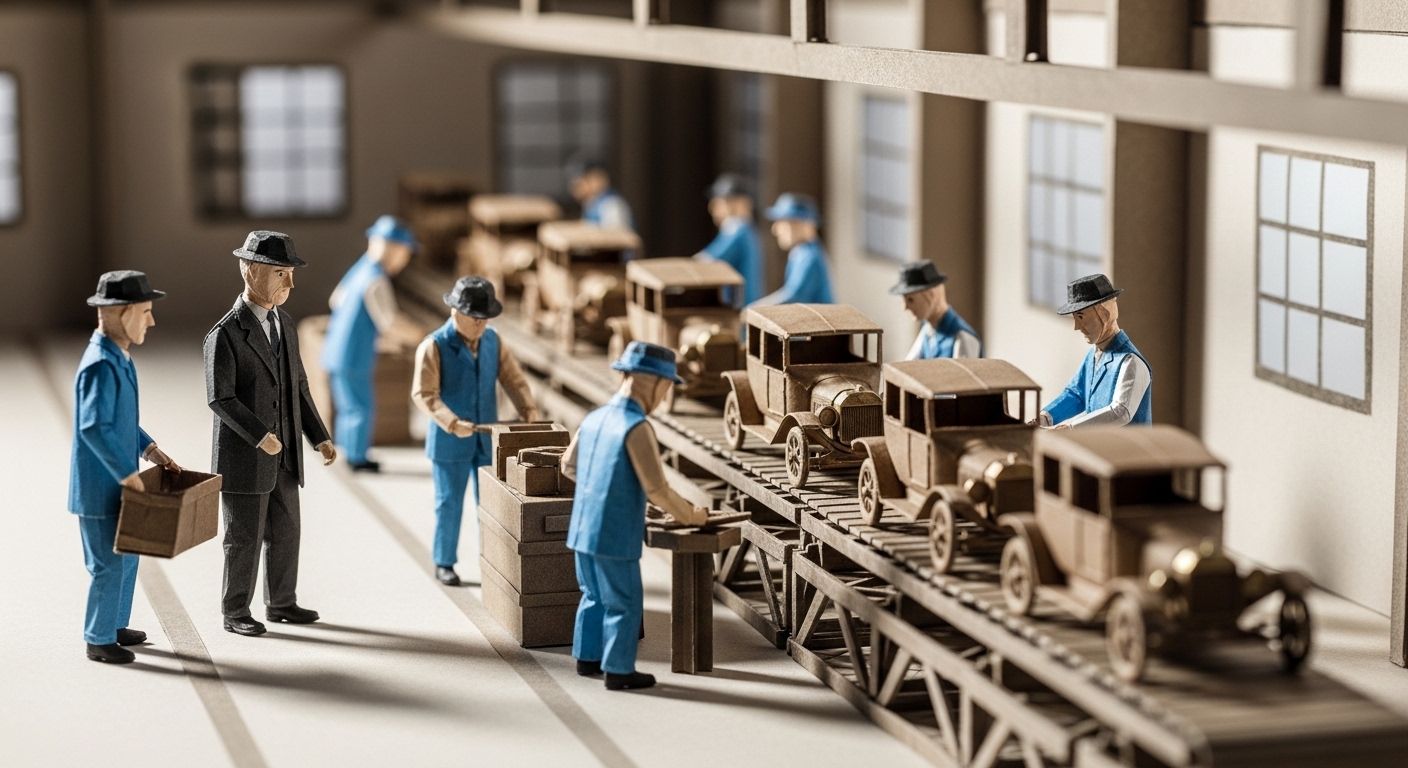
On December 1, 1913, Henry Ford did something that would change manufacturing forever. He installed the first moving assembly line at his Highland Park plant in Michigan. Before that day, building a single Model T took more than 12 hours. After? Just 93 minutes.
Ford didn't invent the car. He didn't even invent the assembly line concept—flour mills and breweries had used continuous-flow production for years. What Ford did was break down a complex process into 84 discrete steps, where each worker mastered just one task. The result? Cars became affordable for ordinary Americans. By the early 1920s, more than half the registered cars in the world were Fords.
Here's the thing: customer journeys work exactly the same way.
Instead of manually sending emails to every new subscriber, chasing every abandoned cart, or personally checking in with inactive customers, you build a system. You break the customer relationship into discrete steps. And you let automation do what it does best—work tirelessly, consistently, and at scale.
That's what Customer.io Journeys lets you do. And if you're reading this, you're about to learn how to build automations that actually convert—not just theoretically, but in the real world where people open emails (or don't), click buttons (or scroll past), and buy things (or bounce forever).
Let's get into it.
What Is Customer.io and Why Does It Matter for Customer Journeys?
Customer.io is a marketing automation platform built for businesses that want more control over their messaging. Unlike basic email tools that blast the same message to everyone, Customer.io lets you send targeted, behaviour-based messages across email, SMS, push notifications, and in-app channels.
A customer journey in Customer.io is a visual workflow that automatically moves people through a series of messages and actions based on what they do (or don't do). When someone signs up, abandons their cart, or goes silent for 30 days, your journey kicks in without you lifting a finger.
Why does this matter? Because automated emails make up just 2% of total sends but drive 41% of all email orders. According to Klaviyo's analysis of 325 billion emails, automated flows generate up to 30x more revenue per recipient than one-time campaigns.
Those aren't typos. Automation doesn't just save time—it prints money.
How Does Customer.io's Visual Workflow Builder Work?
Customer.io's workflow builder is where your journeys come to life. It's a drag-and-drop canvas where you construct message sequences, set delays, create branches, and define exactly how customers move through their experience with your brand.
The Four Core Components
When you open the workflow builder, you'll see four key areas:
- Campaign Settings – Edit your campaign name, goals, exit conditions, and message settings
- Build Menu – Drag and drop blocks (messages, delays, branches) onto your canvas
- Canvas – The open workspace where your workflow flows from top to bottom
- Builder Features – Zoom controls, sticky notes, export options, and keyboard shortcuts
Step-by-Step: Building Your First Workflow
Step 1: Create a Campaign
Navigate to Campaigns in your Customer.io workspace. Click "Create Campaign" and name it something descriptive—"Welcome Series – New Subscribers" beats "Campaign 1" every time.
Step 2: Set Your Trigger
Your trigger defines who enters this journey and when. Common triggers include:
- Segment-based: Anyone who joins a specific segment (e.g., "New Subscribers")
- Event-based: Anyone who performs a specific action (e.g., "Completed Purchase")
- Date-based: Anyone with a specific date attribute (e.g., birthday or trial expiration)
Step 3: Drag Blocks to Your Canvas
From the Build menu, drag items onto your canvas. The canvas shows you where you can drop blocks with a visual indicator.
Step 4: Configure Each Block
Click any block to configure it. Messages need content. Delays need time settings. Branches need conditions. Anything marked "You still have work to do" requires your attention before launch.
Step 5: Test and Activate
Use Customer.io's preview and test features to verify your workflow logic. Then activate your campaign and watch it run.
Pro Tip: Use Sticky Notes
As workflows get complex, leave sticky notes for yourself and teammates. Drag them from the bottom menu, link them to specific actions, and colour-code them by type (informational vs. warnings). Future-you will thank present-you.
What Message Types Can You Use in Customer.io Journeys?
Customer.io supports multi-channel messaging, meaning you're not limited to email. Here's what you can add to any workflow:
The foundation of most journeys. Customer.io emails support:
- Rich HTML design via Design Studio
- Liquid personalisation (dynamic content based on customer data)
- A/B testing
- Link tracking
- Custom sending behaviour (queue as draft, send automatically, or don't send)
SMS
Text messages cut through inbox noise—open rates average around 98%, according to Sender.net's SMS benchmarks. Use SMS for:
- Time-sensitive alerts
- Transactional updates
- Short promotional nudges
- Cart abandonment reminders
Push Notifications
Mobile push notifications appear directly on customers' phones. Push works best for:
- Urgent alerts
- Feature announcements
- Time-limited offers
- Re-engagement nudges
In-App Messages
Unlike push (which pulls users back to your app), in-app messages engage customers while they're already using your product. They're gaining ground fast. According to Customer.io's State of Messaging data, the number of accounts sending in-app messages grew 74% from 2023 to 2024, with 5.4x more in-app messages sent year-over-year. Those messages also achieved a 22% average click-through rate, 11.8x higher than email.
Webhooks
Send data to external systems when customers hit certain points in your journey. Useful for:
- Updating your CRM
- Triggering actions in other tools
- Custom integrations
How Do You Build a Welcome Sequence That Converts?
Your welcome sequence is one of your most important automations. It's your first impression at scale.
Update (August 2026): welcome series don't always have the highest conversion rate among automated flows. Bloomreach's 2026 benchmarks put welcome series at a 3% average conversion rate, behind post-purchase follow-ups at 6.8%. Welcome emails still matter for first impressions and list health—just don't assume they're your best revenue driver.
The Anatomy of a High-Converting Welcome Series
Email 1: Immediate Welcome (Send: Immediately)
- Thank them for joining
- Deliver any promised lead magnet
- Set expectations for what's coming
- Single clear CTA
Email 2: Brand Story (Send: Day 2)
- Share your origin story
- Explain your mission and values
- Build emotional connection
- No hard sell
Email 3: Value Demonstration (Send: Day 4)
- Share your best content or resources
- Prove your expertise
- Help them achieve a quick win
- Soft CTA to explore products/services
Email 4: Social Proof (Send: Day 6)
- Customer testimonials
- Case studies
- Usage statistics
- Build trust
Email 5: First Offer (Send: Day 8)
- Special welcome discount or offer
- Clear value proposition
- Urgency (time-limited)
- Strong CTA
Building This in Customer.io
Trigger: Joins "New Subscribers" segment
    ↓
Email 1: Welcome Message
    ↓
Time Delay: 2 days
    ↓
Email 2: Brand Story
    ↓
Time Delay: 2 days
    ↓
Email 3: Value Demo
    ↓
Time Delay: 2 days
    ↓
Email 4: Social Proof
    ↓
Time Delay: 2 days
    ↓
True/False Branch: Has Purchased?
    ├── True: Exit journey (they converted!)
    └── False: Email 5: First Offer
Multi-Channel Welcome Enhancement
Don't limit yourself to email. Consider adding:
- SMS on Day 1: "Hey [Name]! Thanks for joining. Reply HELP anytime for support."
- Push on Day 3: If they have your app installed, send a gentle nudge to explore
- In-App on Day 5: Welcome modal with key features when they next log in
How Do You Build an Abandoned Cart Flow That Recovers Revenue?
Here's a stat that should keep you up at night: the average cart abandonment rate is 74.8%. That means nearly three-quarters of people who add something to their cart leave without buying.
But here's the good news: abandoned cart emails have some of the highest conversion rates in automated marketing. Klaviyo's benchmark report found that abandoned cart flows drive the highest revenue per recipient of any automated sequence.
The Three-Email Abandoned Cart Sequence
Email 1: The Gentle Reminder (Send: 1 hour after abandonment)
- Subject: "Did you forget something?"
- Show the abandoned items with images
- Clear "Complete Your Order" CTA
- No discount yet
Email 2: The Helpful Follow-Up (Send: 24 hours after abandonment)
- Address potential objections
- Add social proof (reviews of the abandoned items)
- Answer common questions
- Offer help (live chat, FAQ link)
Email 3: The Incentive (Send: 72 hours after abandonment)
- Offer a small discount or free shipping
- Create urgency ("Items selling fast")
- Final reminder of what they're missing
- Strong CTA
Building This in Customer.io
Trigger: Event "cart_abandoned" received
    ↓
Time Delay: 1 hour
    ↓
True/False Branch: Has Purchased since trigger?
    ├── True: Exit
    └── False: Continue
        ↓
Email 1: Gentle Reminder
    ↓
Time Delay: 23 hours
    ↓
True/False Branch: Has Purchased?
    ├── True: Exit
    └── False: Continue
        ↓
Email 2: Helpful Follow-Up
    ↓
Time Delay: 48 hours
    ↓
True/False Branch: Has Purchased?
    ├── True: Exit
    └── False: Continue
        ↓
Email 3: Incentive Offer
Critical: Check for Purchase Before Each Send
Notice those branches before each email? They're essential. Nothing annoys customers more than getting "Complete your order!" emails after they've already bought. Always check purchase status before sending the next message.
Adding SMS to Abandoned Cart
Consider adding an SMS touchpoint after Email 2:
After Email 2
    ↓
Time Delay: 6 hours
    ↓
True/False Branch: Has mobile number?
    ├── True: SMS: "Still thinking about [product]? Complete your order and get 10% off: [link]"
    └── False: Skip
SMS abandoned cart messages have exceptional open rates and can catch customers who missed your emails.
How Do You Build a Re-Engagement Campaign for Inactive Customers?
Inactive customers represent untapped revenue. As PayPal's guide to customer re-engagement puts it, acquiring a new customer is typically more laborious and expensive than converting an existing one again—so re-engagement work tends to pay for itself.
Defining "Inactive"
Before you build your re-engagement flow, define what inactive means for your business:
| Business type | Inactivity threshold |
|---|---|
| E-commerce | No purchase in 60-90 days |
| SaaS | No login in 14-30 days |
| Content/Media | No email opens in 45-60 days |
Your definition should be based on your typical customer behaviour. Check your analytics to find your natural drop-off points.
The Win-Back Sequence
Email 1: The "We Miss You" Message (Day 1)
- Acknowledge their absence
- Remind them of value
- Ask if everything's okay
- Soft CTA to return
Email 2: The "What's New" Update (Day 4)
- Share new features, products, or content
- Highlight improvements made
- Show them what they're missing
- Clear CTA to explore
Email 3: The Special Offer (Day 8)
- Exclusive win-back discount
- Time-limited urgency
- Clear value proposition
- Strong CTA
Email 4: The Final Goodbye (Day 15)
- Let them know you're reducing send frequency
- Give option to stay subscribed or unsubscribe
- Make unsubscribing easy (better to lose them cleanly than get spam complaints)
Building This in Customer.io
Trigger: Joins "Inactive 60+ Days" segment
    ↓
Email 1: We Miss You
    ↓
Time Delay: 4 days
    ↓
True/False Branch: Has engaged (opened, clicked, purchased)?
    ├── True: Exit (they're back!)
    └── False: Continue
        ↓
Email 2: What's New
    ↓
Time Delay: 4 days
    ↓
True/False Branch: Has engaged?
    ├── True: Exit
    └── False: Continue
        ↓
Email 3: Special Offer
    ↓
Time Delay: 7 days
    ↓
True/False Branch: Has engaged?
    ├── True: Exit
    └── False: Continue
        ↓
Email 4: Final Goodbye
    ↓
Update Attribute: Set "email_frequency" to "low"
The Sunset Policy
After your re-engagement sequence, move truly unengaged users to a suppression list or low-frequency segment. This:
- Protects your sender reputation
- Reduces email costs
- Improves your overall metrics
- Respects people who simply aren't interested anymore
What Are the Best Practices for Multi-Channel Campaigns?
Using email, SMS, push, and in-app together creates a cohesive customer experience. But doing it wrong creates noise and frustration. Here's how to get it right.
1. Respect Channel Preferences
Not everyone wants SMS. Some people disable push notifications. Use Customer.io's attributes to track and respect preferences:
- Always check if a customer has opted into a channel before messaging them
- Let customers choose their preferred channels during onboarding
- Honour unsubscribes immediately
2. Match Message to Channel
Each channel has strengths:
| Channel | Best For | Avoid |
|---|---|---|
| Detailed content, visual storytelling, complex CTAs | Time-sensitive alerts | |
| SMS | Urgent updates, short reminders, high-priority offers | Long-form content |
| Push | App engagement, real-time alerts, quick actions | Heavy promotional content |
| In-App | Feature adoption, contextual help, surveys | Anything to non-active users |
3. Don't Bombard
Sending the same message on email, SMS, AND push simultaneously is not multi-channel marketing—it's harassment. Instead:
- Use channels sequentially (email first, SMS follow-up if no open)
- Create channel-specific messaging (not copy-paste)
- Set frequency caps to prevent over-messaging
4. Use Branches to Orchestrate
Email 1: Welcome Message
    ↓
Time Delay: 2 days
    ↓
True/False Branch: Opened Email 1?
    ├── True: Email 2: Next step
    └── False: Has mobile number?
        ├── True: SMS: Quick hello
        └── False: Email 2 with different subject line
This logic ensures you're not doubling up, and you're using the right channel to reach each person.
What Are the Most Common Customer Journey Mistakes (And How Do You Avoid Them)?
After helping businesses build thousands of automations, we've seen the same mistakes repeatedly. Here's what to avoid:
Mistake 1: No Exit Conditions
Problem: Someone buys, but keeps getting "Buy Now!" emails for weeks.
Solution: Always define exit conditions. When someone converts, they should exit the journey (or move to a post-purchase journey).
Mistake 2: Sending Too Frequently
Problem: Five emails in three days makes customers hit unsubscribe.
Solution: Space your messages appropriately. For most sequences, 2-3 days between emails is minimum. Check your engagement metrics—if unsubscribes spike, slow down.
Mistake 3: No Personalisation
Problem: "Dear Valued Customer" feels impersonal and lazy.
Solution: Use Customer.io's Liquid tags to personalise:
- First name:
{{ customer.first_name | default: "there" }} - Company:
{{ customer.company }} - Product interests: Based on browsing or purchase history
Mistake 4: Ignoring Mobile
Problem: Emails that look great on desktop but break on mobile.
Solution: Over half of emails are opened on mobile devices. Always:
- Use responsive templates
- Keep subject lines short
- Make CTAs thumb-friendly
- Preview on mobile before sending
Mistake 5: Set-and-Forget Mentality
Problem: Launching a journey and never looking at it again.
Solution: Review your automations quarterly:
- Check conversion rates at each step
- Identify drop-off points
- A/B test subject lines, content, and timing
- Update outdated content or offers
How Do You Measure Customer Journey Success?
You can't improve what you don't measure. Here are the key metrics to track:
Email Metrics
| Metric | What it measures | Benchmark |
|---|---|---|
| Open rate | Percentage who opened | 39.64% average, according to GetResponse's 2024 report |
| Click-through rate (CTR) | Percentage who clicked | 3.2% average |
| Conversion rate | Percentage who completed your goal (purchase, signup, etc.) | Varies by journey—set your own goal in Customer.io |
| Unsubscribe rate | Percentage who opted out | Should stay below 0.5% |
Journey-Level Metrics
- Journey Completion Rate: What percentage makes it to the end?
- Drop-Off Points: Where are people exiting early?
- Time to Conversion: How long from entry to goal completion?
- Revenue Attribution: What revenue is each journey generating?
Setting Up Goals in Customer.io
When creating campaigns, define a goal (like "Made Purchase"). Customer.io tracks how many people achieve that goal, giving you clear conversion data for each journey.
Frequently Asked Questions About Customer.io Journeys
1. What's the difference between a Campaign and a Broadcast in Customer.io?
Campaigns are ongoing automations triggered by customer behaviour or attributes—they run continuously for anyone who meets the trigger criteria. Broadcasts are one-time sends to a specific segment, like a newsletter or announcement. Use campaigns for journeys; use broadcasts for single communications.
2. How many emails should be in a welcome sequence?
Most effective welcome sequences contain 4-7 emails over 2-3 weeks. This gives you enough touchpoints to build relationship without overwhelming new subscribers. Test different lengths with your audience—some markets prefer shorter sequences.
3. What's the best time to send automated emails?
GetResponse's research found that emails sent between 4-6 AM and 5-7 PM have higher engagement. However, "best time" varies by audience. Use Customer.io's optimal send time features when available, and test different timing windows.
4. Should I include a discount in abandoned cart emails?
Not immediately. Lead with your first 1-2 emails focused on reminder and objection handling. Only introduce discounts in later emails if needed—you don't want to train customers to always abandon carts expecting a discount.
5. How do I personalise emails in Customer.io?
Customer.io uses Liquid templating for personalisation. Basic example: Hello {{ customer.first_name | default: "friend" }}!. You can personalise based on any attribute or event data you send to Customer.io, including purchase history, browsing behaviour, and custom attributes.
6. Can I A/B test within a journey?
Yes. Click any message block and select the A/B test option. You can test subject lines, content, send times, and more. Customer.io will automatically determine a winner based on your chosen metric.
7. What happens if someone qualifies for multiple journeys?
They can be in multiple journeys simultaneously unless you set up exit conditions or segment exclusions. Be intentional about this—you don't want someone getting a win-back email while also receiving an abandoned cart sequence.
8. How long should delays be between messages?
Depends on urgency. For abandoned carts, 1 hour for first email is common. For welcome sequences, 2-3 days between emails works well. For re-engagement, 4-7 days between messages. Always check your data—if people are unsubscribing, you might be too aggressive.
9. How do I track revenue from my journeys?
Set up conversion tracking with Customer.io's goal feature. When creating a campaign, define a goal event (like "purchased"). You can also integrate with your e-commerce platform to pass revenue data and track ROI directly.
10. What's the best way to handle unsubscribes in journeys?
Respect them immediately and completely. Customer.io handles this automatically—unsubscribed users won't receive emails. But also use preferences to let customers choose which types of emails they receive rather than all-or-nothing.
11. Can I copy journeys between workspaces?
Yes, you can copy workflow items between campaigns in any of your workspaces. You can also duplicate entire campaigns to reuse workflows, trigger conditions, and goal settings. However, you cannot copy campaigns across different accounts.
12. How do I prevent sending to people who already converted?
Add True/False branches before each message that check for conversion. For example, "Has made purchase since entering journey?" If true, exit the journey or move them to a post-purchase track.
13. What's the difference between Time Delay, Time Window, and Wait Until?
- Time Delay: Wait a specific duration (e.g., 2 days)
- Time Window: Only send during specific times (e.g., weekdays 9 AM - 5 PM)
- Wait Until: Wait until a condition is met (e.g., until they open an email or until a specific date)
14. How do I integrate Customer.io with my e-commerce platform?
Customer.io integrates with major platforms like Shopify, WooCommerce, and BigCommerce through direct integrations or the Track API. These integrations automatically sync customer data, purchase events, and browsing behaviour.
15. What's a realistic ROI from email automation?
Email marketing generates an average of $36 for every $1 spent, with top-performing organisations seeing up to $68 per $1 invested. Automated flows specifically outperform one-time campaigns by significant margins—Omnisend reports that automated emails achieved 2,361% higher conversion rates than scheduled campaigns in 2024.
Ready to Build Journeys That Convert?
Customer.io's visual workflow builder gives you the power to create sophisticated, multi-channel customer journeys without writing code. But having the tool isn't the same as using it effectively.
The businesses that win with automation aren't the ones with the fanciest workflows—they're the ones who:
- Start simple and iterate based on data
- Test relentlessly and let winners emerge
- Respect customer preferences and timing
- Measure what matters and act on insights
Just like Henry Ford broke car manufacturing into 84 discrete steps, your job is to break the customer relationship into moments that matter—and build systems that deliver the right message, at the right time, through the right channel.
That's how you turn Customer.io from a cost centre into a revenue engine.
About NerveCentral
We're a Customer.io Certified Partner that helps businesses turn Customer.io into a revenue-generating machine. Better emails. Smarter automations. More conversions. Less churn.
If you need help building customer journeys that actually convert—or want an expert audit of your existing automations—get in touch with our team.
Sources
-
History.com. "Ford's Assembly Line Starts Rolling." December 1, 1913. https://www.history.com/this-day-in-history/december-1/fords-assembly-line-starts-rolling
-
Ford Motor Company. "The Model T." https://corporate.ford.com/articles/history/the-model-t/
-
Mailmend. "32 Email Automation Statistics E-commerce Marketers Need to Know in 2026." https://mailmend.io/blogs/email-automation-statistics
-
Klaviyo. "2024 Email Marketing Benchmarks by Industry." https://klaviyo.com/marketing-resources/email-benchmarks-by-industry-2024
-
Email Vendor Selection. "38+ Cart Abandonment Rate Statistics (2026 Updated)." https://www.emailvendorselection.com/cart-abandonment-rate-statistics/
-
Klaviyo. "The Abandoned Cart Benchmarks Report: 2024 Data to Inform Your Strategy." https://www.klaviyo.com/blog/abandoned-cart-benchmarks
-
PayPal. "Winning Back Customers: Strategies for Re-engagement." https://www.paypal.com/us/brc/article/re-engage-customers
-
GetResponse. "Key Insights From the 2024 Email Marketing Benchmarks Report." https://www.getresponse.com/blog/email-marketing-benchmarks-report-key-insights
-
Tabular. "Email Marketing Statistics." https://tabular.email/blog/email-marketing-stats
-
Customer.io Documentation. "Automation Workflow Builder." https://docs.customer.io/messaging/send/workflows/builder/
-
Bloomreach. "Email Marketing Conversion Rate Benchmarks & 8 Proven Strategies for 2026." https://www.bloomreach.com/en/blog/email-conversion-rate
-
Customer.io. "Mobile Messaging Trends for 2025." https://customer.io/learn/mobile-marketing/mobile-messaging-trends
-
Omnisend. "Email Marketing Statistics: Key Insights." https://www.omnisend.com/blog/email-marketing-statistics/
-
Sender. "SMS Marketing Open Rate Statistics (2026)." https://www.sender.net/blog/sms-open-rates/
Want this working in your Customer.io workspace?
It's what we do all day for SMBs—strategy, automations, deliverability and hands-on execution.
See how we work as a Customer.io agency →

