
Apple Mail Privacy Protection Has Quietly Broken Your Day-2 Onboarding Trigger: How to Rebuild Behaviour Triggers Without Opens
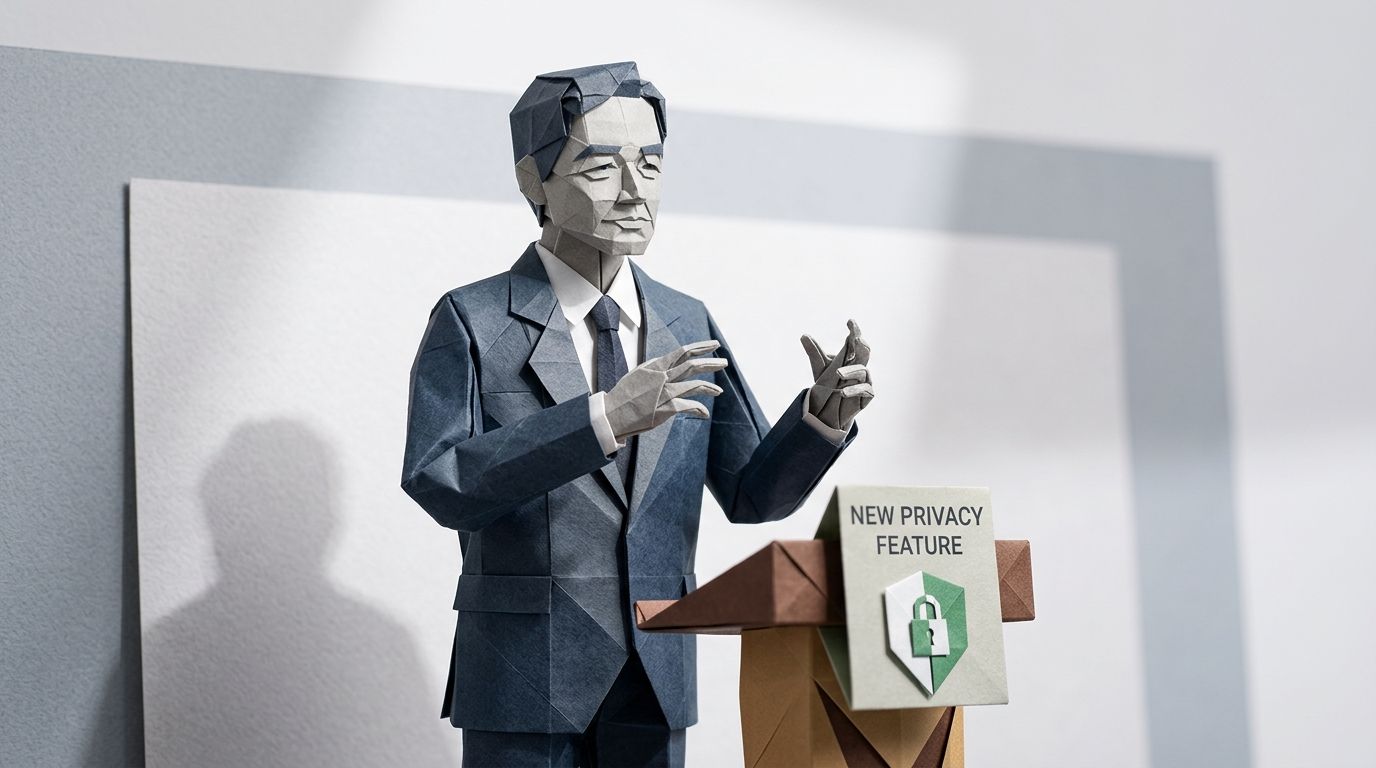
On 7 June 2021, at the opening keynote of WWDC, Apple's software chief Craig Federighi spent about ninety seconds describing a new iOS 15 feature called Mail Privacy Protection. Most viewers were watching for SharePlay or Focus Mode. For the email marketing industry, those ninety seconds were the equivalent of a quiet announcement that the meter on every petrol pump in the country was about to start reading 1.5× the actual fuel sold.
By the time MPP shipped to consumers that autumn, Litmus engineers had already published a teardown explaining the mechanism. Apple would route every inbound message through a proxy that pre-fetched the email body, including the tracking pixel, the instant the message hit the device. Whether the recipient ever opened it or not. The open rate, the metric that had anchored every email marketer's career for two decades, had quietly become a coin toss.
Four and a half years on, Apple Mail accounts for roughly 62% of all email opens globally, and most onboarding journeys still have an email_opened condition sitting on Step 2. This post is the technical fix you've been meaning to make. What to swap that condition for inside Customer.io, why Human Opened is your starting point, and a recipe for migrating a typical five-step onboarding journey without rebuilding it.
TL;DR: Apple's Mail Privacy Protection pre-fetches the tracking pixel the instant a message reaches an Apple Mail inbox. A Customer.io journey that branches on plain email_opened is branching on that proxy traffic for roughly 62% of global opens, not on human behaviour. Don't abandon behaviour triggers. Swap the data source. Customer.io's Human Opened and Human Clicked metrics are reliable since 20 March and 20 April 2025, and usable inside segments and conditions since 30 June 2025. They strip out MPP prefetches, Gmail prefetching, and bot traffic. On most existing journeys the fix is one dropdown change per condition. Sunset policies carry the highest stakes: a raw-opens sunset rule keeps bot-fetched ghost contacts and removes real humans who read on iPhone.
The maths of the broken trigger
A behaviour-triggered journey that branches on email_opened is, in practice, a time-delayed broadcast for half your list. Apple's MPP impacts roughly 55–60% of all email opens globally, and on B2C lists the share is typically higher than the global average because consumer audiences skew toward Apple devices. For those recipients, the tracking pixel fires at delivery whether they ever opened the message or not.
Run the arithmetic on your own audience. If you have 50,000 subscribers and 60% are on Apple Mail, an if opened email_1 then send email_2 in 24h rule will fire for 30,000 of them automatically, simply because their mail client pre-loaded the pixel. The condition has become a coin toss with a heavy bias. You wrote a behavioural rule, but the rule no longer measures behaviour.
Why this is worse than just "inflated open rates"
The reporting problem and the workflow-routing problem are different problems. Inflated metrics make you look better than you are at the end of the month. A misfiring trigger does something worse: it sends real campaigns to real people at the wrong time. Frequency caps blow out. Engaged users get over-mailed because their pixel keeps firing. Ghost contacts who never read anything stay alive inside your "active" segment, eating budget and dragging your sender reputation down.
This is exactly the rebuttal to the case for behaviour-triggered journeys over time-based drips. Behaviour triggers are still the right model. The signal feeding them just stopped being behaviour.
Customer.io's specific fix: Human Opened and Human Clicked
Customer.io shipped the fix in two stages in 2025. The reporting metrics arrived first: Human Opened became reliable on 20 March 2025, and Human Clicked on 20 April 2025, with both surfaced in campaign analytics so you could compare human-only engagement against the combined human + machine numbers. Useful for reporting. Not yet useful inside a workflow.
The second stage is the one that actually fixes your journeys. On 30 June 2025, Customer.io extended Human Opened and Human Clicked into segments and trigger conditions. When you build a condition on email engagement now, the UI gives you a choice: target any data (human and machine), or only data attributed to profiles. Pick the second option and your condition stops counting bots, scanners, and MPP prefetches.
What Human Opened actually excludes
Per Customer.io's own documentation, the Human Opened metric strips out four categories of non-human activity: opens by Apple's Mail Privacy Protection, Gmail's prefetching of images, user agents identified as bots, and known scanners. The last category is identified by the MX hosts of recipient email domains hitting within a few seconds of delivery. Human Clicked screens out the click-side equivalent: automated security scanners, bot user agents, known proxy services, and repetitive click patterns its detection algorithm flags as non-human.
Customer.io's own commentary makes the implication explicit: any click within seconds of delivery is machine engagement and not authentic. The platform now bakes that assumption into the metric itself, so you don't have to write the rule yourself.
One UI change, not a workflow rebuild
The fix on most existing journeys is a single dropdown change on the condition you've already built. You're not rebuilding the journey, you're not migrating the data, and you're not changing the segment structure. The condition still asks "did this person engage?" It just stops counting the fake engagement.
If you only do one thing after reading this, do that. Open every journey that uses an open or click condition, and switch the data source on each condition from "human and machine" to "human only".
Five replacement signal patterns when opens won't do
Human Opened solves the open-trigger problem, but it doesn't always solve the underlying decision. If your goal is to route a user based on what they've actually done, an open, even a verified human one, is a thin signal. Five patterns give you a stronger one.
1. Click events
Human Clicked is the cleanest direct swap for most onboarding decisions. Clicks carry intent, opens don't. A condition that asks "did this person click any link in email_1 within 48 hours" tells you more about what they want than any open ever did, and Customer.io's Human Clicked filter strips out the security-scanner false positives that used to pollute click data.
2. In-app or web product events
An event like feature_used or account_setup_completed is unaffected by anything Apple, Google, or your spam filter does. It's a first-party signal from your own product, delivered into Customer.io through the event ingestion API, and it tells you the user actually did the thing the email asked them to do. For most product-led SaaS journeys, this is the right trigger.
3. Account-object attribute changes
For B2B journeys, an attribute change on the account itself often beats an individual open. Did the account upgrade its plan? Did the admin add a seat? Did someone connect a key integration? Those are routing-grade signals. Customer.io's account-level data model lets you condition workflows on account-object attribute changes without having to map them back to individual user opens.
4. Time-since-last-login
A last_login_at > 30 days ago condition replaces "hasn't opened in 30 days" cleanly for product-led businesses, and it's immune to MPP because it has nothing to do with email. If your product is the thing you care about, gate re-engagement on product activity, not email activity.
5. Reverse-ETL'd warehouse signals
For teams with a data warehouse, traits like LTV bucket, churn-risk score, recent NPS response, or last-purchase recency feed into Customer.io as profile attributes via reverse ETL. They're computed once in the warehouse, synced to Customer.io as a person attribute, and used inside any segment or condition. Immune to MPP, immune to bot inflation, and richer than any engagement metric. See the full pattern in our guide to integrating data sources with Customer.io.
Migration recipe: a five-step onboarding journey, condition by condition
Here is a canonical five-step onboarding programme, with the old open-based condition on each step and the swap you should make now. Use this as a checklist for your own workspace.
| Step | What it does | Old condition | New condition |
|---|---|---|---|
| 1. Welcome | Sent on signup | (none—triggered on account_created) |
No change |
| 2. Feature highlight | Day 2 | opened email_1 within 24h |
human_opened email_1 within 24h, OR human_clicked any link in email_1 within 48h |
| 3. Social proof | Day 5 | opened email_2 within 48h |
human_clicked email_2 within 48h, OR feature_used = "core_action" since signup |
| 4. Special offer | Day 8 | NOT opened email_3 within 72h |
NOT human_opened email_3 AND NOT feature_used since signup |
| 5. Sunset / final nudge | Day 14 | NOT opened any email in journey |
NOT human_opened any email AND last_login_at > 14 days ago AND NOT human_clicked any email |
Three things to notice about the swap. First, every open and click condition gets the human filter. Second, where a behavioural product event exists, it joins the condition with an OR (a click or a feature use both prove engagement). Third, the sunset step gets the strictest treatment: three independent signals all have to be negative before someone is treated as disengaged. The old single-signal version was sunsetting humans who happened to use Apple Mail.
What to do when Step 2 should also depend on product behaviour
The most common compounding case in SaaS onboarding is "send Step 2 only if they opened Step 1 and haven't yet completed setup." Build that as human_opened email_1 AND NOT account_setup_completed. The AND between an engagement signal and a product-state signal is where your journey earns its keep, and it's the kind of routing that gets quietly broken when the engagement signal is unreliable.
Avoid compounding ORs that trap users in dead-end states. If Step 2 sends when "opened OR clicked OR feature_used OR logged in," you've essentially said "send to everyone," which is fine if that's what you want but isn't a behaviour trigger. Be explicit about what each branch is for.
Your sunset policy is the most expensive version of this bug
Sunset programmes have the worst version of the MPP problem because they're inverted. A misfiring trigger on a welcome series sends a wanted email at the wrong time. A misfiring sunset policy deletes the relationship.
Run the logic. A typical sunset rule looks like "remove from active segment if NOT opened any email in 90 days." On a list that's 60% Apple Mail, half the genuine humans who read your emails on iPhone show low absolute open rates, because their reading patterns are being measured against an inflated baseline. Meanwhile, bot-fetched ghost contacts look "active" because Apple's proxy fires their pixel reliably every send. The rule keeps the ghosts and sunsets the humans. Backwards.
The corrected version uses three signals together: Human Clicked over the window, product activity over the window, and explicit consent signals like preference-centre interactions. Treat someone as engaged only if at least one is positive. Sunset only when all three are negative for the full window. Customer.io's own published view is that opens should now be a relative metric, not an absolute one, useful for spotting trends and dips, not for individual person-level routing.
If you want the wider rebuild—what an engagement metrics hierarchy looks like in 2026 once you've stopped chasing open rates entirely—that's the next layer of work. The fix in this post gets you off the broken triggers; the scorecard tells you what to measure instead.
A 30-minute audit for your workspace
Open Customer.io. Go to Campaigns. Filter to active workflows. For each one, open the workflow editor and look at every condition node. If any condition references opens or clicks with the default data source, change it to "only data attributed to profiles."
Then go to Segments. Search for segments that include "opened" or "clicked" in the rule set. Same swap. Pay particular attention to any segment used as an audience filter on a campaign—those are the ones quietly inflating or shrinking your sends.
Finally, look at your sunset and re-engagement segments. If any of them use last-opened timestamps as the survival condition, rebuild them around Human Clicked and product-event recency. The first time you run the audit, expect to find a dozen places to fix. The second time, expect three. The third time, zero, and a list that behaves like the humans on it actually do.
Customer.io's advanced segmentation tooling makes the swap quick once you know what you're looking for. The hard part isn't the fix. The hard part was knowing the trigger was broken.
Frequently asked questions
Q: Are open rates still useful for anything in Customer.io after Apple MPP?
Yes, but only as a relative metric. Customer.io's own guidance says open rates can still help spot subject-line trends within a campaign and dips that suggest spam-folder placement, but the absolute numbers no longer mean what they used to mean. Don't use them as person-level routing signals or as the basis for sunset decisions.
Q: What's the difference between Customer.io's "opened" and "human opened" metrics?
The standard "opened" metric counts every tracking pixel load, including Apple MPP prefetches, Gmail image prefetching, bot user agents, and known security scanners. "Human Opened" excludes all four categories, leaving only opens attributed to actual people. The difference between the two numbers, on most modern lists, is roughly the size of your Apple Mail audience.
Q: When did Customer.io release the Human Opened metric?
Human Opened data became reliable on 20 March 2025, and Human Clicked on 20 April 2025. Customer.io published the release announcement on 14 May 2025. On 30 June 2025, both metrics became usable inside segments and trigger conditions, not just reporting dashboards.
Q: Can I use Human Opened as a trigger or condition in a Customer.io workflow?
Yes, since 30 June 2025. When you build a condition based on email opens or clicks, the UI gives you a choice between targeting any data (human and machine) or only data attributed to profiles. Selecting "profiles only" makes the condition behave the way a behaviour trigger is supposed to behave.
Q: How do I fix a Day-2 onboarding email that triggers on open?
Open the workflow editor on Step 2. Find the condition that checks whether the previous email was opened. Change the data source on that condition from the default (human and machine) to "only data attributed to profiles." Optionally, add an OR clause for Human Clicked or for a product event like feature_used. Save. That's the whole fix.
Q: What percentage of my list is affected by Apple Mail Privacy Protection?
Industry-wide, Apple Mail accounts for about 62% of all email opens (per Litmus), and MPP impacts roughly 55-60% of all opens globally. B2C lists typically run higher than the global average because consumer audiences skew toward Apple devices. The percentage on your own list will vary by audience, but assume "the majority" unless you can prove otherwise.
Q: Should I still sunset inactive subscribers based on opens?
No, not on opens alone. A sunset policy that uses raw opens systematically removes humans on Apple Mail (whose absolute open numbers look low against an inflated baseline) while keeping bot-prefetched ghost contacts alive. Sunset on a combination of Human Clicked, product activity, and explicit consent signals, all negative for the full window.
Q: What replaces an email_opened condition in a Customer.io journey?
Five options, in roughly the order most teams should consider them: Human Opened (smallest change), Human Clicked (stronger signal), a product event like feature_used (strongest), an account-object attribute change for B2B, or a warehouse-derived attribute via reverse ETL. For most onboarding journeys, a combination of Human Clicked OR a product event covers the decision better than any open ever did.
Q: Is Human Clicked also affected by bots?
Less than raw clicks, but the principle is the same. Customer.io's Human Clicked metric strips out clicks from automated security scanners, bot user agents, known proxy services, and repetitive click patterns its detection algorithm flags as non-human. The platform's own guidance is that any click within seconds of delivery should be treated as machine engagement. Use Human Clicked rather than raw clicks for the same reason you use Human Opened rather than raw opens.
Q: What's the best engagement metric for a B2B Customer.io workspace?
For B2B, account-level signals beat individual email signals. Plan upgrades, seat additions, integration connections, and last-active-on-account timestamps tell you whether the account is healthy. Email engagement (now Human Opened and Human Clicked) becomes a supporting signal, useful for routing inside an active account, not the foundation of the whole programme.
Q: How do I segment Apple Mail users specifically in Customer.io?
Customer.io doesn't expose a dedicated email-client attribute you can filter a segment on directly, so there's no native email_client contains "Apple" condition to build. The workable proxy is comparing the standard Opened count against the Human Opened count on the same campaign. The gap between the two is largely MPP-masked Apple Mail traffic, which gives you a reasonable estimate of how much of your list is exposed to the open-inflation problem. For person-level routing, Human Opened and Human Clicked already solve the underlying problem without needing to identify individual mail clients.
Q: Why does my onboarding journey send Step 2 to almost everyone now?
Because the condition on Step 2 is being met by Apple's proxy pre-fetching the pixel for everyone on Apple Mail, not by humans opening the email. The condition fires for the proxy traffic, so the next step queues up regardless. Switch the condition's data source to "only data attributed to profiles" and the send volume on Step 2 will drop to the actual engaged audience.
Q: Does Customer.io's Human Opened metric apply retroactively to old data?
No. Human Opened data is reliable from 20 March 2025 onward, and Human Clicked from 20 April 2025. Historical data from before those dates uses the old single-pixel model and won't be reclassified.
Q: Can I use reverse-ETL data instead of opens for behaviour triggers?
Yes, and for mature teams this is often the better answer. A warehouse-computed attribute (churn risk, LTV bucket, days since last meaningful action) syncs into Customer.io as a person trait and is usable inside any segment or condition. Immune to MPP, immune to bot inflation, and richer than any single email engagement signal.
Q: How do I rebuild a re-engagement programme without using opens?
Start with three signals: Human Clicked over the window, any product activity over the window, and any explicit consent signal like a preference-centre interaction. Treat someone as engaged if any one is positive. Treat them as disengaged only if all three are negative for the full window. Then route to a single, well-crafted re-engagement message rather than the multi-step revival sequences that were built on the assumption that opens were a reliable signal.
Sources
- Better understand email engagement with Human opened and clicked metrics — Customer.io Docs, 14 May 2025
- Use human opens and clicks in your workflows — Customer.io Docs, 30 June 2025
- Bots are skewing your email metrics: Here's what matters now — Customer.io Learn, 12 May 2025
- Email Client Market Share: Trends & Statistics 2026 — Litmus
- Apple's Mail Privacy Protection Knowledge Center — Litmus
- Apple's Mail Privacy Protection Is Here: What It Actually Means for Email Marketers — Litmus
- Apple Mail Privacy Protection (MPP) FAQs — Mailchimp
- Apple advances its privacy leadership with iOS 15, iPadOS 15, macOS Monterey, and watchOS 8 — Apple Newsroom, 7 June 2021
Want this working in your Customer.io workspace?
It's what we do all day for SMBs—strategy, automations, deliverability and hands-on execution.
See how we work as a Customer.io agency →

