
The Complete Guide to Integrating Data Sources with Customer.io: APIs, Webhooks, Reverse ETL, and Beyond
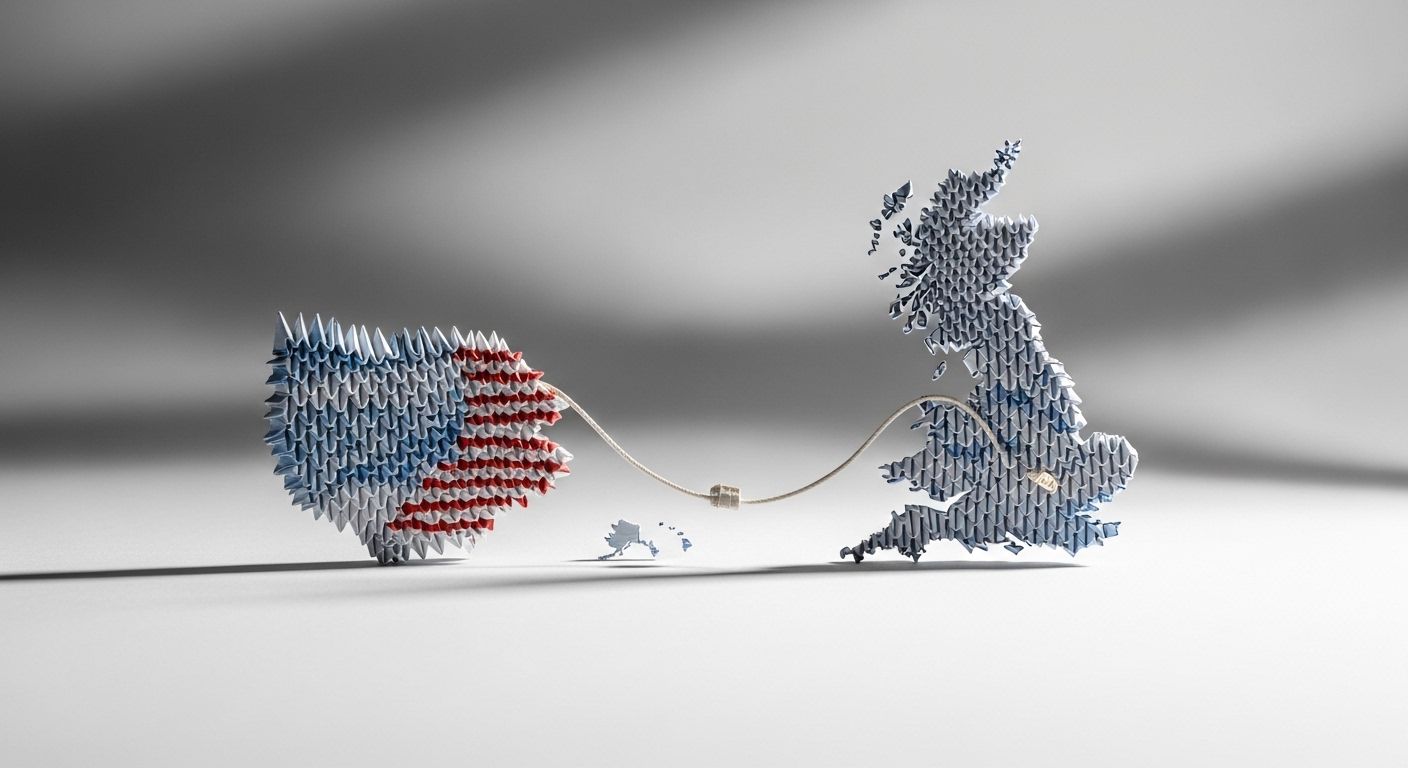
When a Cable Changed the Speed of Commerce
On July 27, 1866, something remarkable happened that would reshape global business forever. The transatlantic telegraph cable successfully linked the United States with Great Britain for the first time. Before that moment, information about cotton prices in Liverpool took a week or more to reach New York merchants by ship. After? Within a day.
The economic impact was staggering. According to research by MIT economist Claudia Steinwender, the cable reduced transatlantic price differences by more than a third—from 2.56 pence to 1.65 pence per pound of cotton. Exporters could finally calibrate shipments to match foreign demand. Daily cotton exports jumped 37%. The efficiency gain equaled eliminating a 7% tariff.
What made the difference? Unified, real-time data flowing between two previously disconnected systems.
Nearly 160 years later, you face the same challenge. Your customer data lives in dozens of systems: your product database, CRM, support tools, payment processor, mobile app, website analytics. Each system speaks its own language. Each holds a piece of the puzzle. And without connecting them, you're making decisions with incomplete information—like those 19th-century merchants waiting weeks for price updates.
This guide shows you exactly how to connect your data sources to Customer.io. We'll cover APIs, webhooks, reverse ETL, Segment integration, Snowflake syncs, and CRM connections. By the end, you'll have a unified customer profile that powers personalization and automation at scale.
TL;DR: Customer.io gets data in through five main routes—the Pipelines API, the Track API, webhooks, reverse ETL from your warehouse, and CDP tools like Segment. Each suits a different job: real-time triggers want an API or Segment; enrichment data that can wait a day suits reverse ETL. Native Salesforce and HubSpot integrations are bidirectional but sit behind Premium/Enterprise plans, and Salesforce's own platform changes meant older connections needed re-authenticating during 2026. Start with your highest-value data source, use the right method for each one, and keep sync frequency proportional to how fast that data actually needs to move.
Why Does Unified Customer Data Matter for Marketing Automation?
Unified customer data means bringing together every piece of information about a person—from every system—into a single, complete profile. When your data is unified in Customer.io, you can:
- Personalize messages based on complete behavioral context, not just email engagement
- Trigger automations when events happen anywhere in your stack
- Segment audiences using attributes from your CRM, product, and support tools
- Attribute conversions to specific campaigns with full visibility
The numbers back this up. According to Twilio's State of Personalization Report, 89% of business leaders believe personalization is crucial to their success in the next three years. And marketing automation powered by integrated ETL systems delivers 320% higher revenue compared to manual processes.
But here's the problem: most companies have data trapped in silos. Your product team tracks events in one system. Sales logs interactions in another. Support tickets live somewhere else entirely. Without integration, your marketing automation runs on partial data—and partial data means partial results.
What Are the Main Ways to Get Data Into Customer.io?
Customer.io offers multiple integration methods. Choosing the right one depends on your technical resources, data architecture, and use case.
The Five Integration Approaches
| Method | Best For | Technical Requirement | Real-Time? |
|---|---|---|---|
| Pipelines API | New implementations, CDP use cases | Medium | Yes |
| Track API | Customer.io-only integrations | Medium | Yes |
| Webhooks | Event-driven triggers, workflow actions | Low-Medium | Yes |
| Reverse ETL | Data warehouse syncs (Snowflake, BigQuery) | Low | Scheduled |
| CDP Integration | Segment, mParticle users | Low | Yes |
Let's break down each approach.
How Do Customer.io's APIs Work?
Customer.io provides three APIs and webhooks for different purposes. Understanding when to use each is critical.
The Pipelines API (Recommended for New Implementations)
The Pipelines API is Customer.io's modern, flexible API. Most integrations—including mobile SDKs and libraries—are built on it. If you're starting fresh, start here.
Key characteristics:
- Uses only
POSToperations (even for deletes) - Natively supports objects and relationships
- Works as a Customer Data Platform (CDP), sending data to downstream services
- Semantic events with special meanings (e.g., "Delete Person", "Suppress Person")
When to use it:
- You want to send data to Customer.io AND other services
- You're using Customer.io as your CDP
- You're building a new integration from scratch
- You need object and relationship support
Example: Identifying a user with the Pipelines API
// Using the Node.js SDK (recommended)
const { APIClient, RegionUS } = require("customerio-node");
const api = new APIClient("YOUR_API_KEY", { region: RegionUS });

await api.identify("user_123", {
  email: "[email protected]",
  first_name: "John",
  plan: "premium",
  created_at: Math.floor(Date.now() / 1000)
});
The Track API (For Customer.io-Specific Integrations)
The Track API is oriented specifically toward Customer.io. It uses traditional REST operations (PUT, DELETE, etc.) that may feel more intuitive if you're only integrating with Customer.io.
When to use it:
- You're only sending data to Customer.io (not other services)
- You prefer traditional REST semantics
- You're maintaining an existing Track API implementation
Key difference from Pipelines API: Track API data gets translated internally to the Pipelines format for downstream integrations. This can make troubleshooting harder if you use multiple destinations.
The App API (For Broadcasts, Transactional Messages, and Data Fetching)
The App API uses bearer authorization (not basic auth like the other APIs). Use it for:
- Triggering broadcasts to segments when events occur
- Sending transactional messages (receipts, password resets, notifications)
- Fetching data from Customer.io for use in your application
Example: Triggering a transactional email
const { APIClient } = require("customerio-node");
const api = new APIClient("YOUR_APP_API_KEY");

await api.sendEmail({
  transactional_message_id: "password_reset",
  to: "[email protected]",
  identifiers: { id: "user_123" },
  message_data: {
    reset_link: "https://app.example.com/reset?token=abc123"
  }
});
How Do Webhooks Enable Real-Time Data Flow?
Webhooks work in two directions with Customer.io: incoming (data flowing in) and outgoing (data flowing out).
Incoming Webhooks: Triggering Actions from External Systems
You can use webhook actions in campaigns to receive data from external APIs during workflow execution. This lets you:
- Enrich customer profiles with data from external services
- Check conditions in external systems before proceeding
- Trigger actions in external tools as part of a campaign
Example use case: Before sending a promotional email, check your inventory API to verify the product is in stock.
Outgoing Webhooks: Sending Customer.io Events to External Systems
Reporting webhooks send real-time message events to downstream systems. When someone opens an email, clicks a link, or any message event occurs, Customer.io sends a webhook to your specified endpoint.
Common uses:
- Sync email engagement to your CRM
- Update analytics platforms with message delivery status
- Trigger workflows in other tools based on Customer.io events
Setting up reporting webhooks:
- Go to Data & Integrations > Integrations
- Find Reporting Webhooks and click Add Reporting Webhook
- Enter your webhook endpoint URL
- Select which events to send (sends, opens, clicks, bounces, etc.)
Webhook Best Practices
- Always return 200 status quickly. Process data asynchronously.
- Implement retry logic. Webhooks can fail; your system should handle retries.
- Verify webhook signatures. Ensure requests actually come from Customer.io.
- Log everything. Debugging webhook issues requires detailed logs.
How Does Reverse ETL Connect Data Warehouses to Customer.io?
Reverse ETL (Extract, Transform, Load) syncs data from your data warehouse to Customer.io. Instead of writing code to push data via API, you write a SQL query that selects the data you want to sync.
Why Reverse ETL Matters
Your data warehouse contains your most complete, accurate customer data. Product analytics, billing history, support metrics—it's all there, cleaned and unified. Reverse ETL lets you activate this data in Customer.io without building custom pipelines.
The reverse ETL market reached $2.8 billion in 2025, with North America holding 38.6% of global market share. Companies increasingly recognize that their warehouse is the source of truth—and marketing tools need access to it.
Supported Data Warehouses
Customer.io supports reverse ETL from:
- Snowflake
- BigQuery
- Redshift
- PostgreSQL
- MySQL
- Microsoft SQL Server
Setting Up Snowflake Reverse ETL
Snowflake integration lets you import people, objects, and relationships directly from your Snowflake database.
Update (August 2026): Customer.io has moved new workspaces onto a newer Snowflake integration. The walkthrough below covers mechanics both versions share: a private key, a last_sync_time comparison, and AS to lowercase Snowflake's all-caps columns. New setups also create a dedicated Snowflake warehouse, role, and service user rather than reusing existing credentials.
Step 1: Configure your connection
You'll need:
- Snowflake account subdomain (e.g.,
your-account.us-west-2) - Database role with read permissions
- Username and private key (PKCS#8 PEM format)
- Virtual warehouse name
Step 2: Write your sync query
Your query must select at least an id or email column to identify people. Snowflake uses uppercase column names, so you must use AS to convert them:
SELECT
  ID AS "id",
  EMAIL AS "email",
  FIRST_NAME AS "first_name",
  PLAN_TYPE AS "plan",
  LAST_LOGIN AS "last_login_at"
FROM users
WHERE last_updated >= {{last_sync_time}}
Critical: Always include WHERE last_updated >= {{last_sync_time}} to sync only changed records. Without this, you'll reprocess your entire database every sync—which can impact performance and costs.
Step 3: Set sync frequency
Choose how often to sync:
- Every few hours for relatively static data
- Daily for most use cases
- More frequently only if truly needed (impacts performance)
Step 4: Configure relationship queries (optional)
If you use Customer.io's objects feature (for account-based data like companies), you can sync relationships between people and objects:
SELECT
  person_id AS id,
  company_id AS object_id,
  role AS "relationship_role"
FROM user_company_relationships
WHERE datetime_updated > {{last_sync_time}}
Reverse ETL Best Practices
- Create a read-only database user specifically for Customer.io syncs
- Don't sync from your production database directly—use a replica
- Only sync data you'll actually use to minimize transfer volume
- Index your "last_updated" column for faster queries
- Start with daily syncs and increase frequency only if needed
How Do You Integrate Segment with Customer.io?
Segment is a customer data platform that collects events from your sources and routes them to destinations—including Customer.io. If you already use Segment, this integration is the easiest path to getting data into Customer.io.
Why Use Segment with Customer.io?
- Single implementation: Instrument tracking once, send data everywhere
- Data cleaning: Transform and filter data before it reaches Customer.io
- Anonymous event support: Track users before they identify themselves
- No code changes: Add Customer.io as a destination without touching your codebase
Setting Up Segment Destination Actions
Segment's newer "Destination Actions" integration offers more control than the classic integration:
- In Segment, go to Destinations > Add Destination
- Select Customer.io Actions
- Enter your Customer.io Site ID and API Key (found in Data & Integrations > Customer.io API)
- Configure your action mappings (or use defaults)
Key Segment Integration Features
Identify calls create or update people in Customer.io:
analytics.identify('user_123', {
  email: '[email protected]',
  first_name: 'John',
  plan: 'premium'
});
Track calls send events:
analytics.track('Purchase Completed', {
  order_id: 'ORD-123',
  total: 99.99,
  items: ['Product A', 'Product B']
});
Group calls create objects and relationships (for account-based data):
analytics.group('company_456', {
  name: 'Acme Corp',
  industry: 'Technology',
  employees: 250,
  plan: 'enterprise'
});
Handling Anonymous Events
Segment generates an anonymousId for users before they identify themselves. Customer.io can receive these anonymous events and automatically merge them with identified profiles later. This is enabled by default in new workspaces.
Converting Leads to Customers
A common pattern: identify leads by email first, then assign an ID when they become customers.
Step 1: Identify the lead (no ID yet)
analytics.identify('', {
  email: '[email protected]',
  interested_in: 'product_demo'
});
Step 2: Later, assign an ID when they convert
analytics.identify('user_789', {
  email: '[email protected]',
  account_created: 1709913600
});
Customer.io automatically merges these profiles—as long as the original person doesn't already have an ID.
How Do You Integrate CRMs with Customer.io?
Your CRM holds critical data: deal stages, account values, sales interactions, support history. Connecting it to Customer.io enables powerful automations based on sales and support context.
Salesforce Integration
Customer.io offers bidirectional Salesforce integration on Premium and Enterprise plans, connecting through a Customer.io app installed inside your Salesforce org (a Salesforce Data Cloud/Sales Cloud account at Professional level or higher):
Data In (Salesforce → Customer.io):
- Sync contacts and leads as people
- Sync accounts as objects
- Import custom fields as attributes
Data Out (Customer.io → Salesforce):
- Push people, objects, and events to Salesforce as new, updated, or upserted records
- BCC sales emails to create activities
- Update records via webhook actions in campaigns
Setup steps:
- A Salesforce admin installs the Customer.io External Client App in your Salesforce org
- A Customer.io admin connects to Salesforce from Data & Integrations > Integrations and authenticates via OAuth
- Choose a sync template (contacts, leads, accounts) or configure a custom sync, mapping fields and identifiers
- Set a sync interval
Update (August 2026): Salesforce changed how third-party apps authenticate with its platform. Customer.io integrations connected before 17 June 2026 needed migrating to this new External Client App setup by 17 August 2026 or they stopped working. If you haven't moved over yet, look for the migration banner in your Salesforce integration settings.
HubSpot Integration
HubSpot integration works similarly, on Premium and Enterprise plans, with the data-in side currently in beta:
Data In: Import contacts and companies from HubSpot via sync templates, with custom syncs available for other record types like deals Data Out: Send Customer.io engagement data back to HubSpot as contacts, companies, or custom object records
The key benefit: your sales team sees email engagement in HubSpot without leaving their workflow. Marketing gets CRM context for segmentation.
Generic CRM Integration via Webhooks
For CRMs without native integrations, use webhooks:
- Incoming: Configure your CRM to send webhooks to Customer.io when records change
- Outgoing: Set up reporting webhooks to update CRM records when email events occur
- Campaign actions: Use webhook actions in campaigns to update CRM records mid-workflow
What Integration Patterns Work Best for Common Use Cases?
Let's look at real-world integration architectures.
Pattern 1: Product-Led Growth Company
Data sources: Product database, Stripe, Intercom, Snowflake Goal: Trigger campaigns based on product usage and billing status
Architecture:
Product DB → Segment → Customer.io
Stripe → Segment → Customer.io
Intercom → Webhooks → Customer.io
Snowflake → Reverse ETL → Customer.io (daily enrichment)
Why this works: Real-time events from Segment trigger behavior-based journeys. Snowflake provides aggregated metrics (lifetime value, feature adoption scores) that aren't available in real-time.
Pattern 2: Enterprise B2B with CRM-Centric Sales
Data sources: Salesforce, product analytics, support tickets Goal: Align marketing automation with sales process
Architecture:
Salesforce → Native Integration → Customer.io
Product DB → Track API → Customer.io
Support System → Webhooks → Customer.io
Customer.io → Reporting Webhooks → Salesforce
Why this works: Bidirectional Salesforce sync keeps sales and marketing aligned. Sales sees email engagement; marketing sees deal stage.
Pattern 3: E-commerce with Data Warehouse
Data sources: Shopify, BigQuery, loyalty program Goal: Personalize based on complete purchase history
Architecture:
Shopify → Segment → Customer.io
BigQuery → Reverse ETL → Customer.io (product affinity, RFM scores)
Loyalty API → Webhook actions in campaigns
Why this works: Real-time purchase events from Shopify trigger immediate campaigns. BigQuery provides computed attributes (RFM segments, product affinity) that power long-term personalization.
How Does Unified Data Enable Better Personalization?
With all your data flowing into Customer.io, you unlock personalization that's impossible with siloed systems.
Segmentation with Complete Context
Build segments using any attribute, from any source:
- Product + CRM: Users who completed onboarding AND have an enterprise deal stage
- Behavior + Support: Active users with open support tickets (send different messaging)
- Purchase + Engagement: High-value customers who haven't opened emails in 30 days
Dynamic Content Based on Real-Time Data
Use Liquid to personalize messages with data from any integrated source:
{% if customer.plan == "enterprise" %}
  Your dedicated account manager, {{ customer.account_manager }}, is here to help.
{% else %}
  Our support team is available 24/7.
{% endif %}

{% if customer.open_support_tickets > 0 %}
  We noticed you have {{ customer.open_support_tickets }} open ticket(s).
  We're working on resolving them.
{% endif %}
Campaign Triggers from Any System
Trigger campaigns when:
- A deal closes in Salesforce
- A user reaches a usage threshold in your product
- A subscription payment fails in Stripe
- A support ticket is resolved
For detailed guidance on building these automations, see our guide to Customer.io customer journeys.
What Metrics Should You Track for Data Integration Success?
Integration quality directly impacts campaign performance. Track these metrics:
Data Quality Metrics
| Metric | Target | Why It Matters |
|---|---|---|
| Profile completeness | >80% of key fields populated | Incomplete profiles limit segmentation |
| Data freshness | <24 hours for key attributes | Stale data causes irrelevant messaging |
| Duplicate rate | <1% | Duplicates skew metrics and cause double-sends |
| Sync failure rate | <0.1% | Failed syncs create data gaps |
Integration Health Metrics
- API error rate: Track failed API calls by endpoint
- Webhook delivery rate: Ensure webhooks reach their destinations
- Sync completion time: Monitor reverse ETL performance
- Event latency: Measure time from event occurrence to Customer.io receipt
For comprehensive guidance on measuring your lifecycle marketing, see our reporting and attribution guide.
Frequently Asked Questions About Customer.io Data Integration
What's the difference between the Pipelines API and Track API?
Both APIs get data into Customer.io, but they're designed for different use cases. The Pipelines API is newer, supports objects and relationships natively, and works as a CDP (sending data to downstream services too). The Track API is Customer.io-specific with traditional REST semantics. For new implementations, Customer.io recommends the Pipelines API. Both use basic authentication and produce the same results within Customer.io.
How do I choose between real-time API integration and reverse ETL?
Use real-time API integration (via Pipelines API, Track API, or Segment) for events that should immediately trigger campaigns: purchases, signups, feature activations. Use reverse ETL for enrichment data that doesn't need instant delivery: computed metrics, aggregated scores, data warehouse attributes. Many companies use both: real-time for triggers, batch for enrichment.
What data should I send to Customer.io?
Send data you'll actually use for segmentation, personalization, or triggering campaigns. Common attributes include: email, name, plan/subscription details, signup date, last activity date, key feature usage flags, and purchase history. Avoid sending data you won't use—it increases storage costs and complicates your workspace without adding value.
How often should reverse ETL syncs run?
Start with daily syncs and increase frequency only if needed. Syncing too frequently impacts your data warehouse performance and Customer.io workspace. The exception: if you need near-real-time data that only exists in your warehouse, consider hourly syncs—but evaluate whether you could send that data via API instead.
Can I sync data bidirectionally with my CRM?
Yes. For Salesforce and HubSpot, Customer.io offers native bidirectional integrations on Premium and Enterprise plans. Data flows from CRM to Customer.io (syncing contacts, accounts, deal data) and from Customer.io back to CRM (via reporting webhooks, BCC, or the CRM destination). For other CRMs, you can build bidirectional sync using webhooks and the Track/Pipelines API.
How do I handle anonymous users who later identify themselves?
Customer.io automatically merges anonymous events with identified profiles when you enable the "anonymous event merge" feature (on by default for new workspaces). When using Segment, anonymous events are tracked with an anonymousId. Once you call identify with a userId and matching anonymousId, Customer.io merges the profiles automatically.
What happens if a sync or API call fails?
For API calls, implement retry logic with exponential backoff. Customer.io's SDKs include built-in retry handling. For reverse ETL, failed syncs show in the integration dashboard with error details. You can download error reports showing which rows failed and why. Common causes: duplicate identifiers, invalid email formats, or attempting to change locked attributes.
How do I update email addresses for existing users?
Email and ID are identifier fields that have special rules. By default, you can set them if empty but not change them once set. To enable email changes via ID lookup, go to Settings > Workspace Settings > General Workspace Settings and enable "Allow updates to email using ID." To change either identifier after it's set, you must use the person's cio_id (Customer.io's internal identifier).
What's the best way to test integrations before going live?
Create a test workspace in Customer.io specifically for integration testing. Use test API keys and send test data that doesn't represent real customers. Verify: data arrives correctly, attributes map as expected, events trigger test campaigns, and error handling works. Only switch to production credentials after thorough testing.
How do I debug missing or incorrect data?
Start with Customer.io's Activity Log for the affected person—it shows all received events and attribute changes. For API issues, check your server logs for error responses. For Segment, use the Segment debugger to verify events are sending correctly. For reverse ETL, check the sync logs in Customer.io for row-level errors. Most issues trace to: incorrect field mapping, timestamp format mismatches, or identifier conflicts.
Can I import historical data or only track going forward?
You can import historical data via API or reverse ETL. For events, you can backdate them by including a timestamp parameter. For attributes, send them normally—they'll apply immediately. For large historical imports, consider using reverse ETL from your data warehouse rather than making millions of individual API calls.
How do I ensure data privacy compliance (GDPR, CCPA)?
Customer.io provides tools for privacy compliance. You can: delete or suppress users via API or UI, honor unsubscribe requests automatically, set data retention policies, and restrict where data is stored (US or EU regions). If using Segment, their suppression and deletion tools also propagate to Customer.io. Always maintain audit logs of consent and deletion requests.
What's the difference between attributes and events in Customer.io?
Attributes are properties of a person (or object) that persist over time: name, email, plan, signup date. Events are actions that happened at a point in time: purchased, logged in, viewed page. Use attributes for data you'll query repeatedly (segmentation, personalization). Use events for actions that trigger campaigns or that you want to track historically. Some data could be either—choose based on how you'll use it.
How many attributes and events can I track per person?
Customer.io can handle hundreds of attributes per person, but there's no hard limit. For events, you can send unlimited events, though extremely high volumes may impact costs (pricing is often event-based). The practical limit is usability: if you track thousands of attributes, your workspace becomes hard to navigate. Focus on data you'll actually use.
The Bottom Line
Integrating data sources with Customer.io transforms your marketing automation from "email tool" to "intelligent engagement platform." When your product data, CRM, support system, and data warehouse all feed into Customer.io, you can:
- Trigger campaigns based on any event, from any system
- Personalize messages with complete customer context
- Segment audiences using attributes from every source
- Track attribution across the entire customer journey
The 1866 transatlantic cable unified cotton markets and boosted exports by 37%. Unified customer data delivers the same kind of efficiency gain—but for your entire marketing operation.
Your integration playbook:
- Start with your most valuable data source. Don't try to integrate everything at once.
- Use the right method for each source. Real-time APIs for triggers; reverse ETL for enrichment.
- Prioritize data quality. Bad data in means bad campaigns out.
- Build incrementally. Add sources as you prove value from existing integrations.
- Monitor everything. Track integration health alongside campaign performance.
If you want help architecting your Customer.io data integration—or turning your existing setup into a revenue-generating machine—get in touch with NerveCentral. As a Customer.io Certified Partner, we help businesses build the data foundations that power personalization at scale.
About NerveCentral
NerveCentral is a Customer.io Certified Partner. We craft digital marketing campaigns that engage and convert your customers. We help businesses turn Customer.io into a revenue-generating machine with better emails, smarter automations, more conversions, and less churn.
Sources & Citations
-
Federal Reserve Bank of Richmond. (2018). "The Great Telegraph Breakthrough of 1866." Econ Focus, Second Quarter 2018.
-
Customer.io. (2025). "Customer.io APIs." Customer.io Documentation.
-
Customer.io. (2025). "Segment Integration." Customer.io Documentation.
-
Customer.io. (2026). "Snowflake Reverse ETL." Customer.io Documentation.
-
Dataintelo. (2026). "Reverse ETL Market Research Report 2034." Market Research Report.
-
Integrate.io. (2026). "Data Analytics Enhancement Stats via ETL." Integrate.io Blog.
-
Twilio. (2024). "The State of Personalization Report 2024." Twilio Research.
-
Customer.io. (2026). "Salesforce Data-In Integration." Customer.io Documentation.
-
Customer.io. (2025). "Reporting Webhooks." Customer.io Documentation.
-
Customer.io. (2024). "What is a Customer Data Platform (CDP)?" Customer.io Learn.
Want this working in your Customer.io workspace?
It's what we do all day for SMBs—strategy, automations, deliverability and hands-on execution.
See how we work as a Customer.io agency →

