
Customer.io's Design Studio Converter Keeps Your Old Styling On Purpose
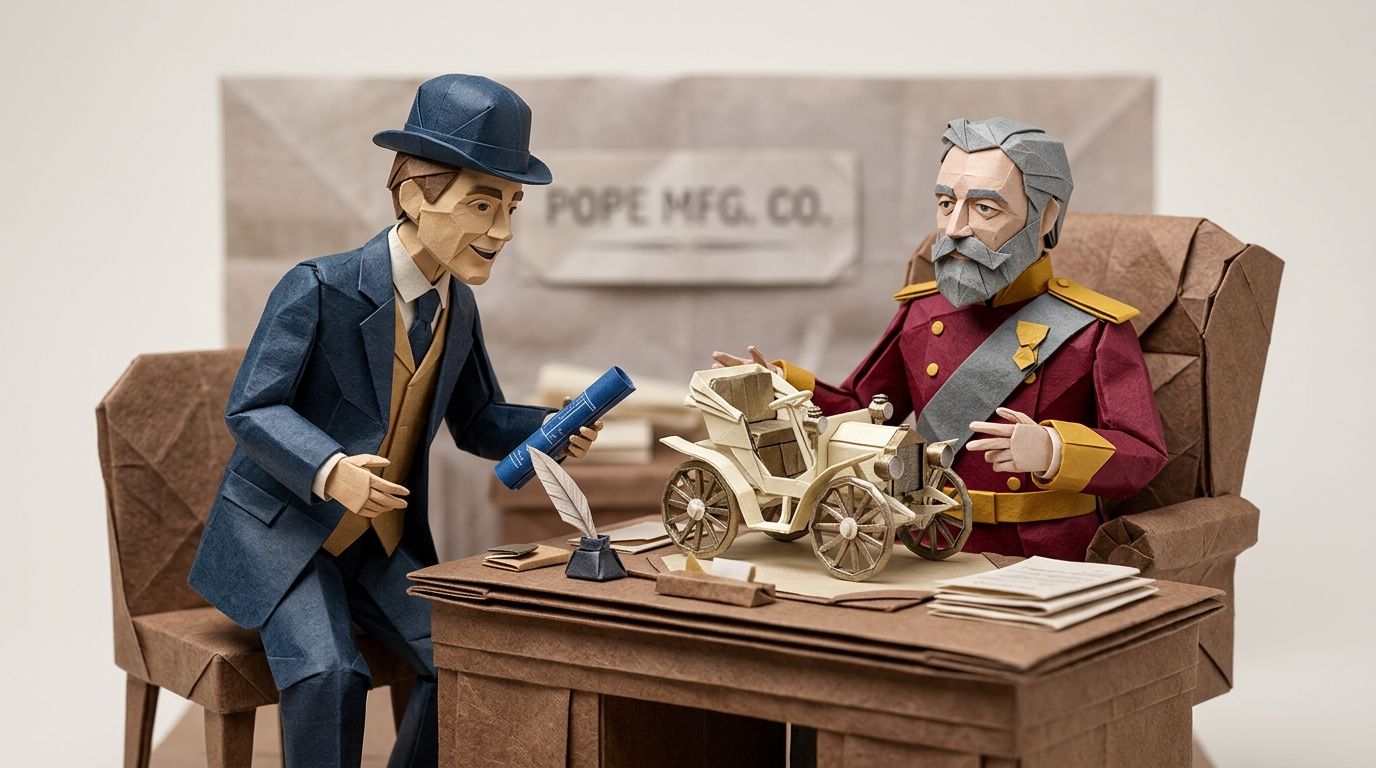
In early 1895 Hiram Percy Maxim called on Colonel Albert Pope in Hartford and came away with a job: build the Pope Manufacturing Company a motor carriage. What he ran into was not an engineering problem. It was a taste problem. The Museum of Connecticut History's account of the Columbia records the moment Maxim proposed making all four wheels the same size. The carriage designer William Hooker Atwood refused, on aesthetic grounds. Big wheels at the back, small at the front, the way a carriage was supposed to look. Maxim's own memoir, Horseless Carriage Days, put the constraint flatly: "The horse carriage was the standard and anything different was frowned upon."
The standard is still sitting in front of you every time you drive. Merriam-Webster dates "dashboard" to 1842 and still lists the original meaning as its third definition—"a screen on the front of a usually horse-drawn vehicle to intercept water, mud, or snow". Etymonline has the motor sense, the panel of gauges under the windscreen, arriving by 1904. The word for a mudguard outlived the horse by a century. Buyers took their time too. The Henry Ford's note on the Curved Dash Oldsmobile records that "In 1903 some 4,000 people bought Oldsmobiles, but more than 900,000 bought buggies and carriages".
On 29 June 2026 Customer.io shipped a converter that turns drag-and-drop emails into Design Studio emails. It works. It also, deliberately, builds you a horseless carriage: a file running on the new engine that looks exactly like the old one.
TL;DR:
- The converter keeps your original styling intact. The Customer.io docs say so outright, with the example that a drag-and-drop email in Arial stays Arial even when your Design Studio global text style is Times New Roman.
- So the benefit most teams are migrating for is the one conversion does not deliver. A single set of global styles enforcing brand consistency requires a rebuild, not a conversion. This is a format migration, not a design-system migration.
- Convert what you want preserved exactly; rebuild what carries your brand. Receipts and password resets convert. Welcome, onboarding and promotional emails get rebuilt.
- Six mechanics decide the sort. Only drag-and-drop emails convert at all. Only emails on the latest Liquid renderer show the option. Convert replaces the original while Create in Design Studio copies it. Revert works only before you click Keep changes. Converting inside a live automation takes effect immediately. And there is no bulk convert, so this is a one-at-a-time job that needs a priority order.
The converter is not the migration
Read the two Customer.io pages side by side and the gap is obvious. The release note from 29 June 2026 says: "Use our converter tool to migrate emails made in the classic drag-and-drop editor to Design Studio, where you have access to more features like global styles and templates!"
The docs page for the converter says: "The converter keeps your original styling intact."
Both are true. Access to global styles is not the same as adoption of them. You end up in the room where the design system lives, holding an email that ignores it.
That distinction decides your whole plan. The conventional read goes: converter ships, migration unblocked, run it across the library this sprint. What that produces is a Design Studio workspace full of emails that look exactly like the drag-and-drop emails you were trying to get away from, plus a new publishing step nobody warned you about. The useful read is narrower. This is a format migration. Treat the design-system migration as separate work, and start by sorting your library rather than converting it.
What actually converts, and what you rebuild
Only drag-and-drop emails convert. Customer.io offers four email editors—Design Studio, drag-and-drop, rich text and code—and the converter reads exactly one of them. For everything else, the docs recommend you "build them from scratch using global styles and components in the visual editor".
| Where the email was built | Converts automatically? | What you do instead |
|---|---|---|
| Drag-and-drop editor | Yes | Convert in place, or copy it with Create in Design Studio |
| Rich text editor | No | Rebuild with global styles and components |
| Code editor | No | Rebuild, or paste the HTML in and clean it up |
| Built outside Customer.io | No | Rebuild, or import the HTML and clean it up |
Count your library against that table before you plan anything. In our own migration work, teams who think they have "a drag-and-drop problem" routinely find a slice of the library is code-editor emails an agency or a developer built years ago. Those were never in scope for the converter.
Why your fonts don't change, and why that's deliberate
The docs give the example themselves: if your drag-and-drop email uses the default Arial font, and your global text styles use Times New Roman, your converted email will use Arial. Nothing is broken. The converter is doing its job.
Fidelity and design-system adoption pull in opposite directions, and a converter has to pick one. Pick adoption and you restyle thousands of live emails without asking—brand colours swapped, type scale changed, button radii redrawn, all on messages that are sending to customers right now. Pick fidelity and the converted email is safe, identical, and outside your design system. Customer.io picked fidelity, which is the right call for a tool that runs on live messages, and the wrong outcome for the reason most teams want Design Studio.
Global styles are the thing worth having. They are reusable colours, fonts, spacing and radii that apply across your Design Studio emails and your in-app messages, and the docs list them on the Builder, Essentials, Premium and Enterprise tiers. Change the brand blue once and it changes in every message that references the variable. A converted email holds its own hard-coded Arial instead, so it sits outside that loop until someone opens it and restyles it by hand.
Which is the honest test for each email in your library. If you would be annoyed to find this email still using last year's button colour in six months, conversion doesn't solve your problem—rebuilding it with components and global styles does. If you would rather it never changed again, convert it and move on.
We saw the size of that difference with Bikinilists, the UK creative-industry database. Redesigning their emails—not porting them—lifted click-through by 140%, past statistical significance and sustained across campaigns. The gain came from changing the design. Conversion is the one operation that refuses to change the design.
No Convert button? It's your Liquid renderer, not your permissions
The docs are specific: "You can only migrate emails that use our latest liquid renderer." When the option is missing, it is missing for that reason, and no amount of role-fiddling will produce it.
You should see one of two entry points. From the Actions menu inside the drag-and-drop editor, "Convert to Design Studio message". Or from the editor selection page, hovering over an existing message, "Create in Design Studio". If neither appears, the message is on the legacy renderer.
Which renderer you're on was decided by your signup date. Per the Liquid upgrade docs, accounts created on or after 28 November 2023 use the latest version; accounts created before that date default to legacy. You can check any individual message by hovering over its last-saved timestamp in the editor.
Upgrading is a real change, so treat it as its own piece of work rather than a click on the way to something else. Two filters are deprecated: timezone, replaced by the timezone argument on the date filter, and htmlencode, replaced by escape. Eleven filters behave differently after the upgrade—timezone, currency, rounded_currency, escape, sort, concat, sha256, times, divided by, modulo and sum—and a handful of timezone codes such as Asia/Riyadh87 are no longer supported. If your templates lean on any of those, read what breaks when Liquid meets unexpected data before you flip the switch.
The upgrade runs at two levels. Workspace-wide, in General Workspace Settings under "What liquid version do you want to use by default for new messages?", or per message from the Actions menu with "Upgrade Liquid version…". Downgrade is available at both levels, so there is a rollback. But Customer.io is explicit that it intends to move everyone to the latest renderer eventually, and recommends fixing your templates with fallback syntax rather than staying put. Upgrade one low-traffic message first, send yourself a test, then decide about the workspace.
Convert replaces, Create copies, Revert expires
Three actions, and only one of them is safe by default. This is the table to read before your first conversion.
| Action | Where you find it | What happens to the original | Way back |
|---|---|---|---|
| Convert to Design Studio message | Actions menu, drag-and-drop editor | Replaced by the converted Design Studio file | "Revert back" from the banner, until you save |
| Create in Design Studio | Editor selection page, hovering a message | Untouched—you get a new version of the template | The original is still there |
| Keep changes | The preview screen after either route | Conversion committed | None |
The docs put the boundary plainly: "You can revert to the drag-and-drop editor before saving the conversion", and "Click Keep changes to officially convert the message." Before Keep changes, a banner offers Revert back. After it, you are in Design Studio.
So for anything you care about, use Create in Design Studio rather than Convert. You get the converted file to inspect, compare and test, and the original drag-and-drop template stays exactly where it was while you decide. Convert in place is for the long tail you have already decided about.
Converting inside a live automation is a live change
This is the sentence to internalise, verbatim from the docs: "If you converted an email in a live automation, the automation starts drafting or sending the converted email immediately."
There is no staging step. The conversion is the deployment. Convert the day-3 onboarding email while the automation is running and the next person to hit that step gets the converted file. Any rendering difference between the two versions is now in front of a customer rather than in front of you.
Sequence around it. Convert paused and low-volume automations first, so a surprise costs you three sends rather than three thousand. For anything running at volume, use Create in Design Studio, test the copy properly, and swap it in as a deliberate edit—the same discipline that applies to any change to a live automation. Do it outside your peak sending window too. That's advice we give on every platform migration, for the same reason: the cost of a mistake scales with how many people are moving through the system when you make it.
The new step nobody mentions: Publish changes
Design Studio adds a step the drag-and-drop editor never had, and it is the most likely cause of "I edited it and nothing changed" in the fortnight after a migration.
Customer.io's publishing docs are direct: "If you change a connected message, make sure you publish changes in Design Studio so your connected automation is up-to-date". The reason follows on the same page: "your connected automation won't reflect those changes until you click Publish." Editing and saving are not enough. Publishing is what pushes the change into the workflow.
Two details matter for a team that has just converted a batch:
- Publishing compiles more than the email. Per the docs, "When publishing a Design Studio email, we compile any changes made to referenced components, global styles, and the email file itself". Change a global style and it reaches live messages only when those messages are published.
- Messages already drafted in a running automation "will immediately update with your latest, published changes". So the review window a queued draft normally buys you doesn't protect a drafted message from a publish.
Add "publish" to your team's definition of done on the day you convert your first email. Anything less and someone will spend an afternoon debugging a template that was correct the whole time.
Three things that don't come across
Layouts. "Layouts are not supported in Design Studio", and the rebuild is into custom components or templates. Worth being precise about who this bites: Customer.io's docs list layouts as supported by the rich text and code editors only, so drag-and-drop emails never had one to lose. Layouts are a rebuild problem, not a conversion problem—and if your operational emails all share one layout, that shared wrapper is the piece to rebuild as a component first, because everything else hangs off it.
Snippets. They still work, but they get quieter. Snippets "don't render on the canvas while you edit because they're liquid keys", and "You have to manually add snippet liquid keys to text-based components"—no dragging them in from a panel. You will need Preview mode to see what they resolve to. There's a localisation catch too: AI translation does not reach snippet content, though the docs confirm auto-translate "does work on custom components, if you detach them first". If you translate your emails, that alone is an argument for moving shared blocks from snippets to detached custom components as part of the rebuild.
Pasted or imported HTML. Two mechanical fixes, both from the docs. Remove the standard component <x-base></x-base> to avoid conflicts. And for non-semantic tags—<div>, <span>, <table>—wrap the text in <x-edit-text> in the code editor, or the visual editor won't let anyone edit it. Skip that step and you have handed your marketing team an email only a developer can change, which is the opposite of why you moved.
There's no bulk convert, so you need a priority order
Straight from the docs: "You can't bulk migrate drag-and-drop emails to Design Studio. Right now, you convert them one at a time." No API, no batch job, no timeline.
That constraint is why the sort is the deliverable. A one-at-a-time job with no end date needs an order, or it becomes whichever email someone happened to open.
| Slice of your library | Do this | Why |
|---|---|---|
| High-volume, brand-carrying emails (welcome, onboarding, promotional) | Rebuild in Design Studio | These are the ones you want global styles to govern. Conversion actively prevents that |
| Long-tail transactional and operational emails (receipts, password resets, notifications) | Convert | You want them preserved exactly. Fidelity is the feature here |
| Rich text, code and externally built emails | Rebuild, lowest priority | No converter exists, so this is scheduled work, not opportunistic work |
| Anything on the legacy Liquid renderer | Upgrade the renderer first, then sort | The Convert option won't appear until you do |
The rebuild half is worth more than it was in the spring. On 22 June 2026 Customer.io added brand variants: "You can now save more than one branded look for a global component, then switch between these variants as you build on-brand messages." If you run two brands, or a product brand and a company brand, that turns one rebuilt component library into two branded systems. And if starting the style set from scratch is the blocker, Design Studio's AI can generate variables and component styles from up to five sources—a website URL, a PDF, a screenshot, even an .eml export.
Sequencing a library this way is most of the work on any migration we run. When we consolidated two Customer.io workspaces for Kip, the Australian pet boarding and daycare group, 200,000-plus profiles and 80-plus live campaigns moved with zero disruption. The order was decided before anything was touched, not during.
Re-test everything you convert
A converted email is a new email. It renders through a different engine, and "we didn't change anything" is not a rendering guarantee.
Litmus's 2025 Email Testing Playbook puts the variability at "300,000. That's how many different ways a single email can render", with email clients making "changes as often as every 1.2 days". Both figures come with a caveat. The page carries a note that it was originally published in November 2022, and neither number has a linked methodology. Read them as Litmus's order-of-magnitude argument for testing rather than as a measurement. The argument still lands: fidelity in the editor is not fidelity in the inbox.
Run the cheap pass first. Design Studio's review panel, which scores an email before you send it and runs SpamAssassin over it, shipped on 7 July 2026 and catches structural problems in seconds. Then check the failure a visual comparison never catches: forced dark mode inverting your colours. A converted email that looks identical to its original in light mode can behave differently in a client that rewrites colours, and you will not see it by looking at the canvas.
One more reason to re-test rather than trust: Design Studio's own overview page still carries a Beta notice, and the feature is still moving. Customer.io shipped a "new and improved canvas editing experience" on 14 August 2026, six weeks after the 29 June converter release. Beta here means the feature set is changing, not that it's unreliable—but it does mean a behaviour you verified in July is worth re-verifying in October.
Where this leaves you
Do the sort this week; it takes an hour with a spreadsheet and your message list. Convert the long tail you want frozen. Rebuild the emails that carry your brand, starting with the shared component every one of them uses. Leave the legacy-renderer messages until the Liquid upgrade is its own scheduled task.
What you should not do is run the converter across your library and call it a Design Studio migration. That gets you a workspace full of horseless carriages: new engine, old bodywork, and the global styles you moved for still sitting there unused.
If your library is large enough that the rebuild half is the real problem, that is the work we do for clients—and you can see what our email designs look like before deciding. If you want a second opinion on the sort, tell us what's in your library.
Frequently asked questions
Does the Customer.io converter apply my Design Studio global styles?
No. The Customer.io docs state that "The converter keeps your original styling intact". Their own example: a drag-and-drop email using the default Arial font stays Arial even when your Design Studio global text styles use Times New Roman. Global styles apply to emails that reference them. A converted email carries its original hard-coded styling instead, so you have to restyle it by hand to bring it into the design system.
Which Customer.io emails can be converted to Design Studio automatically?
Only emails built in the drag-and-drop editor. Customer.io has four email editors—Design Studio, drag-and-drop, rich text and code—and the converter reads drag-and-drop only. For rich text emails, code editor emails and emails built outside Customer.io, the docs recommend building them from scratch in Design Studio using global styles and components.
Can I bulk convert emails to Design Studio in Customer.io?
No. The docs say: "You can't bulk migrate drag-and-drop emails to Design Studio. Right now, you convert them one at a time." There is no batch tool and no published timeline for one, which is why a priority order matters more than the conversion itself.
Why is the Convert to Design Studio option missing?
Because the message is on the legacy Liquid renderer. The docs state that "You can only migrate emails that use our latest liquid renderer." It isn't a permissions problem or a plan problem. Check the message's renderer by hovering over the last-saved timestamp in the editor, and upgrade the Liquid version before expecting the option to appear.
Can I undo a conversion to Design Studio?
Only before you save it. A banner offers "Revert back" to the drag-and-drop editor, and the docs are clear that you can revert "before saving the conversion". Once you click "Keep changes", the conversion is committed. If you want a guaranteed way back, use "Create in Design Studio" from the editor selection page instead, which copies the email and leaves the original template untouched.
What is the difference between Convert to Design Studio and Create in Design Studio?
Convert replaces the original drag-and-drop email with the converted Design Studio file. Create in Design Studio creates a new version of your original template, leaving the drag-and-drop email in place. Convert lives in the Actions menu of the drag-and-drop editor; Create in Design Studio appears when you hover over a message on the editor selection page. Use Create for anything you care about.
What happens if I convert an email that's in a live automation?
It goes live immediately. The docs say: "If you converted an email in a live automation, the automation starts drafting or sending the converted email immediately." There is no staging step, so convert paused and low-volume automations first and treat a conversion inside a busy automation as a production deployment.
Do snippets work in Design Studio emails?
Yes, but differently. Snippets "don't render on the canvas while you edit because they're liquid keys", so you need Preview mode to see them resolve. You also have to add snippet liquid keys manually to text-based components rather than dragging them in. AI auto-translate does not work on snippet content, though the docs confirm it does work on custom components if you detach them first.
Do I have to rebuild my email layouts in Design Studio?
If your emails use layouts, yes—"Layouts are not supported in Design Studio", and the replacement is custom components or templates. This only affects rich text and code editor emails, because Customer.io's docs list layouts as supported by those two editors only. Drag-and-drop emails never used layouts, so converting one doesn't lose anything.
Is upgrading the Customer.io Liquid renderer safe?
It's reversible, but it isn't cosmetic. The upgrade deprecates the timezone and htmlencode filters, changes the behaviour of eleven others including currency, sort, escape and sum, and drops support for some timezone codes. You can downgrade at workspace or message level, so there is a rollback path. Upgrade one low-traffic message first and send a test before changing the workspace default.
Should I convert or rebuild my Customer.io emails in Design Studio?
Rebuild anything that carries your brand and that you will want to restyle centrally later; convert anything you want preserved exactly as it is. High-volume welcome, onboarding and promotional emails belong in the rebuild pile because global styles are the point of moving them. Receipts, password resets and operational notifications belong in the convert pile because fidelity is what you want from them.
What is the Publish changes step in Design Studio?
It's a step the drag-and-drop editor didn't have. Design Studio messages connected to an automation or broadcast need changes published before the workflow sends the latest version: "your connected automation won't reflect those changes until you click Publish." Publishing also compiles changes to referenced components and global styles, and messages already drafted in a running automation update immediately when you publish.
Is Design Studio out of beta, and does it cost extra?
Design Studio is still labelled Beta in Customer.io's docs as of 25 August 2026, with the note "This feature is new and we're actively working on it." The docs list it on the Builder, Essentials, Premium and Enterprise tiers, as they do global styles, so there is no separate line item for the move on the plans the docs cover. Check your own contract before you budget, because Customer.io's public pricing page currently shows a shorter list of plans than the docs do.
Sources
- Convert emails to Design Studio. Customer.io Docs, Beta, updated 20 August 2026. The converter's behaviour: styling preserved, the Arial and Times New Roman example, the latest-Liquid-renderer requirement, Convert versus Create in Design Studio, Revert and Keep changes, live-automation behaviour, no bulk migration, layouts, snippets and the pasted-HTML fixes.
- Introduction to creating emails. Customer.io Docs, updated 20 August 2026. The four email editors, and layouts being supported by the rich text and code editors only.
- Edit connected messages and publish changes. Customer.io Docs, updated 20 August 2026. Why a connected automation does not reflect an edit until you publish, what publishing compiles, and how drafted messages in a running automation update.
- Set global styles. Customer.io Docs, updated 19 August 2026. What global styles cover, their reach across emails and in-app messages, plan availability, and the AI style generator's five sources.
- Welcome to Design Studio. Customer.io Docs, updated 20 August 2026. Plan availability and the Beta notice that the feature is still being worked on.
- Upgrade your Liquid renderer. Customer.io Docs, updated 20 August 2026. How the renderer version is set by account creation date, the deprecated and altered filters, the upgrade paths and the downgrade option.
- Release notes. Customer.io. Entries dated 22 June 2026 (brand variants for global components), 29 June 2026 (the converter), 7 July 2026 (the Design Studio review panel) and 14 August 2026 (the new canvas editing experience).
- The 2025 Email Testing Playbook for Marketers. Kat Roberts, Litmus (Validity), published 31 October 2025, modified 6 February 2026, with a note that it was originally published on 14 November 2022. Source of the 300,000-renderings and 1.2-days figures, neither of which carries a stated methodology.
- Columbia Cars. David Corrigan, Museum of Connecticut History, published in the Hog River Journal. Maxim's hiring at Pope in 1895, the Mansuy Carriage Company body, William Hooker Atwood's refusal on wheel sizes, and the quotation from Maxim's memoir Horseless Carriage Days.
- Hiram Percy Maxim. Wikipedia. Corroborates the early-1895 hiring by Albert Pope's Pope Manufacturing Company and the memoir.
- Dashboard. Merriam-Webster. First known use 1842, and the horse-drawn-vehicle sense still carried as the third definition.
- Dashboard. Online Etymology Dictionary. The 1846 dating, the mud-guarding origin, and the motor-vehicle sense by 1904.
- The Curved Dash Oldsmobile. The Henry Ford. The 1903 figures for Oldsmobile buyers against buggy and carriage buyers.
Want this working in your Customer.io workspace?
It's what we do all day for SMBs—strategy, automations, deliverability and hands-on execution.
See how we work as a Customer.io agency →

