
Customer.io's Notification Inbox No Longer Needs a Developer: The No-Code Web Inbox Changes the Build Decision
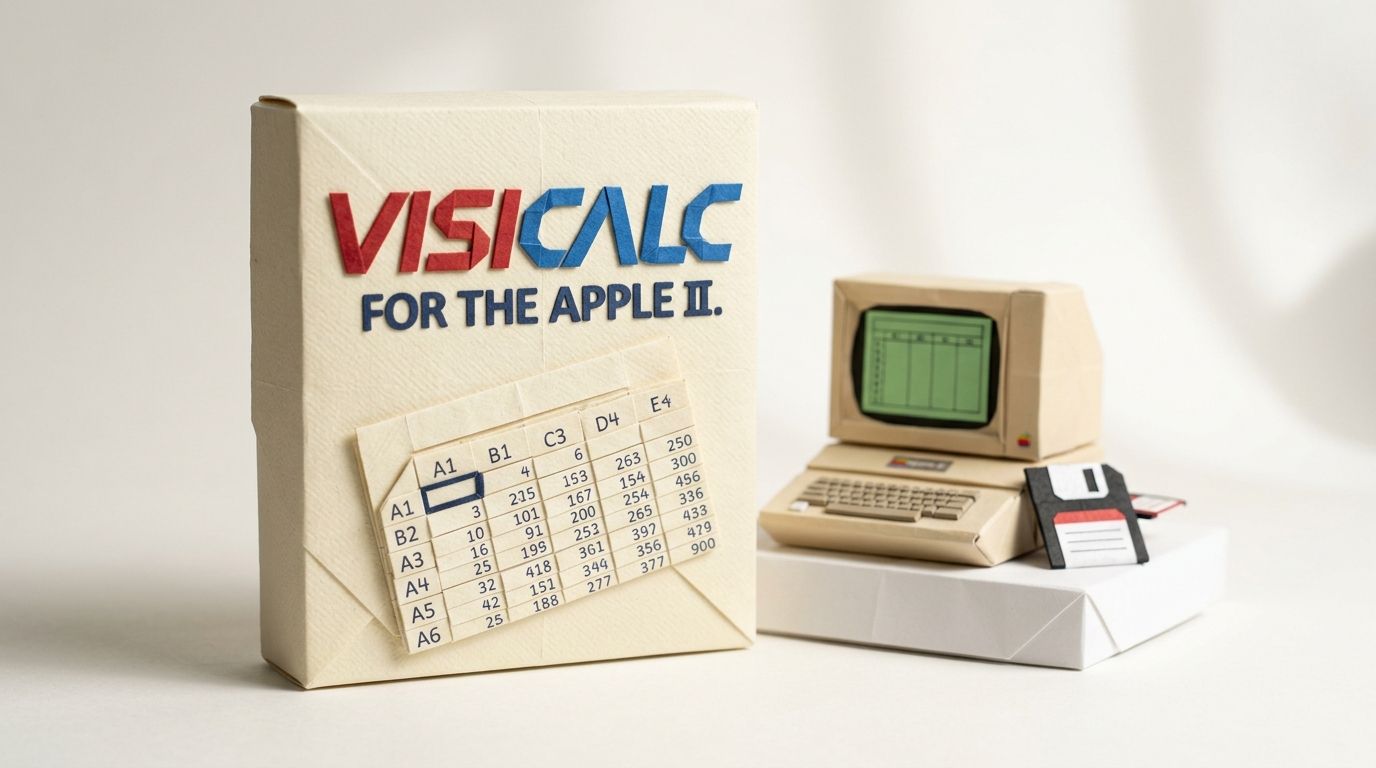
On 17 October 1979, VisiCalc shipped for the Apple II. Financial modelling already existed: on big computers, in modelling languages that cost around $20,000, with a specialist sitting between the accountant and the answer. VisiCalc sold for under $100 and did the job on a desk, with no language to learn. Accountants wanted the tool badly enough to buy the computer for it: more than 25% of Apple IIs sold in 1979 were reportedly bought to run VisiCalc.
Software keeps repeating that pattern. First the capability exists, then a tool removes the specialist. On 23 June 2026, Customer.io ran the pattern on its own notification inbox.
Eleven days earlier, on 12 June, we published post 459: an honest costing of that inbox. JSON payloads, no drop-in widget, an engineering build before marketing could send a single message. That was accurate when we wrote it. It isn't anymore. This post is the correction: the new decision tree, the no-code setup path, the constraints that survive, and what the change means if you already built an inbox by hand.
TL;DR: On 23 June 2026 Customer.io shipped a no-code notification inbox, eleven days after we costed the build. You create the inbox in workspace settings, style it in Design Studio, publish it, and send to it from the visual editor. No front-end code. The channel itself is older: the inbox shipped on 19 February 2026 and what changed in June is the rendering. Four constraints survive. One inbox per workspace, and on mobile it serves only your workspace's default app. The cdp-analytics-browser package needs version 0.4.16 or later. Mobile needs a developer to install the inbox module and mount the views. And arbitrary structured data still means the JSON path. The sorting rule is untouched. Persistent messages (billing warnings, security notices, order updates) belong in the inbox, interrupts stay on push, product-contextual nudges stay in-app.
Update (September 2026): Two things moved after we published this in July. The visual inbox is no longer web-only. The setup docs now say it "renders on the web and in native mobile apps", with ready-made inbox views documented for iOS and Android. And on 15 July 2026 Customer.io renamed Campaigns to Automations and People to Profiles, so the menus below read Automations where they once read Campaigns. Both corrections are folded into the text.
What we told you in June, and what changed on 23 June
Post 459 said there was no drop-in widget. On 23 June, Customer.io shipped one for the web.
Our build-cost section rested on the docs as they stood in June. The inbox arrived as a JSON-payload API. The setup page carried a warning we quoted directly: the feature "requires some extra work on your part to build your own inbox, style messages in your client, and listen for events". Our translation at the time: marketing can't switch this channel on alone, engineering builds the inbox UI first.
We also passed on Customer.io's promise that they were "working on features to make this all easier", and told you to expect the build burden to shrink. It shrank in eleven days. The result is a no-code notification inbox. The release note's summary makes the point for us: set up an inbox for your website, style messages to match your brand, and "you can do it all without a developer".
Be clear about what aged and what didn't. The decision rule in post 459, which messages deserve a persistent channel, holds without a single edit. The build-cost section is the part the platform deleted. And the inbox channel itself is unchanged: it shipped on 19 February 2026. What shipped in June is the rendering. Customer.io now draws the inbox for you.
The new decision tree
Your choice now splits by how much control you need over rendering, not by how much engineering time you can find. Happy with a standard inbox: use the visual inbox. Need to render inside your own design system, or to carry arbitrary structured data in your messages: build your own.
| Visual inbox | Build your own | |
|---|---|---|
| Who builds it | Marketing, in Customer.io | Engineering, in your client |
| Web requirement | JavaScript snippet, or cdp-analytics-browser 0.4.16+ |
cdp-analytics-browser 0.3.11+ |
| Mobile | Install the inbox module, mount the views; serves one app per workspace | iOS 4.2, Android 4.16, React Native 6.2, Flutter 3.3, Expo 3.1 |
| Message format | Visual templates | JSON payloads |
| Styling | Design Studio Inbox pattern, light and dark | Your own components |
The split is now about control, not engineering capacity. Sources: Set up your notification inbox and Advanced: build your own inbox, Customer.io Docs.
The updated setup docs present exactly these two paths. The visual inbox is the recommended one. You create it inside Customer.io. As long as you've set up the JavaScript SDK on your website, or the inbox module in one of the mobile SDKs, the inbox appears and fetches messages by itself. You control the icon, the placement, the colours and the unread indicator, and you compose messages in visual templates.
The build-your-own path, everything post 459 described, didn't disappear. It moved to the advanced section of the docs, which is candid about the trade: you fetch raw JSON payloads with the SDK's inbox() method and render everything in your own client. "It's the most flexible option, but it requires development work and you maintain the inbox in your own app." The payload contract, the topics and types, the open-tracking semantics... all of it still applies on that path, and post 459 remains our reference for it.
Setting up the visual inbox
Four steps, none of which involve a pull request: create, style, publish, send.
Create. Go to Settings > In-App, open the Notification Inbox tab, and create and name your inbox. It starts in draft mode, so it doesn't display on your website and can't receive messages. Nothing reaches your audience until you're ready.
Style. From the inbox settings, click Edit in Design Studio and open the Inbox section under Patterns. You set the floating icon (a custom SVG plus its colours) and the panel's appearance: background, hover, border and divider colours, box shadow, corner radius. Then the unread badge, and the position, one of the four corners of the screen. Any colour property takes a separate dark-mode value, so the inbox holds up whichever scheme your audience prefers.
Publish. Save your styles, return to the inbox settings, and click Publish. That's the switch that makes the inbox available to live messages. Change your mind later and Set to draft reverses it: the inbox comes off your website and your apps, and stops displaying messages.
Send. Compose inbox messages from an automation, broadcast or transactional message using the visual editor, the same editor family as your other messages, not JSON.
One limit to plan around: you can have one notification inbox per workspace. If your workspace already has an inbox, you can't create another, so name it broadly enough to carry every message category you'll send.
The constraints that survive
The mobile limit has moved, and it's worth being precise about where it landed. When we published this in July, the docs described the visual inbox as web-only. They now say it "renders on the web and in native mobile apps". Both the iOS and Android SDK docs describe ready-made inbox views: a bell icon with an unread badge and a panel that lists messages. Mobile still isn't no-code, though. Someone has to install the visual inbox module for your SDK and mount the inbox views in your app, which is a one-off engineering job rather than a render-it-yourself build. And one boundary is firm: "the visual notification inbox only serves one mobile app per workspace", your workspace's default app plus your website. If you run two apps, the second one doesn't get the visual inbox.
Versions next. If you load Customer.io through the JavaScript snippet, there's nothing to manage: the snippet uses the latest SDK on every page load. If you import cdp-analytics-browser as a package, the visual inbox needs version 0.4.16 or later. That's newer than the 0.3.11 minimum for the build-your-own path, so a site already running a custom inbox isn't automatically ready for the visual one.
Message format last. Visual-inbox messages are built in visual templates. If your inbox needs to carry arbitrary structured data (severity levels, custom deep links, fields your product logic reads), that's the JSON path, which is now the advanced option rather than the default.
And the old prerequisite still stands: in-app messaging has to be set up in your workspace before any inbox messages flow. If you publish the inbox and see nothing, the failure list is the same family as regular in-app messages: SDK loaded, user identified, message eligible. We've mapped those in the five-minute decision tree for in-app messages that don't show, and the in-app debugger reads the SDK's live state on any page with one URL parameter.
What still belongs in an inbox
Nothing about the June release changes which messages deserve the channel. The inbox exists for messages that must survive being seen once: the billing warning someone means to act on after lunch, the security notice they'll want to re-read, the order update they'll check twice. Push still vanishes when it's swiped, and a dismissed modal is still gone. That's the persistence gap the inbox fills, and post 459's four-question rule for sorting messages between push, in-app, inbox and email carries over unchanged.
The boundary with in-app messages holds too. Feature tours, contextual nudges and upgrade prompts only make sense while someone is inside the product, so they stay as in-app messages, whether inline placements or the behaviour-triggered messages worth configuring first. What changed in June is who can build the inbox, not what belongs in it.
What this means if you already built your own
No forced migration. The build-your-own path is still documented, still supported, and still the only route when you need full control over rendering.
The custom build still earns its keep in specific cases. A design system the inbox must render inside, your components and your typography, still needs your code. So does arbitrary JSON: if marketing sends severity fields your client turns into red banners, or type values that change the layout per message, visual templates won't carry that. And if your workspace runs more than one mobile app, the second app has no visual inbox to fall back on.
The honest reassessment is for thin builds. If you built the minimum we recommended in June (a list, a badge, mark-as-read) purely to get persistence, the visual inbox now does that job without the maintenance. You paid a build cost Customer.io has since removed, and whether to keep paying the upkeep is a fair question for your next planning cycle.
Frequently asked questions
Does Customer.io have a ready-made notification inbox widget?
Yes. Since 23 June 2026 you can create a notification inbox in workspace settings, style it in Design Studio and publish it with no front-end code. Customer.io renders the inbox and fetches messages automatically through the SDK. Before that date the inbox was JSON-payload only, which is why older guides, including ours, say there's no drop-in widget.
Do I need a developer to set up the Customer.io notification inbox?
Not on the web, provided the Customer.io JavaScript SDK is already on your site: creating, styling and publishing all happen inside Customer.io. On mobile you do need one, but only once. A developer installs the visual inbox module for your SDK and mounts the inbox views, after which marketing composes and sends without them. If your site doesn't yet run the SDK, or in-app messaging isn't set up in your workspace, that one-off foundation comes first.
Does the Customer.io notification inbox work in mobile apps?
Yes. The docs now say the visual inbox "renders on the web and in native mobile apps". The iOS and Android SDK docs describe ready-made inbox views: a bell icon with an unread badge and a panel listing messages. It isn't no-code on mobile, since a developer installs the inbox module and mounts the views. One limit holds: the visual notification inbox serves only one mobile app per workspace, your workspace's default app, plus your website.
How many notification inboxes can I have in Customer.io?
One per workspace. If your workspace already has an inbox, Customer.io won't let you create another. Name it something general enough to carry every message category you plan to send.
Can I style the Customer.io inbox to match my brand?
Yes. Design Studio's Inbox pattern controls the floating icon (including a custom SVG), the colours (background, hover, border, divider), plus box shadow and corner radius. It also sets the unread badge and which corner of the screen the inbox sits in. Any colour property accepts a separate dark-mode value.
What happens to inbox messages when I unpublish the inbox?
Setting the inbox back to draft removes it from your website and your apps, and stops it from displaying messages. That's how the setup docs describe disabling it. The docs don't document any effect on already-sent messages beyond that, so don't treat unpublishing as a way to delete message history.
Which SDK version does the visual inbox need?
None you have to manage on the web, if you use the JavaScript snippet: it loads the latest SDK on every page view. If you import the cdp-analytics-browser package, the visual inbox needs version 0.4.16 or later. The build-your-own path has a lower bar of 0.3.11. On mobile, you install or update the visual inbox module for your SDK.
Which Customer.io plans include the notification inbox?
The 23 June release note is tagged for the Builder, Essentials, Premium and Enterprise plans. Those tags mirror the plan badges Customer.io publishes on its docs, so treat them as the published availability and confirm in your own workspace settings if plan access matters to your decision.
How do I send messages to the notification inbox?
From an automation, broadcast or transactional message: add an inbox message and choose an editor. The visual editor pairs with the visual inbox described here; the advanced editor composes JSON payloads for a build-your-own inbox. Automations were called campaigns until Customer.io renamed them on 15 July 2026.
Is the JSON-payload inbox path gone?
No. It's now the documented advanced path: you fetch messages with the SDK's inbox() method and render them yourself. It remains the most flexible option. The payload contract in the advanced docs still matches what post 459 documented: five required fields plus optional topics and type.
Which messages belong in a notification inbox?
The persistent ones: billing and payment warnings, security notices, order and delivery updates, anything a user may need again after the first glance. Interrupts stay on push, product-contextual nudges stay in-app, and anything a locked-out user must receive goes to email. The June release changed how the inbox gets built, not this sorting rule.
Do I have to migrate my custom-built inbox to the visual one?
No. Both paths are documented and current, with build-your-own now under the advanced section of the docs. Keep the custom build where it does something the visual inbox can't: design-system rendering, arbitrary JSON payloads, or a second mobile app in a workspace where the visual inbox already serves the default one. Reassess it only if it was a thin build whose whole purpose was persistence the visual inbox now provides.
Sources
- No-code notification inbox for your website. Customer.io Release Notes, 23 June 2026.
- Set up your notification inbox. Customer.io Docs, retrieved 14 September 2026.
- Advanced: build your own inbox. Customer.io Docs, retrieved 14 September 2026.
- Notification inbox (iOS SDK). Customer.io Docs, updated 1 September 2026.
- Notification inbox: messages your audience can revisit. Customer.io Release Notes, 19 February 2026.
- New names for familiar parts of Customer.io. Customer.io Release Notes, 15 July 2026.
- VisiCalc. Wikipedia, retrieved 14 July 2026.
Want this working in your Customer.io workspace?
It's what we do all day for SMBs—strategy, automations, deliverability and hands-on execution.
See how we work as a Customer.io agency →

