
Three In-App Message Triggers Every Customer.io SaaS Should Configure Before Building a Welcome Modal
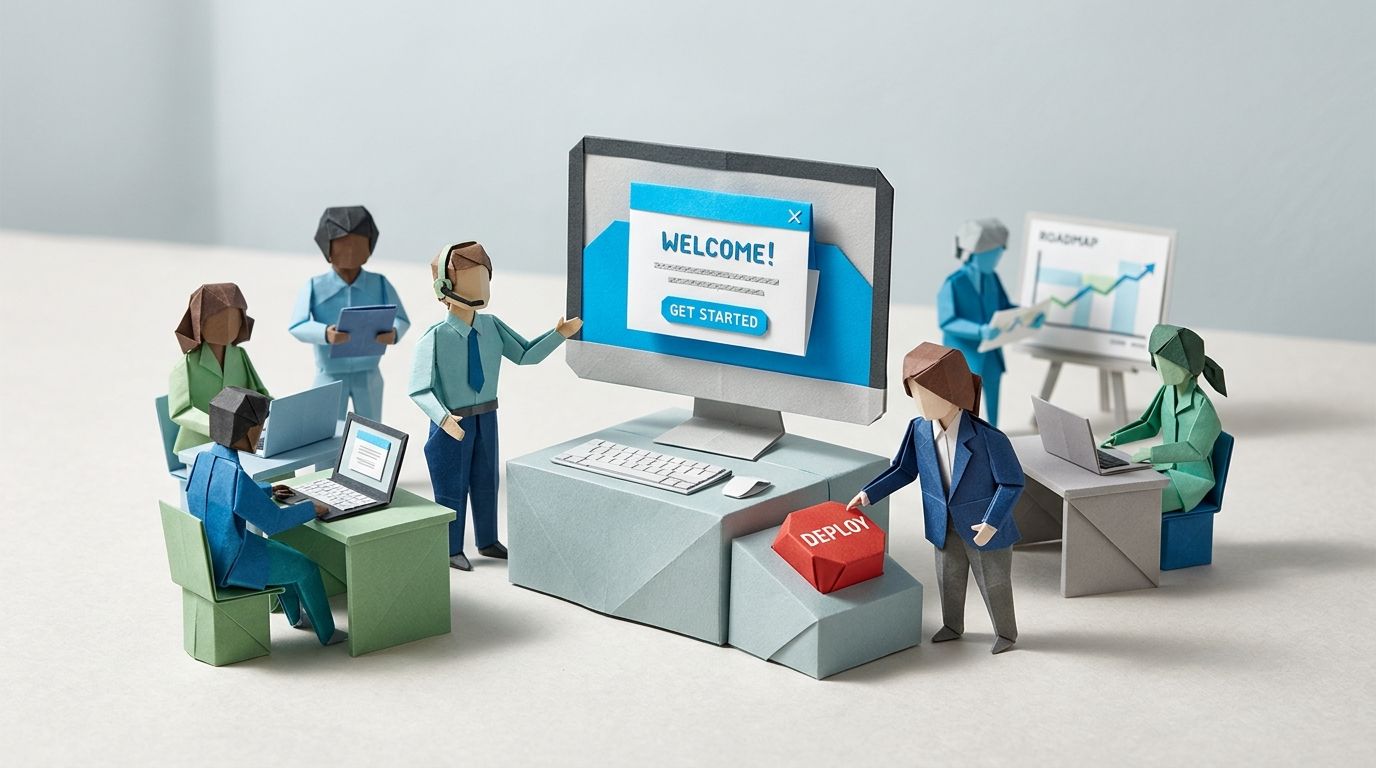
Most SaaS teams ship a welcome modal as their first in-app message. A new user signs up, lands in the product, and the first thing they meet is a box explaining what they're looking at. It gets dismissed. Then the team wonders why their in-app channel isn't pulling its weight.
In-app messages are messages a person sees while they're actively using your app, triggered by what they do inside it. Unlike email, there's no opt-in and no inbox to compete with, so the message lands while you already have their attention (Customer.io explains the channel here). That's exactly why spending your first slot on a "welcome aboard" box is a waste. The user hasn't done anything yet. There's nothing to react to.
This post lays out the three behaviour-triggered in-app messages worth configuring first in Customer.io, the exact setup for each, and where the welcome modal actually belongs in the order (spoiler: fourth, not first). Each one takes under an hour to build, and each maps to a real activation pattern rather than a calendar.
TL;DR: Don't spend your first in-app slot on a welcome modal; it fires on the one trigger with no information behind it. Build three behaviour-triggered messages first: a moment-of-confusion prompt for users visibly stuck on a screen, and a feature-discovery nudge for people who completed one step but not the next. Then add a milestone celebration paired with a next-action handoff. Each takes roughly an hour to build once your events are firing. Add the welcome modal fourth, and only if it points at a single obvious first action. Measure all four by activation lift against a holdout, not by view rate.
Why the welcome modal is usually a waste of your first in-app slot
The welcome modal fails because it fires on the one trigger that carries no information: the user showing up. You don't yet know what they're trying to do, where they'll get stuck, or which feature they'll ignore. So the message can only say something generic, and generic is what people swipe away.
It's telling that "welcome new users" sits at number one on Customer.io's own list of 12 in-app messaging examples. It's the default recommendation, and defaults are rarely the strongest move. The same article quietly makes the better argument elsewhere on the page: example five is a feature highlight shown only on the specific screen where the feature lives, "instead of blanketing them everywhere". Context beats welcome.
Keyhole, a social analytics platform, learned this the expensive way. Their senior product manager wrote up the activation rebuild on Mind the Product: only 30% of new sign-ups were adding the two-plus profiles needed to see value, so 70% never got there. Their first fix was a prompt to add a profile right after signup. It "didn't help us reach the desired KPIs for activation". What worked was contextual guidance that surfaced each feature at the moment it became relevant, run through Appcues, plus a demo-data dashboard so people saw the payoff before doing the work. Activation climbed to 45% for most self-serve cohorts and fed a 25% rise in annual recurring revenue. The lesson holds whichever in-app tool you use: the prompt that works is the one tied to a moment, not the one tied to arrival.
| Keyhole's rebuild | Figure |
|---|---|
| New sign-ups reaching the activation threshold, before the fix | 30% |
| Self-serve cohort activation rate, after contextual guidance | 45% |
| Change in annual recurring revenue | +25% |
Source: Mind the Product, 11 February 2025.
There's a cleaner version of the same story from the design side. Roman Kamushken at Setproduct describes a B2B team whose five-step welcome tour was accidentally switched off for a slice of new users by a misconfigured feature flag. Activation jumped for the no-tour group and held. They kept the tour off and replaced it with contextual help: a stronger empty state, a tooltip that appeared only after the first failed attempt, a help link beside the primary button. Support tickets didn't spike. It's a practitioner's account rather than an audited study, but it points the same direction as the Keyhole numbers.
So here are the three that earn the slot first.
In-app message #1: The moment-of-confusion prompt
Fire this when a user is visibly stuck on a specific screen, either lingering without acting or failing the same action repeatedly. This is the message that rescues activation, because it shows up at the exact point where people quietly give up and close the tab.
Take a dashboard with an "Add data source" screen. Say roughly a third of new users land there and sit for sixty seconds or more without connecting anything. They're not bored, they're stuck. A short prompt at that moment ("Connecting Postgres? Here's the 90-second version") does more than any welcome tour, because it answers a question the user is actually asking right now.
The Customer.io build has two parts. A page rule scopes where the message can appear, so it only ever shows on the "Add data source" screen and nowhere else. The trigger for when is an event you send from your app. That's either a repeated failure event (data_source_connect_failed fired twice), or a "stuck" event your front end emits after the user dwells past a threshold without progressing. You build an event-triggered campaign on that event, drop an in-app message into the workflow, and set the page rule on the message. Add an expiration so a stale prompt doesn't stack up days later.
The segment that powers this needs to exclude people who've already connected a source, or you'll nag users who are fine. If you're not confident your segment logic is tight, the patterns in our guide to advanced segmentation in Customer.io will save you from the false positives that make in-app feel like spam.
In-app message #2: The feature-discovery nudge
Fire this when a user has completed one activation step but hasn't attempted the next step that depends on it. This is the nudge that moves people from "I set it up" to "I'm actually using it", and it's the single message the Keyhole rebuild proved out.
The pattern: a user connects their first data source (step A) but, three days later, still hasn't built a report from it (step B). Nothing's broken. They just haven't found the door. An in-app message the next time they open the app ("Your data's in. Build your first report in two clicks") closes that gap. Keyhole did precisely this by unlocking the comparison feature in the interface only after a user had added profiles, then pointing at it. The feature appeared when it could finally do something useful.
In Customer.io this is an event-triggered campaign following the onboarding campaign pattern: trigger on the step-A event, add a time delay (say 48 hours), then branch on whether the step-B event has happened. If it hasn't, send the in-app nudge. If it has, exit. A true/false branch is the documented way to split on that condition, paired with an exit block so the workflow drops anyone who already did the thing.
Why in-app and not email? Because the action lives inside the product, and so should the prompt. An email asking someone to "build your first report" makes them leave their inbox, find the tab, log in, and remember what you meant. An in-app message is already standing next to the button. This is the moment-of-relevance logic that runs through a proper stage-by-stage lifecycle programme for day 30, 60 and 90: feature-adoption nudges work best where the feature is.
There's a reliability point too. If you've ever branched a journey on email_opened, Apple's Mail Privacy Protection has probably been firing it for most of your list whether they read anything or not. In-app activity is a first-party signal you control, which is partly why it's a sturdier trigger than opens. We covered the rebuild for open-based triggers in this piece on Apple MPP and Customer.io.
In-app message #3: The milestone celebration plus next-action handoff
Fire this when a user crosses a threshold that matters, and always attach the next action. A milestone with nothing after it is a dead end. A milestone with a handoff keeps the momentum going.
When someone sends their hundredth message, invites their third teammate, or hits whatever your "this is working" number is, an in-app celebration does two jobs. It rewards the behaviour, and it points at what comes next. Customer.io's own example list has Bamboo, an investment platform, celebrating each onboarding step while nudging towards the next one, so the user always knows they're making progress. The celebration without the nudge is confetti. The celebration with the nudge is retention.
Build it as an event-triggered campaign on the threshold event, with an in-app message carrying a clear next-step call to action. Then attach a follow-up: a Send event block or a delay of 24 to 48 hours that hands off to an email campaign reinforcing the next action while the user's away from the app. That handoff pattern, exit-on-conversion plus a Send event between campaigns, is the backbone of the approach in our piece on running a 3-email activation sprint instead of a 12-email welcome series. In-app catches them in the moment, email catches them after they've left.
When (and only when) to add a welcome modal
Add a welcome modal when your product has a tightly defined demo or a single obvious first action, and the modal exists to point straight at it. That's the narrow case where it earns its place: a short full-screen message with one job, a visual, and a single next step, not a tour of the whole product.
A welcome modal doesn't work as a five-step tour that gates the product behind feature education before the user has done anything. That's the version the Setproduct team accidentally proved was costing them activation. If your modal has more than one screen that can be skipped without losing anything, part of it is marketing, and marketing belongs after the user has proof the product works, not before.
So the welcome modal is the fourth message, built once the three behaviour-triggered ones are live and you've seen where people actually stall. By then you'll know whether you even need it.
| Message | Fires when | Customer.io build | What it protects |
|---|---|---|---|
| 1. Moment-of-confusion prompt | A user is stuck or has failed the same action repeatedly on one screen | Page rule plus an event-triggered campaign, with an expiration | Activation from users who quietly give up |
| 2. Feature-discovery nudge | A user completed step A but hasn't attempted step B | Event trigger, delay, a true/false branch, and an exit block | Feature adoption after setup |
| 3. Milestone celebration and handoff | A user crosses a meaningful threshold | Event-triggered campaign, in-app message, then a Send event to a follow-up email | Momentum and retention after a win |
The Customer.io channel-selection logic that ties this together
Route to in-app when the user is reachable in the app right now, and fall back to email when they're not. That single rule is what stops you sending an in-app message to someone who won't open the app for a week, and an email to someone who's sitting in the product as you speak.
Inside Customer.io's visual workflow builder, the shape is a branch. If the person has been active in-app or has push enabled and opened the app recently, send the in-app message (or push). Otherwise, send the email version of the same prompt. You're building one campaign with two delivery paths, not two disconnected campaigns that risk doubling up.
This matters because the channels are stronger together. Customer.io's data shows mixing in-app with push returned 417% higher ROI than in-app alone in 2023. The same thinking sits behind a coherent omnichannel messaging strategy across email, SMS and push: pick the channel by where the user is, not by which team owns it.
How to measure it: activation lift, not view rate
Measure these by activation lift against a holdout, not by how many people saw the message. View rate tells you the message rendered. It doesn't tell you the message did anything. The number that matters is whether users who got the nudge reached the activation milestone more often than users who didn't.
Customer.io reduced holdout testing to a checkbox: on an email A/B test directly, or on a random cohort branch for anything else, including in-app. Either way you hold back a slice of the eligible audience and compare. We walk through sizing and reading it in our piece on the holdout group checkbox. For each of the three messages, the comparison is the same: feature-adoption or activation rate for the users who received the in-app prompt versus the control group who didn't. If the gap is real and repeatable, the message earns its place. If it isn't, you've learned that cheaply.
This is also the metric shift the wider industry is making. Customer.io's 2026 messaging report found 66% of teams now track conversion rates as their primary success metric rather than open or view rates, and in-app is their fastest-growing channel, up three-to-four times year on year. Vanity metrics are on the way out. If you're still grading lifecycle work on opens, the replacement framework is in our lifecycle marketing scorecard.
Frequently asked questions
When should I use a Customer.io in-app message instead of email?
Use in-app when the action you want lives inside the product and the user is there now. A nudge to build a report, fix a failed connection, or try a feature belongs in-app, standing next to the relevant button. Use email when the user has left the app and you need to pull them back, or when the message isn't tied to a specific screen. The strongest programmes route between the two automatically based on where the user is.
What are Customer.io page rules?
Page rules control which screens or pages an in-app message is allowed to appear on. You set a rule so a message shows only on, say, your billing screen, and never anywhere else. They scope where a message can show, not when it fires, so you usually pair a page rule with an event trigger that handles the timing. They're also how you stop messages stacking up on the wrong screens.
Can I A/B test in-app messages in Customer.io?
Update (August 2026): Not the same way for every channel. Customer.io's dedicated A/B test branch only covers email, push and SMS. For in-app, use a random cohort branch instead: it splits your audience across paths at random, so you can send a different variant down each path and compare results. That's the same workaround Customer.io documents for testing anything outside email content. Test one element at a time where you can, copy, timing or call to action, so you can read which change moved the number. Pair the test with a holdout to measure lift rather than just comparing two versions against each other.
Do in-app messages count against my Customer.io message volume?
No. Customer.io bills primarily on the number of profiles in your workspace, not per message for email, push or in-app, as the billing docs explain. SMS and WhatsApp are billed separately because they carry carrier costs. So in-app messages don't add a per-send charge, which is part of why the channel is worth using more, not less.
How do I stop an in-app message firing twice for the same user?
Exit the user from the campaign once they've completed the target action, and set a frequency cap or an expiration on the message itself. In the onboarding pattern, you branch on whether the next step happened and exit on completion, so the nudge can't fire for someone who already did the thing. Tight segment logic does the rest: exclude users who've already converted before they ever enter the campaign.
Should my onboarding flow include a welcome modal?
Only if it points at a single obvious first action and gets out of the way. A one-screen modal that shows the user what to do next can help. A five-step tour that explains the whole product before the user has done anything tends to cost activation rather than add it. Build your behaviour-triggered messages first, watch where people actually stall, then decide whether a welcome modal fills a real gap.
What's the difference between an in-app message and a push notification in Customer.io?
In-app messages appear while the user is inside your app; push notifications appear on the device even when the app is closed. Push is for getting someone back into the app, in-app is for guiding them once they're there. The two work well as a pair, which is why routing logic that picks between them by recent activity tends to outperform using either alone.
How long does it take to build one of these in Customer.io?
Each of the three messages is roughly an hour of build time once your events are firing. The work is an event-triggered campaign, an in-app message block, a page rule or branch, and a segment. The real prerequisite is event tracking: if your app isn't sending the events these triggers depend on (failed actions, step completions, threshold crossings), that instrumentation is the bigger job.
What events do I need to be tracking for behaviour-triggered in-app messages?
At minimum, the events that mark each activation step and each common failure. For the three messages here that means: a "stuck" or repeated-failure event for the moment-of-confusion prompt, step-completion events for the feature-discovery nudge, and a threshold event for the milestone celebration. Without these events the triggers have nothing to fire on, so map your activation path to specific tracked events before you build the messages.
Why is in-app a more reliable trigger than email opens?
Because in-app activity is a first-party signal you record directly, while email opens are inferred from a tracking pixel that Apple's Mail Privacy Protection now pre-fetches for most users. Branching a journey on email_opened fires for people who never read the message. In-app actions, completed steps and feature usage don't have that problem, which makes them sturdier signals for deciding what to send next.
Sources
- What Is In-App Messaging?. Customer.io Learn. Accessed 29 May 2026.
- 12 In-App Messaging Examples + Best Practices. Customer.io Learn. Updated 24 October 2024.
- Send in-app messages. Customer.io Documentation. Accessed 29 May 2026.
- Onboarding Campaign. Customer.io Documentation. Accessed 29 May 2026.
- State of customer messaging and engagement 2026. Customer.io Learn. 2026.
- How We Bill. Customer.io Documentation. Accessed 17 August 2026.
- True/false branch, Exit blocks, and Send event. Customer.io Documentation. Accessed 17 August 2026.
- A case study: 4 lessons from Keyhole's transition to product-led growth. Mind the Product, Alex Rastatuev. 11 February 2025.
- How to replace onboarding with contextual help, and lift activation. Setproduct, Roman Kamushken. 22 February 2026.
Want this working in your Customer.io workspace?
It's what we do all day for SMBs—strategy, automations, deliverability and hands-on execution.
See how we work as a Customer.io agency →

