
Customer.io vs Vero: the honest comparison for 2026
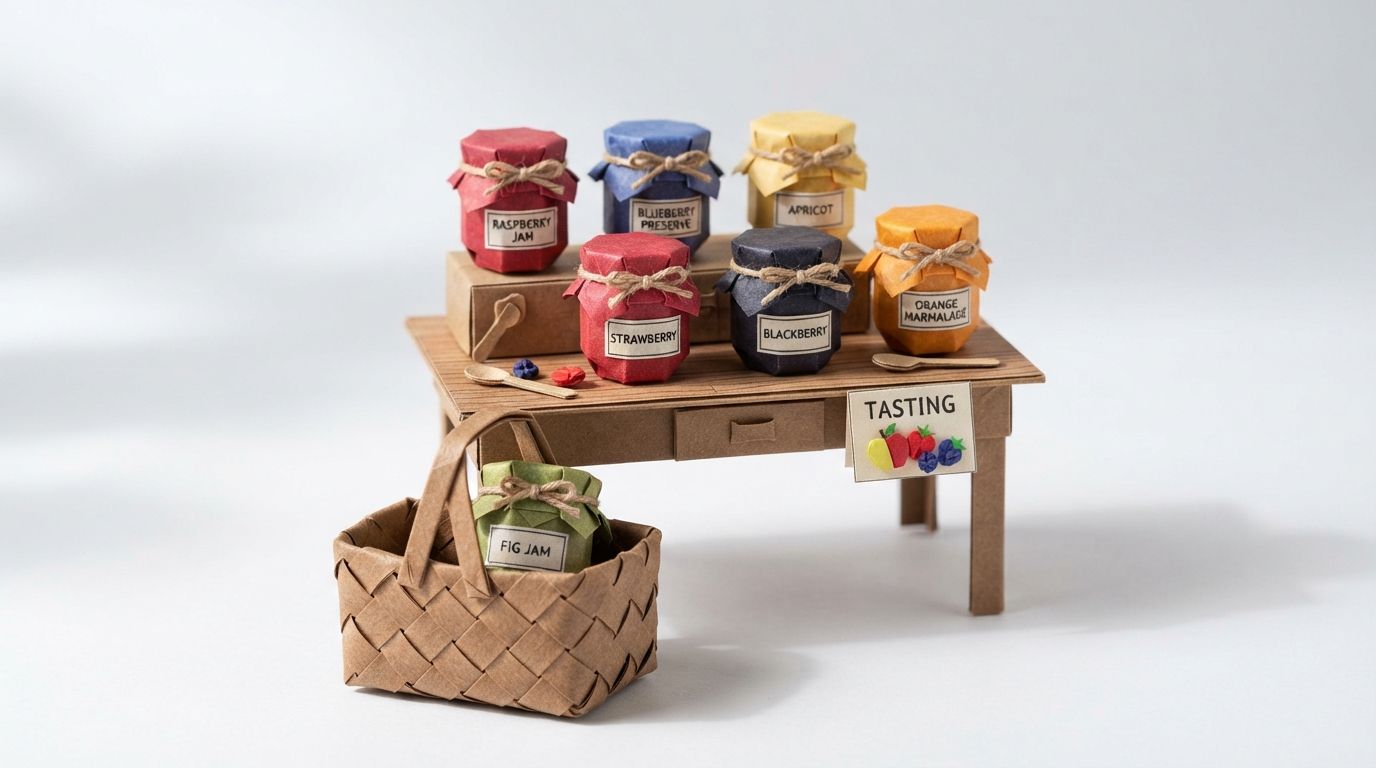
In 2000 Sheena Iyengar of Columbia University and Mark Lepper of Stanford University published a field experiment on choice. They set up a tasting booth in an upscale grocery store that offered either six or 24 flavours of jam. Shoppers could taste as many as they liked, and each got a one-dollar-off coupon so purchases could be tracked.
The 24-flavour table drew the bigger crowd: about 60 per cent of passers-by stopped, against about 40 per cent at the six-flavour table. Shoppers at both tasted about 1.5 jams on average. Then about 30 per cent of those who stopped at the six-flavour table bought jam, against about 3 per cent at the 24. A 2010 meta-analysis of 50 experiments, summarised in Psychology Today, found an average choice-overload effect close to zero. Treat it as a striking field result rather than a law.
The part worth keeping is narrower. A long list draws the crowd, and a short, relevant list gets the decision made. Vendor comparisons are a 24-jam table. Vero and Customer.io both publish long feature grids, and most of the rows will never matter to you. Three questions about your own data do.
TL;DR: Vero is the right pick for a small team whose data is users and events, sending transactional email plus a newsletter. Its Starter plan is $54 a month for 5,000 user profiles, 10,000 emails, 20,000 push messages and 160,000 tracked events. Customer.io wins when accounts, courses or orders need to be the subject of your segments and triggers, which Customer.io models as objects. It also wins when your next channel is in-app, WhatsApp or LINE. Customer.io Essentials starts at $100 a month for 5,000 profiles, people and objects counted together, with 1 million emails. Choose by the data you have, not the feature list.
Our position
We work in both platforms. NerveCentral is a certified Customer.io partner, and we also run Vero customer engagement work for clients who are staying put. Plenty of Vero accounts should stay where they are.
Every feature claim below comes from each vendor's pricing page or documentation, read on 5 October 2026. Where a capability was unclear, we left it out.
One thing has changed on the Vero side that older comparisons miss. Vero has rebuilt its product as Vero 2.0, which its documentation calls "a no-nonsense multi-channel customer engagement platform for product-led teams, built from the ground up". Its Q1 2026 product round-up names two goals: "bringing Vero 2.0 to full parity with Vero 1.0 and making it what every customer sees by default". An old picture of Vero is out of date. Every Vero capability below comes from the Vero 2.0 documentation, and 2.0 is not yet every customer's default. If your account still opens on Vero 1.0, check which of them you can use.
Side by side
| Vero | Customer.io | |
|---|---|---|
| Entry plan | Starter, $54/month, with 10% off when you prepay annually | Essentials, starts at $100 per month, billed monthly |
| Next plan | Professional, custom based on usage | Premium, starts at $1,000 per month, billed yearly |
| Profiles on the entry plan | 5,000 user profiles (the same page also says "Unlimited") | 5,000 profiles, people and objects together; $0.009 per extra profile |
| Emails on the entry plan | 10,000 a month | 1 million a month; $0.12 per extra 1,000 |
| Push | 20,000 iOS/Android push messages a month on Starter | Push and in-app unlimited on every plan |
| SMS | Listed on Professional, at custom volume | Custom on every plan |
| Other channels | The Vero 2.0 docs describe email, push and SMS editors | WhatsApp and LINE included; webhooks unlimited; anonymous messages from Premium |
| Events | 160,000 tracked a month on Starter | No event line in the plan table; API calls unlimited |
| Data model | Users with properties, tags and events | People, events, objects and relationships; 2 object types on Essentials, 10 on Premium |
| Segment conditions | User properties, user tags, events, other segments, messages | Attributes, events, relationships, forms, page events, devices, screens, geofence sets, segments, messages |
| Automation triggers | Events and segments; no object or relationship triggers documented | Events and segments, plus object updates, relationship changes and dates stored on objects |
| Warehouse in | Data Sources: SQL audiences from Snowflake, BigQuery, PostgreSQL, MySQL, Redshift and SQL Server | Reverse ETL on every plan |
| Warehouse out | Data Destinations: message, campaign and profile data | Data warehouse destinations from Premium |
| Separate workspaces | Projects, not charged per project | 2 on Essentials, unlimited on Premium |
Read the table as three questions instead: who is the subject, which channels at what volume, and where your data lives.
Data model
Every segment condition Vero documents is about a user. Its segment builder offers five condition types: User Properties, User Tags, Event, Segment and Message. Events can carry filters for properties, date range and frequency. Customers who bought twice in 30 days and opened last week's email is a Vero segment, and a good one.
Customer.io keeps all of that and adds a second type of subject. Its data-driven segments can use relationships, and you can "refine the condition with object or relationship attributes". An object is "a grouping mechanism in Customer.io", used to associate people with an account, online courses or sports leagues. Objects carry attributes and their changes can trigger messages, but they "can't receive messages or perform events themselves". Messages go to the people related to them.
Take a real B2B segment: admins at accounts whose renewal date is in the next 30 days. In Customer.io, that is an automation triggered by a date stored on an object, sent to certain people in the object, with a branch on the relationship attribute. Customer.io added custom objects to date triggers on 22 July 2026, so teams can "avoid storing duplicate data on each person". Vero's documented segment builder has no account to hang the date on, so you copy it onto every admin and keep the copies in sync.
Customer.io's automation triggers follow the same model. An automation can start when an object is updated, when a relationship is added or changed, or when a date stored on an object comes round. For each one you choose the audience: every person in the object, or certain people. Relationship triggers can also send only to the person who triggered them. Branches can split on relationship attributes, so the admin gets one email and the member another.
That is the real difference. Vero's documented segments react to what a person does. Customer.io's also react to what happens to the account, course or order that person belongs to.
Customer.io limits
Four limits from the objects documentation and the segments documentation belong in any honest comparison.
- Fan-out is capped. "An object or relationship can't fan out to more than 1,000 people." If one update would reach more, none of them enter the automation. The limit is per trigger event, not per automation.
- Relationship segments fire once. Data-driven segments based on relationships trigger an automation "for the first relationship that matches, NOT all relationships that match". For every change, use a relationship-triggered automation instead.
- No history. The docs say they "don’t have a concept of historical relationships in Customer.io". Someone who joined a company years ago looks new on the day you relate them.
- Workflows read objects but do not write them. Updating object or relationship data from inside an automation means a Send and receive data action that calls the API.
If none of your messaging needs an account, course or order as its subject, you would be paying for this and not using it. Our guide to account-level messaging with Customer.io custom objects shows what the model buys when you do need it. Our advanced segmentation guide covers the segment side.
Channels and volume
Vero is no longer email-only. Its Vero 2.0 documentation describes "email, push, and SMS editors", and the Q1 2026 product round-up added an SMS node to Journeys. To use it you track phone numbers through the API, "configure your SMS provider in Vero 2.0 settings", and add SMS nodes to your Journeys.
The difference is in how the channels are priced. Vero's pricing page calls its pricing composable. You use Vero "for one channel or many and pay only for the channels you use". Starter includes 20,000 push messages a month. SMS appears only in the Professional plan's list, at custom volume. The page says that when you cross a Starter threshold, Vero will "discuss a custom, Professional plan with you".
Customer.io's plan table lists monthly push and in-app as "Unlimited" on every plan, with mobile SDKs included. WhatsApp and LINE are both included. SMS volume is custom on every plan, and anonymous messages start at Premium.
So the channel question is not does it have push. Both do. It is this:
- Is your next channel one Vero documents? Its docs describe email, push and SMS. If you need in-app, WhatsApp or LINE, Customer.io lists all three.
- Will push volume climb past 20,000 a month? On Vero that is a conversation about Professional. On Customer.io push carries no monthly cap.
- Do you need SMS on a small budget? Neither vendor publishes an SMS price. Get both quotes in writing.
For the wider channel picture, including Braze, Klaviyo, Iterable and HubSpot, see our five-way honest comparison.
Warehouse data
Data in
Vero's Data Sources "let you connect Vero directly to your database or data warehouse". You write SQL, and the results become campaign audiences. For recurring campaigns, Vero "re-runs your query on each send". It supports Snowflake, Google BigQuery, PostgreSQL, MySQL, Amazon Redshift and Microsoft SQL Server, runs read-only SELECT queries, and has been "tested reliably up to 1 million rows". Queries time out after 12 hours.
Customer.io includes reverse ETL on every plan. The models differ. Vero's Data Sources build an audience at send time. Customer.io's reverse ETL brings warehouse data into the workspace itself. If your warehouse is the source of truth and all you want is everyone the query returns, every Monday, Vero's approach is simpler. If you want a change in the warehouse to start an automation, you want the data inside the workspace.
Data out
Vero's Data Destinations "sync historical and real-time message, campaign, and profile data directly to your data warehouse". Customer.io's data warehouse destinations are not included on Essentials; the pricing page lists them from Premium. Its data-out documentation says warehouse integrations "receive data in batches on a regular interval".
That row matters to a small team with an analyst. If you need message data in your warehouse and your budget is the entry plan, Customer.io's answer is Premium. From $1,000 a month billed yearly, that is at least $12,000 a year by simple arithmetic. Check which Vero plan includes Data Destinations before you assume it is cheaper, because the pricing page's feature grid does not say in text.
Price
The two entry plans count different things, and the migration post covers the arithmetic in detail. Three points for this comparison.
First, Customer.io counts objects as profiles. Its pricing page says "Profiles (people + objects)", so a B2B workspace uses its 5,000 faster than the same people did on Vero.
Second, Vero's page makes two statements about profiles. Starter's summary lists "5,000 user profiles". The feature breakdown lists User profiles as Unlimited on both plans. The page also says "Store unlimited profiles without extra charges". Ask Vero which governs your account, in writing, before you model costs on either.
Third, the email allowances are a hundred times apart: 10,000 a month on Vero Starter, 1 million on Customer.io Essentials. If you send under 10,000 emails a month, $54 against $100 is a real difference. If you send more, you are comparing Customer.io's published price with a Vero quote.
Decision boundaries
- Users and events only, under 5,000 user profiles, 10,000 emails, 20,000 push messages and 160,000 tracked events a month. Vero Starter. You would pay Customer.io for a data model you do not use.
- One type of thing people belong to, that you message about. Accounts, courses, households, subscriptions. Customer.io Essentials, which includes 2 object types.
- Three or more object types. Customer.io Premium, which includes 10.
- A single object update that would reach more than 1,000 people. Split the object before you rely on object triggers, or keep that message segment-based.
- In-app, WhatsApp or LINE on the roadmap. Customer.io.
- Warehouse audiences by SQL at send time. Both work. Vero's Data Sources are the shorter path.
- Message data back into the warehouse on an entry budget. Price Vero's plan for Data Destinations first.
- Many brands or projects. Vero does not charge per project. Customer.io Essentials stops at two workspaces.
When to stay on Vero
Stay if your business is a product with users and nothing users belong to that your messaging cares about. A consumer app, a marketplace buyer list, a newsletter with a signup flow.
Stay if you send transactional email plus a newsletter, inside Starter's limits. Vero's Journeys now have True/False nodes, Exit nodes and SMS, and its conversion goals track direct, view-through and indirect conversions. That is enough automation for most small teams.
Stay if your warehouse already does the thinking. Vero's Data Sources re-run SQL audiences on each send, with no sync to maintain.
Stay if nobody on your team owns a data model. Customer.io's objects pay off only when someone decides what is an account attribute and what is a person attribute, and keeps deciding. Without that owner, you rebuild Vero's conventions in a dearer product.
If that is you, get more out of the Vero account you already have. Our Vero work is exactly that.
When to move
Move when the segment you need has an account, course or order as its subject, and you are maintaining copies of that data on every user to fake it.
Move when the next channel is in-app, WhatsApp or LINE. Or when your volume takes you past Starter and Vero's Professional quote comes in above Customer.io's published price.
Move when one automation needs to treat the admin and the member differently, on the same account, from the same trigger. That is a relationship attribute in Customer.io and a workaround in Vero's documented model.
Move when a change to the account itself, not to a person, should start a message. A plan upgrade, a renewal date, a seat count crossing a line. Customer.io triggers on those directly.
When you do move, the emails are the easy part. Our Vero to Customer.io migration guide covers what actually has to be rebuilt, in what order, and the profile maths that catches B2B teams out.
Fewer, relevant options made the sale at the jam table. Three questions about your data will settle this faster than either vendor's feature grid. If you want a second opinion from people who run both, book a call with David, or see how we work as a Customer.io agency.
Frequently asked questions
Is Vero cheaper than Customer.io?
At the entry level, yes: Vero Starter is $54 a month and Customer.io Essentials starts at $100 a month. Vero Starter includes 10,000 emails a month against Customer.io's 1 million. Above Vero's Starter thresholds you move to a custom Professional plan, so compare a Vero quote with Customer.io's published price.
Does Vero support custom objects or accounts?
Not in the segment builder Vero documents for Vero 2.0. Its condition types are user properties, user tags, events, segments and messages, so account data has to live on each user in Vero's documented model. Customer.io supports objects and relationships on every plan, with 2 object types on Essentials and 10 on Premium.
Can Vero send SMS and push notifications?
Yes. Vero 2.0 describes email, push and SMS editors, and the Q1 2026 product round-up added SMS nodes to Journeys. Starter includes 20,000 iOS and Android push messages a month. SMS is listed on the Professional plan at custom volume, and you configure your own SMS provider.
Does Customer.io charge for push notifications and in-app messages?
Customer.io's pricing page lists monthly push and in-app messages as unlimited on every plan, with no separate per-message charge shown. SMS volume is custom on every plan, and WhatsApp and LINE are both included.
Is getvero good for email automation at scale?
Vero handles email automation at scale well when your data is users and events; it fits less well when accounts, courses or orders need to be the subject of your messages. If accounts, courses or orders need to be subjects of your messaging, Customer.io's objects and relationships fit better.
Can I build audiences from my data warehouse in Vero?
Yes. Vero's Data Sources connect to Snowflake, BigQuery, PostgreSQL, MySQL, Redshift and SQL Server. You write a read-only SQL query and use the results as a campaign audience, and recurring campaigns re-run the query on each send.
Can Customer.io send message data to my data warehouse on Essentials?
No. Customer.io's pricing page lists data warehouse destinations as not included on Essentials and included from Premium, which starts at $1,000 a month billed yearly. Reverse ETL, bringing data in, is included on every plan.
Sources
- Iyengar and Lepper, When Choice is Demotivating, Journal of Personality and Social Psychology, 2000.
- Jesse Marczyk, Is Choice Overload a Real Thing?, Psychology Today, 5 February 2016.
- Vero, Vero Customer Engagement Platform Pricing, read 5 October 2026.
- Vero, Vero 2.0 Documentation, read 5 October 2026.
- Vero, Q1 2026 Product Round-up, posted March 2026, read 5 October 2026.
- Vero, Creating and editing segments, read 5 October 2026.
- Vero, Data Sources overview, read 5 October 2026.
- Customer.io, Pricing and plans, read 5 October 2026.
- Customer.io, Getting started with objects and collections, documentation, updated 14 September 2026.
- Customer.io, Objects and relationships in automations, documentation, updated 14 September 2026.
- Customer.io, Data-driven segments, documentation, updated 21 September 2026.
- Customer.io, Date triggers now include custom objects, release note, 22 July 2026.
- Customer.io, Data-out overview, documentation, updated 1 September 2026.
Want this working in your Customer.io workspace?
It's what we do all day for SMBs—strategy, automations, deliverability and hands-on execution.
See how we work as a Customer.io agency →

