
Your Customer.io Unsubscribe Is Still All-or-Nothing. Channel Preferences Fixed That in April
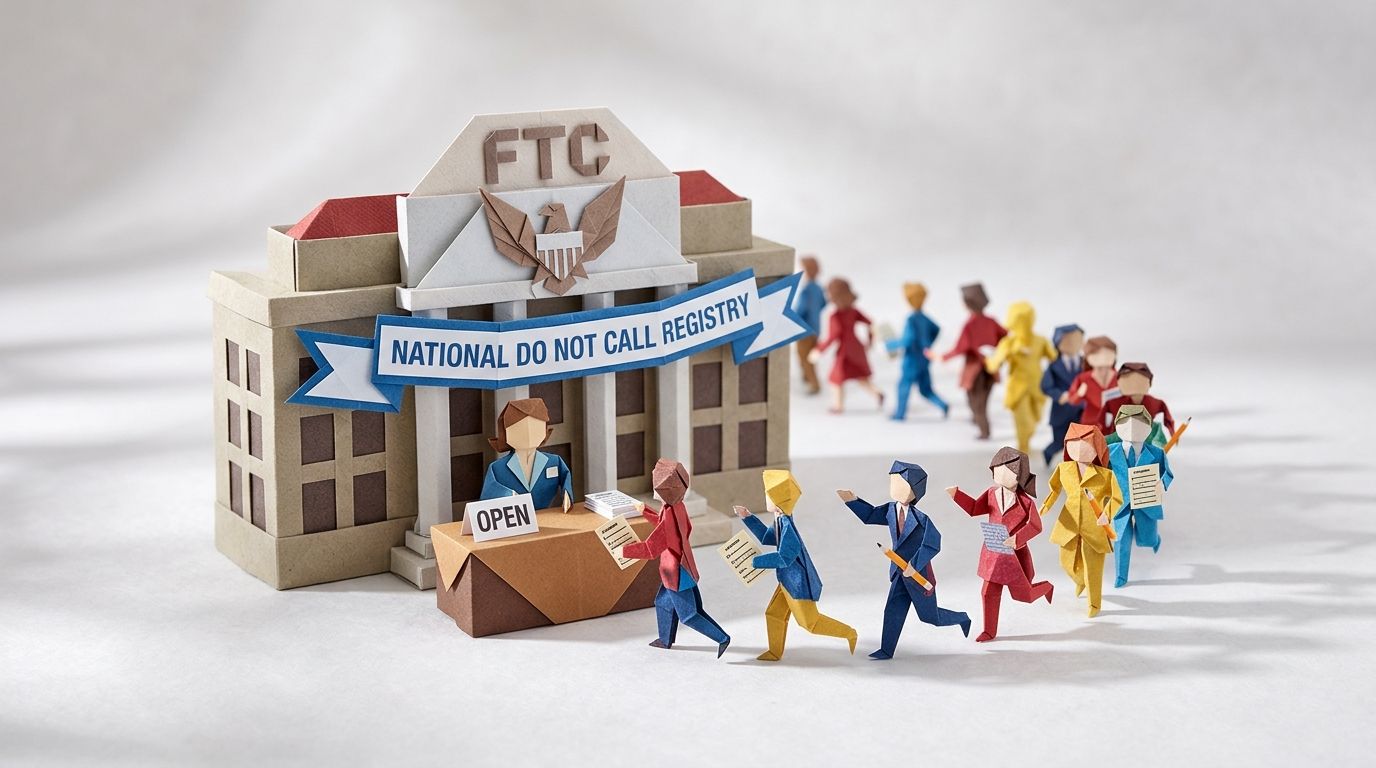
On 27 June 2003, the US Federal Trade Commission opened the National Do Not Call Registry. People did not wait around. By the middle of October that year the registry held 53.7 million phone numbers, by the FTC's own count, and EPIC's contemporaneous timeline logged the same figure as the court challenges stacked up.
Here's the part worth sitting with. Those 53.7 million people were not opting out of being marketed to. They were opting out of one channel. They still opened their post. They still read their email. They just wanted the phone to stop ringing through dinner. Handed a single, specific lever—make the calls stop—tens of millions of people reached for it inside a few weeks.
For years, Customer.io handed your audience the opposite of that lever. One unsubscribe link, and it took the lot: email, SMS, push, everything. On 2 April 2026 that changed. This post is about the feature that changed it and the one rule that makes it bite when you get it wrong. It's also the rebuild plan: how to move your workspace onto the new model without silently dropping the people you most want to keep.
TL;DR: Customer.io shipped channel-based subscription preferences on 2 April 2026, so someone can mute SMS or push and keep email. Eight channels (email, sms, push, in_app, whatsapp, slack, line, inbox) carry independent opt-out. The rule that gives it teeth also sets the trap: a person must be subscribed to both the relevant topic and the channel to receive a message. Preferences don't filter anyone out of a campaign either—they enter the journey and silently receive nothing. Volume is the top reason people leave, with 19.8% unsubscribing because a brand emails too often, so a per-channel dial is retention infrastructure rather than admin. Backfill cio_subscription_preferences with the dot-notation method that preserves unspecified keys before you enable anything, then audit opt-outs as data-driven segments.
The unsubscribe link is a sledgehammer
A single unsubscribe click ends the entire relationship, and most of the time that's a wild overcorrection for what the person actually wanted. The top reason people leave a list isn't that they've turned against you. It's volume. Sinch Mailgun's Email and the customer experience research, reported in late 2025, found that 19.8% of consumers unsubscribe because they get too many emails from a brand. That's the single most common reason, ahead of "no longer interested in the offerings" (17.9%) and "content is irrelevant" (17.3%).
| Why people unsubscribe | Share |
|---|---|
| Too many emails from the brand | 19.8% |
| No longer interested in the offerings | 17.9% |
| Email content is irrelevant | 17.3% |
| Unprofessional emails: typos or bad design | 5.5% |
| Accessibility issues | 3.0% |
| Mobile display errors | 2.3% |
Top reasons consumers give for unsubscribing, from the Email and the customer experience research. Source: Sinch Mailgun, updated December 2025.
Read that back. One in five departures is a frequency complaint, not a verdict on your brand. The person isn't telling you to go away. They're telling you the inbox is too noisy. And if email is too noisy, an all-or-nothing unsubscribe means your perfectly welcome SMS order updates and push alerts die alongside the newsletter nobody asked for twice a week.
Mailgun's own write-up lands in the same place: re-engagement only goes so far when "subscribers feel they're trapped in an all-or-nothing relationship with your emails." Give people a way to pause, pick topics, or change frequency, and you keep the relationship instead of ending it. That unsubscribe click is rarely the start of the problem—it's the receipt for a decision the person made weeks earlier, which is the whole argument behind what the unsubscribe button is really telling you. The discipline of sending less, and sending to fewer people, is its own skill set; we've covered that groundwork in the art of not sending.
Topics were Customer.io's first answer to this. They let people choose what they hear about. What was missing until April was a way to choose how.
What shipped on 2 April 2026
Channel-based subscription preferences let a person subscribe to, or unsubscribe from, individual messaging channels independent of their topic preferences. Customer.io released the feature on 2 April 2026. In the company's words, people can now choose "not just the kinds of messages they want to receive, but also the channels they want to receive them on, so they're less likely to unsubscribe all together."
Eight channels carry independent opt-out, and the documentation names them by key: email, sms, push, in_app, whatsapp, slack, line, and inbox. Two of those, WhatsApp and LINE, only became native channels in early 2026 (WhatsApp on 17 February, LINE on 9 March). For any audience outside the US, they change the omnichannel maths entirely, which is a separate post in its own right.
Preferences live on the person's profile, in a reserved attribute called cio_subscription_preferences. It holds two objects, topics and channels, and every individual preference is a simple boolean:
{
   "cio_subscription_preferences": {
      "topics": {
         "topic_1": true,
         "topic_2": false
      },
      "channels": {
         "email": true,
         "sms": true,
         "push": false
      }
   }
}
One setup detail trips people up before they start. Channel preferences are a layer on top of the subscription centre, not a replacement for it. To switch channel-based subscriptions on, you must have at least one topic configured. If your workspace has never used topics, that's your first job, and it's the same job we walked through in building a subscription centre in Customer.io that actually reduces churn. Channels give people the how; you still need at least one topic to define the what.
The both-gates rule, and how it silently eats sends
Here's the rule that gives channel preferences their teeth, and sets the trap in the same breath. When you send a message, a person must be subscribed to both the relevant topic and the channel to receive it. The subscription-centre decision logic runs three checks in order. Is the person globally unsubscribed? Are they subscribed to the topic? Are they subscribed to the channel? Miss any one and the message doesn't go.
Two gates instead of one is exactly what you want for granular control. It's also a quiet way to suppress half your sends if you flip the feature on without thinking it through.
The trap hides in a behaviour most people never read. Subscription preferences do not filter anyone out of a campaign or broadcast. If a person matches your trigger and filter criteria, they enter the journey regardless of what they're subscribed to. They just don't receive the message at the send step. The docs are blunt about it: people "will begin a journey regardless of their subscription preferences" and simply won't get the email, SMS, or push if they've opted out. So your workflow reports a healthy number of people entering, moving through delays, hitting branches—and a much smaller number actually receiving anything. No bounce. No error. The gap is invisible unless you go looking.
The computed-preferences attribute is where this gets sharper. Alongside cio_subscription_preferences (what a person actually set), Customer.io exposes _cio_subscription_preferences_computed, which fills in defaults for every topic and channel the person hasn't set yet. If you add a channel as opt-in by default—people must actively subscribe before it sends—then everyone who never set a preference computes to false on that channel. Combined with the both-gates rule, that's an entire audience silently ineligible on a channel you thought you'd just enabled.
This is also why your deliverability numbers can drift after a sloppy rollout. If you're watching send volume and complaint rate without watching subscription state, you can misread a self-inflicted suppression as a deliverability problem. Worse, you keep hammering the people who are still eligible until your spam-complaint rate creeps towards the ceiling. The fix isn't to fear the feature. It's to roll it out in the right order.
The rebuild, step by step
Backfill with cio_subscription_preferences
Before you enable anything, set your audience's existing preferences so the both-gates rule has something true to work with. You backfill through the same cio_subscription_preferences attribute, and there's one decision that matters more than any other: are you setting everything, or setting some things and preserving the rest?
Topics are keyed by ID, not name. topic_1 is the topic with ID 1 in your subscription-centre setup page, which is deliberate—it means you can rename a topic without scrambling everyone's preferences. Channels are keyed by the channel type itself: email, sms, push, and so on. If you used to track an opt-out with a custom attribute like no_sms, you map it to cio_subscription_preferences.channels.sms.
The two methods behave differently, and this is the failure point:
- Overwrite everything. If you write the whole
cio_subscription_preferencesobject (or import a fullcio_subscription_preferencescolumn by CSV), any topic or channel you don't include reverts to its default opt-in/out status. The docs put a warning in bold: this method "does NOT preserve existing preferences for unspecified items." Omit a channel here and you may have just unsubscribed a chunk of your list from it. - Set some, preserve the rest. Use JSON dot notation—
cio_subscription_preferences.channels.email,cio_subscription_preferences.topics.topic_3—and Customer.io updates only those keys and leaves the rest untouched. This is the safer default for a live workspace.
You can run the backfill by CSV, the Track or Pipelines API, the JavaScript SDK, or a reverse-ETL sync. Whichever you pick, decide overwrite-versus-preserve first, then test on a small segment and read the resulting profiles before you do it at scale. If you would rather hand the rebuild to someone who has done it before, that is the work we do as a Customer.io agency.
The announce-your-preferences campaign
Once the subscription centre is enabled, tell people they now have the choice. Customer.io explicitly supports this: send a campaign that shows your audience they can subscribe to topics and channels, and link them straight to their preferences page.
Keep it short and make the offer concrete. Not "we've updated our preferences"—nobody opens that. Something closer to: you can now choose to get order updates by SMS and skip the weekly email, or keep the email and drop the texts, whatever suits you. The framing matters. You're not asking permission to keep mailing; you're handing over a dial people have wanted for years. Send it to engaged subscribers first, watch the opt-out pattern, then widen. The same page is the right home for tracking consent, if you've switched the workspace to consent-based open tracking.
Audit who's opted out of what
You can filter the People page by any preference, topic or channel, using the attribute path. To find everyone who's turned off push, filter where cio_subscription_preferences.channels.push equals FALSE. For a topic, it's cio_subscription_preferences.topics.topic_<id> equals FALSE. Same mechanism, both layers.
Turn the important ones into data-driven segments so you can watch the trend over time rather than checking a number once. A channel opt-out rate climbing week on week tells you that channel is over-sending, the same way a topic's rate tells you the topic is wearing thin. That's the early-warning signal the all-or-nothing unsubscribe never gave you, because by the time someone nuked everything, the diagnosis came too late to act on.
When channel preferences aren't worth it
If you only send email, channel preferences add a gate that's always open and never useful. Your levers are topics and frequency, not channels, and adding a single-channel preference just gives you another thing to keep true. The same goes for a tiny list where you already know everyone and send rarely—the overhead of a backfill and an announce campaign outweighs the control you'd gain.
Channel preferences earn their place the moment you run two or more channels from one workspace and the channels serve genuinely different jobs: email for the newsletter, SMS for time-sensitive alerts, push for in-product nudges. That's where an opt-out on one channel should never cost you the others. If that's your setup, this is retention infrastructure. If it isn't, leave it paused and spend the time on frequency instead. One caveat if SMS is the channel you're switching on for a US audience: A2P 10DLC registration sits before your first send, preferences or not.
Frequently asked questions
Can someone unsubscribe from SMS but keep getting email in Customer.io?
Yes. That's the whole point of channel-based subscription preferences, released on 2 April 2026. Channel opt-outs are independent of topic preferences, so a person can turn off sms while email stays true. Before this feature, a single unsubscribe link removed every channel at once.
What is the cio_subscription_preferences attribute?
It's the reserved Customer.io attribute that stores a person's subscription choices. It holds two objects—topics and channels—and each individual preference inside them is a boolean (true means subscribed, false means not). You can read it on any profile, set it by API, CSV, SDK, or reverse-ETL sync, and filter the People page by it.
Why does Customer.io need both a topic and a channel subscription to send?
Because topics control what a person hears about and channels control how, and a message has both properties. Customer.io's rule is that a person must be subscribed to both the relevant topic and the channel for the message to send. It's two independent gates: opt out of either one and the message is suppressed.
How do I find everyone who opted out of push in Customer.io?
On the People page, filter where cio_subscription_preferences.channels.push is equal to FALSE. The same pattern works for any channel—swap push for sms, whatsapp, and so on—and for topics using cio_subscription_preferences.topics.topic_<id>. Save it as a data-driven segment to track the opt-out trend over time.
Do channel preferences work without a subscription centre topic?
No. To use channel-based subscriptions you must have at least one topic configured first. Channel preferences are a layer on top of the subscription centre, not a standalone feature, so a topic-less workspace has to set up topics before channels become available.
How do I migrate subscription preferences from another ESP?
Map your old preference attributes onto cio_subscription_preferences before you enable the subscription centre. The documented path is a short campaign with a Create or Update Profile action that writes each person's existing preference into the right topic ID or channel key. You can also do it by CSV, the Track or Pipelines API, or the JavaScript SDK. Decide whether you're overwriting all preferences or updating some and preserving the rest, because the two methods behave differently.
What's the difference between cio_subscription_preferences and _cio_subscription_preferences_computed?
cio_subscription_preferences holds only what a person has actually set. _cio_subscription_preferences_computed holds the full picture, filling in defaults for every topic and channel the person hasn't set a preference for. An opt-in topic that someone never touched shows false in the computed attribute even though it's absent from their set preferences. The computed version is what determines eligibility, which is why it matters for debugging missing sends.
Will turning on channel preferences suppress messages I'm already sending?
It can, if you enable a channel as opt-in by default or backfill carelessly. Anyone who hasn't set a preference computes to the channel's default, and if that default is "not subscribed," the both-gates rule suppresses them silently. Backfill existing preferences first, prefer the dot-notation method that preserves unspecified keys, and test on a small segment before you go wide.
How is a channel opt-out different from the global unsubscribe in Customer.io?
They're separate layers. The global unsubscribed attribute is a blanket opt-out; a channel preference only affects that one channel. Migrating or backfilling channel preferences doesn't touch a person's global unsubscribe status. One nuance worth knowing: a globally unsubscribed person is still eligible for in-app and Slack messages, because those channels sit outside the email/SMS/push unsubscribe.
Can I set channel preferences through the API?
Yes. Use the identify call in either the Pipelines API (recommended) or the classic Track API, passing cio_subscription_preferences with the topics and channels you want to set. To update some preferences while preserving others, use JSON dot notation like cio_subscription_preferences.channels.sms. The Pipelines API also has a batch endpoint for updating many people at once.
Which channels support subscription preferences in Customer.io?
Eight: email, SMS, push, in-app, WhatsApp, Slack, LINE, and inbox. Each is keyed by its type name (email, sms, push, in_app, whatsapp, slack, line, inbox) inside the channels object, and you can set channel preferences for any messaging channel you've enabled in your workspace.
Can people manage their channel preferences on my own website instead of the Customer.io page?
Yes. You can generate a link to the hosted subscription centre for a signed-in user through the App API, or build a fully custom preferences page that writes back to cio_subscription_preferences. Either way the preferences land on the same attribute, so your filters and segments still work.
How does someone resubscribe to a channel they turned off?
They recheck the channel on the preferences page and save, which sets the preference back to true. If they unsubscribed from everything by accident, they just tick the topics and channels they want again and save. There's also a dedicated resubscribe button that flips the relevant preference back to true and confirms it.
Sources
- Channel-based subscription preferences. Customer.io Release Notes, 2 April 2026.
- Manage subscription preferences. Customer.io Docs, updated 20 August 2026.
- The subscription center. Customer.io Docs, updated 20 August 2026.
- Migrate subscription preferences. Customer.io Docs, updated 24 August 2026.
- Why do customers unsubscribe? Understanding the consumer mindset. Sinch Mailgun, drawing on the Email and the customer experience report, updated December 2025.
- Consumers on Do Not Call Registry File over 15,000 Complaints Against Telemarketers. US Federal Trade Commission, 16 October 2003.
- Do-Not-Call Registry timeline. Electronic Privacy Information Center (EPIC), 2003.
Want this working in your Customer.io workspace?
It's what we do all day for SMBs—strategy, automations, deliverability and hands-on execution.
See how we work as a Customer.io agency →

