
How to Build a Subscription Centre in Customer.io That Actually Reduces Churn
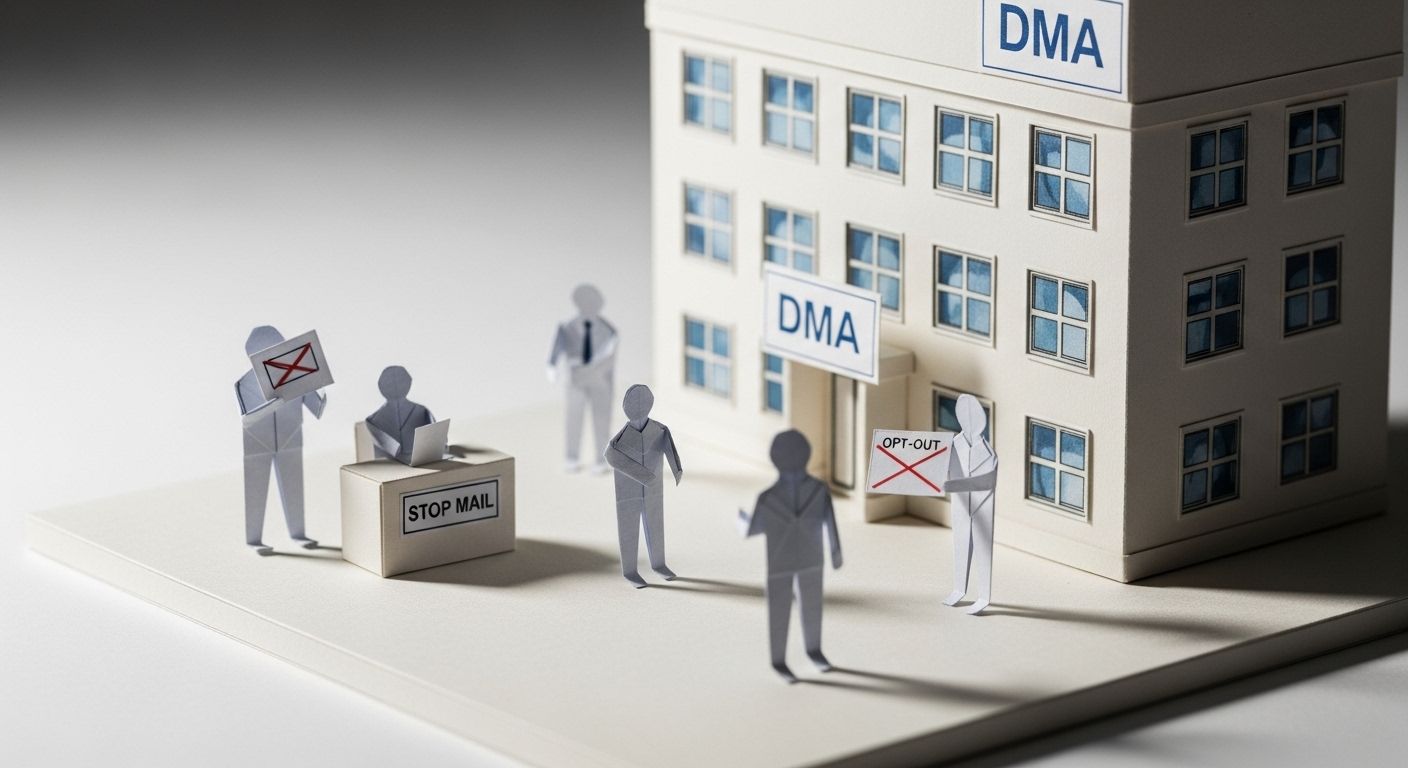
In 1983, the UK's Direct Marketing Association did something the advertising industry had never done before: it gave consumers a way to opt out.
The Mailing Preference Service (MPS) launched that year after growing public frustration with unsolicited post. Lord Redesdale announced it in a House of Lords debate on 10 February 1983, describing a scheme that would let consumers have their names removed from direct mail lists by writing to a central organisation. For the first time, people had a say in what landed on their doormat.
The industry expected it to hurt revenue. The opposite happened. Brands that worked within the scheme earned greater trust. Engagement from the people who stayed improved. Removing unwilling recipients from lists made those lists more valuable, not less.
Forty years later, email marketers are learning the same lesson — and most of them are learning it the hard way.
Giving your subscribers control over what they receive doesn't shrink your audience. It deepens it. And with Customer.io's subscription centre, you can build exactly that experience — without a developer, without a separate tool, and without the all-or-nothing unsubscribe problem that silently drains your list every month.
TL;DR: A subscription centre swaps the all-or-nothing unsubscribe for topic-level choice. It works: roughly 20–30% of subscribers who reach a preference centre intending to leave choose to adjust their settings instead. Customer.io's native subscription centre (Workspace Settings > Subscription Center) needs no developer. Define 4–8 topics, assign them to your campaigns and broadcasts, and add two Liquid links to your footer — Customer.io filters sends automatically from there. The payoff compounds: fewer irrelevant sends mean fewer spam complaints, and Google's own sender guidelines put the safe spam-rate threshold at 0.1%.
What Is a Subscription Centre?
A subscription centre (also called a preference centre or email preference page) is a page where your subscribers control the messages they receive from you. Instead of facing a binary choice — get everything or get nothing — they can pick the categories, channels, and frequency that suit them.
In Customer.io, the subscription centre is a native feature built into Workspace Settings > Subscription Center. You define topics (categories of messages), assign those topics to your campaigns and broadcasts, and Customer.io handles the preference logic automatically. When someone updates their preferences, Customer.io saves them and uses them to filter future sends.
It's the difference between a wall switch and a dimmer.
Why Does Giving Customers Control Improve Engagement?
This sounds counterintuitive. Surely giving people the option to receive less from you means they'll receive less from you — and your metrics will suffer?
Here's what actually happens.
Most unsubscribes aren't about your brand — they're about volume
Research consistently shows that the top reasons people unsubscribe are too many emails and irrelevant content — not brand dislike. Litmus found that the leading unsubscribe triggers are receiving too many emails, changed circumstances, and irrelevant content. Very few people unsubscribe because they actively hate the sender.
Without a preference centre, those people have one option: leave entirely. With a preference centre, they have another option: tune down. Studies suggest that 20–30% of subscribers who visit a preference centre with intent to unsubscribe will instead modify their preferences and stay on your list — particularly when frequency reduction is on offer. Update (August 2026): this figure has been revised down from an earlier estimate of 30–50%, in line with the source's current published data.
Engaged lists outperform large lists
Email deliverability in 2026 is driven by behavioural signals. Gmail, Yahoo, and Outlook all track how recipients interact with your messages — opens, clicks, replies, spam complaints, delete-without-read. A disengaged list actively harms your sender reputation, pushing future emails toward the spam folder even for subscribers who want them.
A preference centre improves list quality by filtering messages to people who opted in to receive them. Better-targeted sends get better engagement. Better engagement protects deliverability. Deliverability protects revenue.
Control creates trust
When you show subscribers that their preferences matter — that you won't override their choices with a mass blast — you build a different kind of relationship. That trust translates into higher open rates, better click-through, and longer customer lifespans. This is the same principle the Mailing Preference Service demonstrated in 1983: restraint, offered willingly, builds loyalty that force never can.
How Does Customer.io's Subscription Centre Work?
Customer.io's subscription centre operates on topics — named categories of messages that you define. Here's the core mechanics:
- You create topics in Workspace Settings > Subscription Center (e.g. "Product Updates", "Weekly Newsletter", "Promotions").
- You assign a topic to each campaign, broadcast, or newsletter in Customer.io. Only subscribers opted in to that topic receive that message.
- You add subscription links to your emails using Liquid tags:
{% unsubscribe %}— generates a link to unsubscribe from the topic of that specific message{% manage_subscription_preferences_url %}— generates a link directly to the subscriber's full preference page
- Subscribers update their preferences on a hosted page that Customer.io generates automatically. No code required.
- Customer.io saves the preferences to the
cio_subscription_preferencesattribute on each person's profile and uses them to filter sends going forward.
If you had previously managed preferences manually — using custom attributes, custom segments, or third-party tools — Customer.io also provides a migration path to bring those preferences into the native subscription centre without affecting your global unsubscribe list.
The custom preference page option
For teams with more brand control requirements, Customer.io also supports a fully custom subscription preferences page. You fetch preferences from the App API and update them through the Track API. This means your preference page can live on your own domain, match your full brand identity, and integrate with your existing account management portal — with Customer.io handling all the preference logic underneath.
What Topics Should You Include in Your Subscription Centre?
The right topics depend on your business model, but here are proven category structures for common business types.
SaaS and tech products
| Topic | What It Covers |
|---|---|
| Product Updates | New features, releases, changelog |
| Tips & Best Practices | How-to guides, use case walkthroughs |
| Security & Compliance | Policy changes, important notices |
| Events & Webinars | Live demos, conferences, workshops |
| Company News | Announcements, partnerships, culture |
| Research & Benchmarks | Industry reports, data studies |
Always mark transactional messages (receipts, password resets, billing alerts) as outside the subscription system entirely. These are not opt-in messages and should remain mandatory.
E-commerce and DTC
| Topic | What It Covers |
|---|---|
| New Arrivals | Latest product launches |
| Sales & Promotions | Discounts, flash sales, clearance |
| Loyalty & Rewards | Points updates, tier notifications |
| Back in Stock | Availability alerts for saved items |
| Style & Content | Lookbooks, buying guides, editorial |
| Order & Account Updates | Shipping, receipts, account changes |
Fintech and subscription services
| Topic | What It Covers |
|---|---|
| Account Activity | Statements, transaction summaries |
| Product & Feature Updates | New capabilities, improvements |
| Tips & Financial Insights | Money management content, guides |
| Offers & Upgrades | Plan upgrades, partner offers |
| Regulatory & Compliance | Required notices (mandatory) |
The frequency option
Beyond topics, consider adding frequency controls to your preference centre. Some subscribers don't mind your content — they just want it less often. Offering daily, weekly, and monthly options saves a meaningful percentage of subscribers who'd otherwise leave.
The simplest way to implement this in Customer.io is to create frequency-based topics ("Daily Digest", "Weekly Summary") or use a custom attribute to store the subscriber's preferred cadence and apply it as a filter in your campaign audience settings.
How to Build Your Customer.io Subscription Centre: Step by Step
Step 1: Audit your current sends
Before you build anything, list every campaign, broadcast, and newsletter you send. Group them into logical categories. These become your topics.
Aim for 4–8 topics. Fewer and the preference centre offers too little choice. More and it becomes overwhelming — decision paralysis is real.
Step 2: Create your topics in Customer.io
Go to Workspace Settings > Subscription Center. Add each topic with a clear name and a short description that tells subscribers exactly what they'll get. The description appears on the preference page, so write it for them, not for your internal taxonomy.
Good: "Weekly tips and guides on getting more from your account" Bad: "Marketing CRM nurture stream"
Step 3: Assign topics to your campaigns
For every campaign and broadcast, open the settings and assign the relevant subscription topic. This is how Customer.io knows who to send to — and who to skip.
This step also means your campaigns automatically respect previously saved preferences. If someone opted out of "Promotions" six months ago, they won't receive your new promotional campaign — no extra segmentation required.
Step 4: Add preference links to your emails
Update your email footer to include both links:
Manage your email preferences | Unsubscribe from [topic name]
In Customer.io Liquid:
<a href="{% manage_subscription_preferences_url %}">Manage preferences</a> |
<a href="{% unsubscribe_url %}">Unsubscribe from {{ message.subscription_topic_name }}</a>
The "Manage preferences" link is your most important footer link — more valuable than the unsubscribe link. It's the exit ramp that keeps subscribers on the road.
If you send to French or EU contacts, the same footer is where the tracking-consent link belongs, using Customer.io's {% tracking_consent_url %} tag.
Step 5: Brand your preference page
Customer.io's hosted preference page supports custom branding. Add your logo, brand colours, and a short headline that frames the experience positively.
Instead of: "Manage your unsubscribe preferences" Try: "What would you like to hear about?" or "Your inbox, your rules."
The framing matters. A page that treats preferences as a privilege rather than a compliance checkbox gets better engagement.
Step 6: Promote your preference centre proactively
Don't wait for subscribers to hit "Unsubscribe" before they discover your preference centre. Promote it:
- In your welcome email: "You're in control — set your preferences here"
- In re-engagement campaigns: "We send a lot. Tell us what you actually want"
- In account settings: Link to it from your product's notification preferences page
- In the unsubscribe confirmation: "Before you go — would you like to adjust instead?"
Subscription Centre Design Best Practices
Keep it scannable
Group topics visually. Use clear headings, short descriptions, and toggle switches or checkboxes. Subscribers spend seconds on this page — make every option immediately understandable.
Use positive framing
Describe what subscribers get, not what they can avoid. "Get weekly product tips" performs better than "Receive product update emails." The difference is a promise of value versus a description of email type.
Always include a global unsubscribe
Even with granular preferences, some subscribers want out entirely. Make the global unsubscribe option clearly visible. Hiding it doesn't help your metrics — it just destroys trust and inflates spam complaints, which do far more damage.
Show current status
Pre-populate the page with the subscriber's current preferences so they can see what they're opted into. A blank form implies they're starting from scratch and can create anxiety. Show them their existing selections.
Mobile-first layout
A significant share of your subscribers will access this page from email on mobile. Ensure checkboxes or toggles are large enough to tap easily, and that the page is fully responsive. A preference centre that's hard to use on mobile achieves very little.
Test the experience yourself
Customer.io's subscription centre includes a Preview button in Workspace Settings. Use it. Then send yourself a test email and click through the actual links. Verify everything works exactly as subscribers will experience it.
Brands Doing Subscription Preference Management Well
Three brands show what a well-designed preference centre looks like in practice.
| Brand | Categories on offer | What makes it work |
|---|---|---|
| Spotify | Notification types across email, push, and in-app | Treats the preference centre as part of onboarding, not a reactive measure — new users are guided to it rather than left to find it when frustrated |
| Airbnb | Trips, wishlist activity, promotions, account and policy updates, inspiration | Meaningful, traveller-relevant categories with short, specific descriptions — preference-setting feels like customising your experience, not filing a complaint |
| The New York Times | Breaking news, the daily briefing, cooking, games, plus channel controls for email, push, and SMS | Treats the preference centre as a content subscription service, positioning it as something valuable rather than a compliance page |
Each does the same three things well: specific category names, short descriptions written for the subscriber, and a preference centre that's promoted rather than hidden.
How a Subscription Centre Connects to Lifecycle Marketing
A subscription centre isn't just a churn-prevention tool. It's a data-collection engine.
Every topic a subscriber opts into is a signal about what they care about. That signal feeds directly into your lifecycle marketing strategy — helping you send more relevant onboarding sequences, more targeted retention campaigns, and smarter upsell triggers.
When you combine subscription preference data with behavioural event data in Customer.io — the kind that behaviour-triggered journeys depend on — you build a progressively richer picture of each subscriber. Someone who opts in to "Tips & Best Practices" and regularly clicks your how-to emails is a strong candidate for a feature upsell campaign. Someone who opts out of "Promotions" but stays subscribed to "Product Updates" cares about substance over deals.
That's not just retention data. That's segmentation intelligence you can use to build Customer.io Journeys that respond to actual stated and demonstrated preferences.
This connection is why subscription centre data deserves to sit alongside behavioural events in your Customer.io data integrations. Treating preference data as a compliance record misses most of its value.
The Deliverability Payoff
Here's something most marketers underestimate: a well-run subscription centre directly improves your sender reputation.
In 2026, mailbox providers enforce strict spam complaint thresholds. Google's bulk sender guidelines call for a complaint rate under 0.1%, and both Google and Yahoo treat 0.3% as the point where delivery support and mitigations become unavailable. Cross that line and you risk domain-level blocking.
Every subscriber who receives irrelevant messages and marks them as spam is a complaint against your domain. Every subscriber who receives messages they chose moves the needle in the opposite direction.
A subscription centre reduces irrelevant sends. Fewer irrelevant sends means fewer complaints. Fewer complaints means better deliverability. Better deliverability means more of your emails reach the inbox — including the ones going to your most engaged customers.
This is the compounding benefit that makes a subscription centre a revenue decision, not just a UX decision.
How a Subscription Centre Supports Your Churn Reduction Strategy
Subscription centre data integrates naturally with SaaS churn reduction playbooks. Here's how:
Early churn signals: A subscriber who progressively downgrades their topic preferences — dropping from five opted-in topics to one over three months — is showing disengagement before they ever click "Unsubscribe." That pattern is catchable. Build a Customer.io segment that tracks declining preference breadth and trigger a re-engagement campaign before they leave.
Win-back context: When running win-back campaigns for lapsed subscribers, preference data tells you what topic they cared about most. Lead with that. "We know you loved our weekly tips — here's what you missed" outperforms a generic "We miss you" every time.
Onboarding personalisation: Ask subscribers to set preferences as part of onboarding. High-converting onboarding sequences that personalise the experience from day one retain significantly better than one-size-fits-all welcome sequences.
Attribution: A subscriber who stays opted in to multiple topics generates more touchpoints, more clicks, and more revenue attribution data. This connects directly to the attribution challenge every lifecycle marketer faces — more engaged subscribers produce cleaner signal.
Frequently Asked Questions
What is a subscription centre and why do I need one?
A subscription centre is a page where subscribers choose which types of messages they want to receive from you. Instead of a binary opt-in or opt-out, they manage granular preferences by topic, channel, or frequency. You need one because the main reason people unsubscribe isn't brand dislike — it's too many emails or irrelevant content. A subscription centre converts those exits into preference adjustments, retaining 20–30% of subscribers who would otherwise leave entirely.
How is a subscription centre different from a global unsubscribe page?
A global unsubscribe removes a subscriber from all your communications. A subscription centre lets them stay subscribed to the messages they want while opting out of the ones they don't. Customer.io's native subscription centre operates on topics — defined categories of messages — so a subscriber can receive your Product Updates while opting out of Promotions. Global unsubscribe remains available alongside it.
Does Customer.io have a native subscription centre feature?
Yes. Customer.io has a native subscription centre available in all plans, accessible via Workspace Settings > Subscription Center. You define topics, assign them to campaigns and broadcasts, and add managed preference links to your emails using Liquid tags ({% manage_subscription_preferences_url %}). Customer.io hosts the preference page automatically, and you can brand it with your logo and colours. For teams needing full brand control, a custom preferences page is also supported using the App API and Track API.
How many topics should I include in my subscription centre?
Aim for 4–8 topics. Fewer than four doesn't give subscribers enough meaningful choice. More than eight creates decision paralysis — subscribers are less likely to make selections and more likely to abandon the page entirely. Group related message types together and name each topic from the subscriber's perspective (what they get), not your internal workflow perspective.
Will adding a subscription centre reduce my email volume and hurt revenue?
Short term, some subscribers will narrow their preferences. But those who remain opted in to each topic are self-selected — they actively want those messages. That leads to higher open rates, better click-through, fewer spam complaints, and improved deliverability. The downstream effect on revenue is typically positive: you're sending to a smaller but more engaged audience, and your sender reputation benefits across all your sends.
How does a subscription centre affect email deliverability?
Positively. Deliverability is driven by engagement signals — opens, clicks, replies — and harmed by negative signals like spam complaints and deletes-without-reading. A subscription centre filters messages to subscribers who opted in to receive them. Those sends generate better engagement signals and fewer complaints, which improves your sender reputation and ensures more emails land in the inbox rather than spam.
What Liquid tags does Customer.io use for subscription centre links?
Customer.io provides three main subscription Liquid tags: {% unsubscribe %} inserts a one-click unsubscribe link for the topic of the current message. {% unsubscribe_url %} outputs the URL for that link so you can wrap it in custom anchor text. {% manage_subscription_preferences_url %} outputs the URL for the subscriber's full preference management page. You should include the manage preferences link in every email footer — it's more valuable than the unsubscribe link alone.
Can I migrate existing subscription preferences into Customer.io's subscription centre?
Yes. If you previously managed preferences using custom attributes or external systems, Customer.io provides a migration path that maps existing preferences to the cio_subscription_preferences attribute. This ensures subscriber preferences are respected immediately when you enable the subscription centre, without requiring subscribers to re-enter their preferences. Importantly, this migration does not affect your global unsubscribed list.
What are the GDPR implications of a subscription centre?
A subscription centre actually strengthens your GDPR compliance. GDPR requires that consent be freely given, specific, informed, and revocable. A subscription centre that lets subscribers choose exactly which categories of messages they receive, and easily update those choices at any time, satisfies all four requirements more robustly than a generic opt-in checkbox. GDPR rules for email preference management specifically recognise granular preference centres as a best-practice compliance mechanism.
Should transactional emails be included in the subscription centre?
No. Transactional messages — receipts, password resets, billing alerts, security notifications — should sit outside your subscription centre entirely. These are communications customers need to receive regardless of their marketing preferences. In Customer.io, transactional messages can be sent via the Transactional API, which bypasses subscription preferences. Only include marketing and content messages in your subscription centre topics.
How do I frame the preference centre so subscribers actually use it?
Frame it as a benefit, not a compliance measure. The headline "Your inbox, your rules" performs better than "Manage your unsubscribe preferences." Describe each topic in terms of what the subscriber gets, not what category it sits in. Send a proactive email introducing your preference centre to your list — don't wait until they're frustrated. Promote it in your welcome email, your account settings, and your re-engagement flows.
Can I use preference data to improve segmentation and personalisation?
Absolutely — and this is where a subscription centre becomes more than a churn tool. Every topic a subscriber opts into signals what they care about. Combine that with behavioural event data in Customer.io and you can build significantly more precise segments for lifecycle campaigns. Someone who opts in to "Tips & Guides" and clicks every how-to you send is a natural candidate for a feature adoption or upsell campaign. Preference data feeds directly into personalisation without requiring additional data collection.
What's the best way to collect preferences from new subscribers?
Ask during onboarding. Include a preference selection step in your welcome email or onboarding sequence — "Tell us what you'd like to hear about" with checkboxes or a link to your preference centre. Subscribers who set preferences from day one show consistently better long-term engagement than those who receive everything by default. For onboarding email sequences, preference collection is one of the highest-leverage early interactions you can build.
How does a subscription centre reduce churn specifically for SaaS?
For SaaS, churn signals often appear in email behaviour before they show up in product data. A user who progressively disengages from your emails — opting out of topics, opening less, not clicking — is often disengaging from your product too. A subscription centre gives you visible, trackable signals of that disengagement. You can build Customer.io segments that trigger retention flows when a user's topic opt-ins drop below a threshold, catching at-risk customers before they cancel their account.
The Bottom Line
The Mailing Preference Service launched in 1983 on a simple premise: people who choose to receive your messages engage with them better than people who can't escape them.
Forty years of email marketing hasn't changed that truth. It's just made the stakes higher. In 2026, sender reputation is a live metric that affects every email you send. Deliverability is behaviour-driven. And the binary "everything or nothing" unsubscribe flow is leaving tens of thousands of subscribers on the table every month for businesses without a preference centre.
Customer.io's subscription centre makes this fixable without a developer, without a workaround, and without disrupting your existing campaigns. You define the topics, assign them, add two links to your footer, and let Customer.io handle the rest.
At NerveCentral, we're a Customer.io Certified Partner and we've built subscription centres for businesses across SaaS, fintech, and e-commerce. We know which topic structures work, how to frame the preference page for maximum engagement, and how to connect preference data to lifecycle campaigns that actually reduce churn.
If you want to build one that does more than check a compliance box, let's talk.
Sources
- Customer.io — Subscription Center Documentation — Native feature documentation covering topics, Liquid tags, and preference page setup.
- Litmus — Email Preference Center Best Practices — Research on unsubscribe reasons and preference centre strategy.
- Email Almanac — How a Preference Center Reduces Unsubscribes — Data on 20–30% subscriber retention via preference centres.
- Mailfloss — Email Preference Center Guide (2026) — Practical guide to reducing unsubscribes by up to 30%.
- SMTP.com — How Subscriber Engagement Affects Sender Reputation (2026) — The relationship between engagement signals and deliverability.
- Google — Email Sender Guidelines FAQ — Official spam-rate thresholds (0.1% target, 0.3% mitigation cutoff) for bulk senders.
- Email Service Business — GDPR Rules for Email Preference Management — GDPR compliance requirements for preference centres.
- Dyspatch — Spotify's Preference Center: Good for Customers and Marketers — Spotify case study on preference centre design.
- MPS Online — Mailing Preference Service — The UK's 1983 opt-out scheme.
- Hansard — House of Lords, Data Protection Bill debate, 10 February 1983 — Lord Redesdale's original announcement of the Mailing Preference Scheme.
- GNW Consulting — Preference Centers in 2025 — Strategic approach to B2B preference centre design.
Want this working in your Customer.io workspace?
It's what we do all day for SMBs—strategy, automations, deliverability and hands-on execution.
See how we work as a Customer.io agency →

