
Email Marketing to Reduce Customer Churn in SaaS: The Complete Retention Playbook
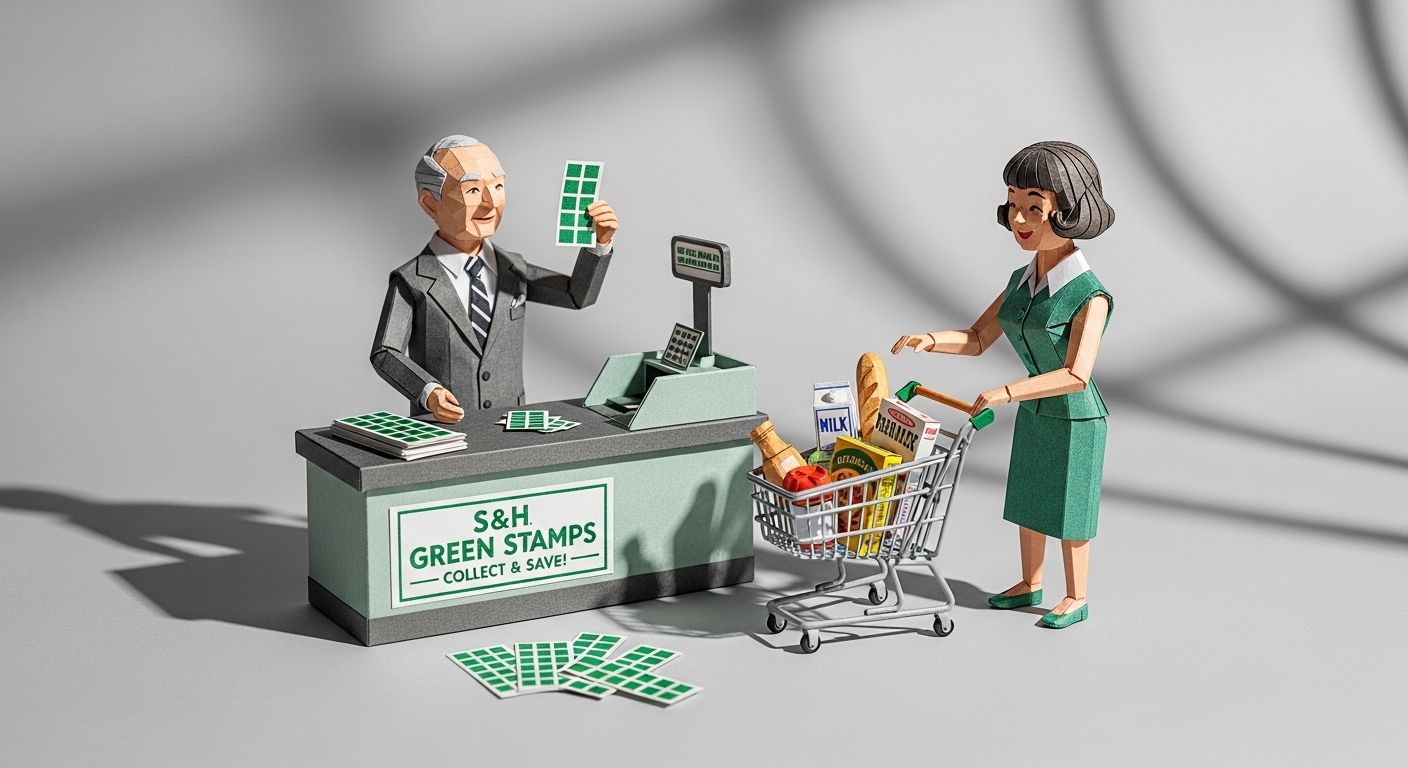
The Green Stamps That Taught America About Loyalty
In 1896, two entrepreneurs named Thomas Sperry and Shelley Byron Hutchinson launched something that would reshape American consumer behavior for nearly a century. S&H Green Stamps—tiny adhesive squares given to shoppers at grocery stores, gas stations, and department stores—became the first widespread customer loyalty program in the United States.
The concept was deceptively simple. Buy groceries, get stamps. Paste stamps into a booklet. Redeem full booklets for toasters, lamps, or other household goods from a 35-million-copy annual catalog.
By the 1960s, S&H was issuing more stamps than the U.S. Postal Service. An estimated 80% of American households collected them. Sperry and Hutchinson had discovered something profound: the cost of keeping a customer coming back was a fraction of the cost of finding a new one.
That principle hasn't changed. What's changed is how we apply it.
Today, SaaS and subscription businesses face a churn crisis that threatens their survival. And the solution isn't stamps or punch cards—it's strategic email marketing. When done right, email becomes your automated retention engine, catching at-risk customers before they leave, guiding users toward value, and winning back those who've slipped away.
This guide gives you the complete playbook.
TL;DR: Reducing churn by just 5% can lift profits 25-95% (Bain & Company research reported by Harvard Business Review), and email is the cheapest lever you have to do it. Four campaign types cover the full lifecycle: early warning re-engagement (first touch at day 7 of inactivity), feature adoption nudges (steer users to sticky features before day 30), cancellation prevention (intercept at the "cancel" click—well-built flows save up to 40% of attempts), and win-back sequences (start 30 days post-cancellation, taper by day 90). Build all four in Customer.io using event-based triggers and attribute filters, and measure success through Net Revenue Retention, not just gross churn.
Why Does Customer Churn Matter So Much for SaaS Businesses?
Churn is the silent killer of subscription businesses.
Here's the math that keeps SaaS founders awake at night: research from Frederick Reichheld of Bain & Company, reported by Harvard Business Review, found that a 5% reduction in churn rate can increase profits by 25% to 95%. That's not a typo. Small improvements in retention create massive compound effects on revenue.
The 2024 UserMotion SaaS Churn Rate Benchmark Report analyzed over 1,000 subscription-based B2B companies and found the average churn rate sits at 4.2%, with 3.5% coming from voluntary customer decisions.
Meanwhile, ChartMogul's 2024 SaaS Retention Report studying 2,500+ SaaS businesses revealed that Net Revenue Retention has become "the most vital metric for sustaining growth." Companies that can't retain customers simply can't grow—no matter how good their acquisition engine is.
The economics are brutal: the same Harvard Business Review analysis puts the cost of acquiring a new customer at five to 25 times more than retaining an existing one. And the probability of selling to an existing customer is 60-70%, compared to just 5-20% for new prospects.
Email marketing is your most cost-effective weapon against churn. It reaches customers outside your product—exactly when you need to bring them back.
| Benchmark | Figure | Source |
|---|---|---|
| Profit lift from a 5% cut in churn | 25-95% | Bain & Company, via Harvard Business Review |
| Average B2B SaaS monthly churn (2024) | 4.2% (3.5% voluntary) | UserMotion |
| Cost to acquire vs. retain a customer | 5-25x more expensive to acquire | Harvard Business Review |
| Odds of selling to an existing vs. new customer | 60-70% vs. 5-20% | Marketing Metrics research |
| Cancellations saved by a well-built cancel flow | Up to 40% | Recurly |
What Are the Four Essential Email Types for Reducing Churn?
Effective churn reduction requires four distinct email campaign types, each targeting a different stage of the customer lifecycle:
- Early Warning Re-engagement Emails: Catch declining engagement before it becomes cancellation
- Feature Adoption Nudges: Guide users toward sticky features that increase retention
- Cancellation Prevention Sequences: Intercept and save customers during the cancellation process
- Win-Back Campaigns: Recover customers who've already churned
Each serves a specific purpose. Skip any one, and you leave revenue on the table.
How Do Early Warning Re-engagement Emails Prevent Churn?
Early warning re-engagement emails are your first line of defense. They target customers showing declining engagement—before they've decided to cancel.
The key insight: users who stop engaging are already on their way out—they just haven't made it official yet. Your job is to catch the warning signs and intervene.
What Signals Should Trigger Re-engagement Emails?
Monitor these behavioral indicators:
- Login frequency drop: User who logged in daily now logs in weekly
- Feature usage decline: Previously active feature suddenly unused for 7+ days
- Session duration decrease: Time spent in-app drops below historical average
- Support ticket absence: Long-time active user stops asking questions
- Billing page visits: Customer checks pricing or cancellation options
What's the Ideal Re-engagement Email Sequence?
Email 1: The Soft Check-In (Day 7 of Inactivity)
Subject line examples:
- "We miss you, {{first_name}}—everything okay?"
- "It's been a while. Can we help?"
- "{{first_name}}, your [feature] is waiting for you"
Content approach: Friendly, no pressure. Remind them of unfinished work or unused value. Include a single, clear call-to-action to return to the product.
Email 2: The Value Reminder (Day 14 of Inactivity)
Subject line examples:
- "3 things you can do in {{product}} this week"
- "Quick wins you might be missing"
- "Your competitors are doing this..."
Content approach: Highlight specific features they've used successfully before. Show concrete value they're missing. If you're building behavior-triggered journeys, this is where personalization based on past usage patterns makes a real difference.
Email 3: The Direct Conversation (Day 21 of Inactivity)
Subject line examples:
- "Can we talk? (2-minute survey)"
- "What would bring you back?"
- "Is {{product}} still right for you?"
Content approach: Ask directly what's wrong. Offer a call with customer success. Include an easy feedback mechanism. This isn't about selling—it's about listening.
Email 4: The Last Attempt (Day 30 of Inactivity)
Subject line examples:
- "Before you go..."
- "We'd hate to lose you, {{first_name}}"
- "One last thing before we say goodbye"
Content approach: Acknowledge they may be leaving. Offer a final incentive if appropriate (extended trial, discount, feature unlock). Make it easy to stay or easy to pause.
What Timing Works Best for Re-engagement Emails?
The research is clear: waiting too long kills re-engagement effectiveness.
- Day 7: First touch. Any earlier feels desperate; any later risks losing the window.
- Days 14-21: Follow-up touches. Space them enough to avoid annoyance.
- Day 30: Final attempt before moving to win-back territory.
Send during business hours (9-11am or 2-4pm local time) for B2B SaaS. For B2C, evenings often perform better.
How Do Feature Adoption Nudges Increase Retention?
Here's a retention secret most SaaS companies miss: users who adopt multiple features churn at dramatically lower rates than single-feature users.
High feature adoption is directly linked to lower churn rates—engaged users who frequently use key features are significantly more likely to stick around.
Feature adoption nudges are targeted emails that guide users toward "sticky" features—the ones that create habits and increase switching costs.
Which Features Should You Promote?
Analyze your data to identify features that correlate with retention. Look for:
- Integration features: Users who connect third-party tools rarely leave
- Collaboration features: Multi-user accounts have lower churn than single-user
- Automation features: Users who set up automated workflows depend on your product
- Data features: The more data users store with you, the harder it is to switch
What Does an Effective Feature Adoption Sequence Look Like?
Trigger: User signs up but hasn't used [target feature] within 7 days
Email 1: The Introduction (Day 7)
Subject line examples:
- "You're missing the best part of {{product}}"
- "Unlock [feature]—takes 2 minutes"
- "Why our power users love [feature]"
Content approach: Explain the benefit in terms of the outcome, not the feature itself. "Save 3 hours per week" beats "Automated reporting feature available."
Email 2: The Social Proof (Day 10)
Subject line examples:
- "How {{similar_company}} uses [feature]"
- "Teams like yours are doing this..."
- "[Feature] success story: {{customer_name}}"
Content approach: Show real examples. Include screenshots or a quick video. Reduce perceived friction with step-by-step guidance.
Email 3: The Guided Tutorial (Day 14)
Subject line examples:
- "Let's set up [feature] together—5 min video"
- "Your [feature] setup checklist"
- "Need help with [feature]? Watch this"
Content approach: Provide a concrete, time-bound tutorial. Link to documentation. Offer live help if they're stuck.
When Should You Send Feature Adoption Emails?
Feature adoption emails work best when they're behavior-triggered rather than time-based. Send based on:
- Account age + feature gap: "You've been with us 30 days but haven't tried X"
- Similar user patterns: "Users like you typically set up Y by now"
- Complementary actions: "You just did A—now try B to get even more value"
The goal is relevance. If someone just used the feature you're promoting, suppress the email immediately.
How Do Cancellation Prevention Sequences Save At-Risk Customers?
Companies that implement cancellation flows see measurable improvements in retention. According to Recurly's Cancel/Save documentation, you can save up to 40% of cancelled users with a well-designed cancellation flow.
Cancellation prevention happens at the moment of truth—when a customer clicks "Cancel Subscription." Your email sequence supports and extends that intervention.
What's the Anatomy of a Cancellation Prevention Flow?
Step 1: The Intercept Page
Before they can cancel, show a page asking why. This isn't email—it's the foundation your emails build on.
Common cancellation reasons:
- Too expensive
- Not using it enough
- Missing features
- Switching to competitor
- Business circumstances changed
Step 2: The Targeted Save Offer (Immediate Email)
Based on the reason given, send an immediate email with a relevant counter-offer.
For "Too expensive":
- Subject: "We'd like to make this work, {{first_name}}"
- Offer: Discount, downgrade option, or pause
For "Not using it enough":
- Subject: "Let us help you get more from {{product}}"
- Offer: Onboarding call, success manager assignment, usage tips
For "Missing features":
- Subject: "About that feature you wanted..."
- Offer: Roadmap preview, workaround suggestions, or beta access
For "Switching to competitor":
- Subject: "Before you switch—a few things to consider"
- Offer: Honest comparison, migration concerns, competitive counter-offer
Step 3: The Follow-Up Sequence (If They Don't Accept)
Email 1 (Day 1 after cancellation request):
- Subject: "Your cancellation is processing—one more thing"
- Content: Remind them what they'll lose access to. Highlight specific data or workflows.
Email 2 (Day 3):
- Subject: "Pausing is an option, {{first_name}}"
- Content: Offer subscription pause instead of cancellation. Many customers prefer this if circumstances are temporary.
Email 3 (Day 7, if still processing):
- Subject: "Last chance to keep your account"
- Content: Final reminder of value. Easy path to reverse decision.
What Subject Lines Work for Cancellation Prevention?
High-performing cancellation prevention subject lines:
- "Wait—we can fix this"
- "Before you go: 3 things we can do"
- "What if we could solve [stated reason]?"
- "Your account deletion is scheduled—want to reconsider?"
- "Can we have 5 minutes of your time?"
Avoid guilt-tripping or desperation. Be helpful, not pathetic.
How Do You Build Effective Win-Back Campaigns for Churned Customers?
Win-back campaigns target customers who've already cancelled. They're your second chance.
The timing matters enormously. Research shows that win-back campaigns work best when they're focused on your most valuable lost customers and timed around meaningful triggers.
When Should You Launch Win-Back Campaigns?
The optimal win-back timing varies by business, but these windows tend to work:
- 30 days post-cancellation: Memory is fresh; circumstances may have changed
- 90 days post-cancellation: Enough time for competitor comparison; grass-isn't-greener realization
- Product milestone: New feature launch that addresses their cancellation reason
- Anniversary: "It's been a year since you left—here's what's new"
- Seasonal: Q4 planning season for B2B; New Year for B2C
What's the Structure of an Effective Win-Back Sequence?
Email 1: The "We've Changed" Email (Day 30)
Subject line examples:
- "A lot has changed since you left"
- "We listened—here's what's new"
- "Remember that thing you wanted? Done."
Content approach: Lead with improvements relevant to their cancellation reason. No begging. Show genuine progress.
Email 2: The Incentive Email (Day 45)
Subject line examples:
- "Come back for 50% off your first month"
- "We saved your data—and here's a welcome-back offer"
- "Free month, no strings attached"
Content approach: Make the return risk-free. Cover concerns about data loss, learning curve, or commitment.
Email 3: The Social Proof Email (Day 60)
Subject line examples:
- "Why {{similar_company}} came back"
- "Customers who returned are saying this..."
- "Second chances work—here's proof"
Content approach: Show testimonials from customers who churned and returned. Address common objections about returning.
Email 4: The Last Attempt (Day 90)
Subject line examples:
- "This is goodbye (unless...)"
- "We're archiving your data soon"
- "Last chance: Your exclusive return offer expires"
Content approach: Create gentle urgency. Make it clear this is the final outreach for a while. Offer an easy one-click return path.
What Segmentation Strategy Works for Win-Back Campaigns?
Not all churned customers deserve the same effort. Segment by:
High priority (aggressive win-back):
- High lifetime value before cancellation
- Long tenure (loyal customers who left)
- Cancellation reason was fixable (price, missing feature)
- No competitor mentioned
Medium priority (standard win-back):
- Average lifetime value
- Medium tenure
- Cancellation reason was circumstantial
Low priority (minimal win-back):
- Low lifetime value
- Short tenure
- Explicitly chose competitor
- Bad fit from the start
Focus your best offers and most persistent sequences on the high-priority segment.
Retention Email Cadence at a Glance
| Campaign type | Trigger | Touchpoints | Goal |
|---|---|---|---|
| Early warning re-engagement | Declining login/usage signals | Day 7, 14, 21, 30 of inactivity | Bring the user back before they decide to leave |
| Feature adoption nudge | Sticky feature unused after signup | Day 7, 10, 14 after the gap is detected | Build the habits that lower switching risk |
| Cancellation prevention | Click on "Cancel Subscription" | Immediate offer, then day 1, 3, 7 | Save the subscription at the moment of truth |
| Win-back | Subscription already cancelled | Day 30, 45, 60, 90 post-cancellation | Recover revenue from customers who already left |
How Should You Segment Customers for Churn Reduction Campaigns?
Segmentation is the difference between spam and relevant communication. According to email marketing research, 56% of people will unsubscribe from an email list if they feel the content is no longer relevant.
What Are the Essential Segmentation Dimensions?
Behavioral Segmentation:
- Last login date
- Feature usage breadth and depth
- Support ticket history
- Billing page visits
- Email engagement (opens, clicks)
Account Segmentation:
- Plan type (free, basic, premium)
- Account age
- Number of users
- Monthly recurring revenue
- Expansion/contraction history
Firmographic Segmentation (B2B):
- Company size
- Industry
- Use case
- Geographic location
How Do You Build Segments in Practice?
Create these core segments for churn reduction campaigns:
"At Risk" Segment:
- No login in 14+ days AND
- Previously active (logged in 3+ times in prior month) AND
- Not on free plan
"Champion at Risk" Segment:
- High-value account (top 20% by MRR) AND
- Engagement declined 50%+ from baseline
"Feature Gap" Segment:
- Account age 30+ days AND
- Used fewer than 3 key features AND
- Paid plan
"Cancellation Intent" Segment:
- Visited cancellation page OR
- Downgraded plan in last 30 days OR
- Submitted negative NPS score
If you're using Customer.io, you can build these segments using event-based triggers and attribute filters to create highly targeted audiences.
What Metrics Should You Track to Measure Churn Reduction Success?
You can't improve what you don't measure. Here's what matters for lifecycle marketing reporting and attribution.
Campaign-Level Metrics
For Re-engagement Campaigns:
- Re-activation rate: % of inactive users who logged in after receiving the campaign
- Campaign-to-login time: How quickly users return after email touch
- Re-engaged retention: Do re-engaged users stay active 30/60/90 days later?
For Feature Adoption Campaigns:
- Feature adoption rate: % of recipients who tried the promoted feature
- Time to adoption: Days between email and feature use
- Retention correlation: Do feature adopters churn less?
For Cancellation Prevention:
- Save rate: % of cancellation attempts that were reversed
- Offer acceptance rate: Which counter-offers work best?
- Delayed churn: Do "saved" customers cancel later anyway?
For Win-Back Campaigns:
- Return rate: % of churned customers who reactivate
- Return LTV: Lifetime value of returned customers vs. original tenure
- Win-back cost: Total campaign cost / customers won back
Portfolio-Level Metrics
Net Revenue Retention (NRR): The gold standard. (Starting MRR + Expansion - Contraction - Churn) / Starting MRR. Aim for 100%+ for B2B SaaS.
Gross Churn Rate: MRR lost to cancellations / Starting MRR. The 2024 benchmark is 4.2% for B2B SaaS.
Customer Lifetime Value (CLTV): Average revenue per customer × average customer lifespan. Churn reduction directly increases this.
What Tools Do You Need for Churn Reduction Email Marketing?
Building effective churn reduction campaigns requires the right technology stack.
Core Requirements:
Customer Data Platform (CDP) or Marketing Automation:
- Real-time event tracking (logins, feature usage, page views)
- Behavioral segmentation capabilities
- Multi-channel campaign orchestration
- Integration with your product database
Recommended: Customer.io As a Customer.io Certified Partner, we've seen firsthand how Customer.io's event-driven architecture makes it ideal for behavior-based churn campaigns. You can trigger emails based on what users do (or don't do), not just who they are.
Analytics Integration:
- Connect your CDP to your data warehouse
- Track campaign attribution through to revenue
- Build dashboards for churn metrics
Product Analytics:
- Track feature usage at the individual level
- Identify churn predictors through cohort analysis
- Monitor activation and engagement trends
What Does the Tech Stack Integration Look Like?
Your ideal data flow:
- Product → Events (login, feature use, cancellation intent)
- Events → Customer.io (triggers campaigns)
- Customer.io → Messages (email, SMS, push)
- Messages → User actions (clicks, returns, conversions)
- User actions → Product (loop closes)
- All data → Warehouse (analysis and reporting)
When your omnichannel messaging strategy is connected to real behavioral data, every message becomes relevant.
Frequently Asked Questions
What is customer churn in SaaS?
Customer churn is the percentage of customers who cancel their subscription within a given period. For SaaS businesses, it's typically measured monthly (monthly churn rate) or annually. The 2024 industry benchmark for B2B SaaS is 4.2% monthly churn, with 3.5% being voluntary (customer-initiated) and the remainder involuntary (payment failures).
How much does reducing churn impact profitability?
Significantly. Research from Bain & Company shows that a 5% reduction in churn rate can increase profits by 25% to 95%. This happens because retained customers continue paying, require less support over time, are more likely to expand their accounts, and cost nothing to re-acquire.
What's the difference between voluntary and involuntary churn?
Voluntary churn happens when customers actively decide to cancel—they're unhappy, found an alternative, or no longer need your product. Involuntary churn happens passively through payment failures, expired cards, or billing issues. Both require different email strategies: re-engagement and cancellation prevention for voluntary; dunning sequences for involuntary.
When should I start sending re-engagement emails?
Start at the first sign of declining engagement, not when the customer is already gone. For most SaaS products, the optimal first touch is 7 days after engagement drops below the customer's normal pattern. This gives enough time to confirm disengagement without waiting so long that re-activation becomes difficult.
How many emails should be in a re-engagement sequence?
Four emails over 30 days is a good starting point: soft check-in (day 7), value reminder (day 14), direct conversation (day 21), and last attempt (day 30). Test and adjust based on your audience—some segments respond better to fewer, more impactful touches; others need more nurturing.
What's the best subject line for win-back emails?
Subject lines that acknowledge change perform best: "A lot has changed since you left," "We listened—here's what's new," or "Remember that thing you wanted? Done." Avoid generic "we miss you" messaging. Be specific about what's improved or what value they're missing.
How do I know which features to promote in adoption campaigns?
Analyze the correlation between feature usage and retention. Identify features where users who adopt them have significantly lower churn rates. These are typically integration features (connecting to other tools), collaboration features (adding team members), automation features (setting up workflows), or data features (storing valuable information).
What percentage of cancellations can be saved with prevention campaigns?
According to Recurly, well-designed cancellation flows can save up to 40% of cancellation attempts. Your actual save rate depends on cancellation reasons, how relevant your counter-offers are, and how well you've segmented different cancellation scenarios.
Should I offer discounts to prevent cancellation?
Discounts work for price-sensitive customers but can train customers to threaten cancellation for discounts. Better approaches: offer a plan downgrade, suggest a pause instead of cancellation, provide additional onboarding support, or give early access to requested features. Save discounts for genuinely price-driven cancellations.
How long should I wait before launching a win-back campaign?
Start 30 days after cancellation when memory is fresh and circumstances may have changed. Follow up at 90 days when they've had time to try alternatives. Trigger additional win-back attempts around product milestones (new features addressing their reason for leaving) or anniversaries.
What's the best segmentation strategy for churn reduction?
Segment by behavioral signals (engagement patterns, feature usage), account value (MRR, lifetime value), and cancellation risk factors (billing page visits, support complaints). Prioritize high-value, recently-active accounts showing early warning signs. Don't waste aggressive win-back efforts on low-value, poor-fit customers who churned quickly.
How do I measure the ROI of churn reduction campaigns?
Track: (1) Re-activation rate for re-engagement campaigns, (2) Feature adoption rate for nudge campaigns, (3) Save rate for cancellation prevention, (4) Return rate and return LTV for win-back campaigns. Roll these up to Net Revenue Retention impact. The formula: Retained MRR attributable to campaigns / Campaign cost = ROI.
Can email alone reduce churn, or do I need other channels?
Email is foundational, but omnichannel approaches perform better. Combine email with in-app messages (for active users), SMS (for urgent communications), and push notifications (for mobile users). The key is reaching customers on the channel they're most likely to engage with, based on their behavior.
What's the ideal frequency for churn prevention emails?
Less than you think. For re-engagement, one email per week maximum during the sequence. For feature adoption, one nudge every 3-5 days. For cancellation prevention, space emails 2-3 days apart. Always include suppression rules—stop the sequence immediately if the user takes the desired action.
How does Customer.io help with churn reduction campaigns?
Customer.io's event-driven architecture lets you trigger messages based on real-time user behavior—logins, feature usage, cancellation attempts, and more. You can build sophisticated segments, create branching workflows based on user actions, and track conversion goals to measure campaign impact. As a Customer.io Certified Partner, NerveCentral helps businesses implement these churn reduction strategies.
The Bottom Line
Sperry and Hutchinson figured it out in 1896: keeping customers coming back costs less than finding new ones. S&H Green Stamps may be history, but the principle powers every successful subscription business today.
For SaaS companies, email marketing is the modern equivalent of those little green stamps. It's the systematic, scalable way to:
- Catch warning signs before customers mentally check out
- Guide users to value that makes your product irreplaceable
- Intercept cancellations with relevant counter-offers
- Win back churned customers who realize the grass wasn't greener
The companies that master these four email types don't just reduce churn. They turn retention into a competitive advantage that compounds over time.
The math doesn't lie: reduce churn by 5%, increase profits by 25-95%. That's not incremental improvement. That's transformation.
Start with the email type that addresses your biggest churn driver. Build, test, and optimize. Then add the next layer. Churn reduction isn't a one-time project—it's an ongoing discipline that separates surviving SaaS companies from thriving ones.
About NerveCentral
NerveCentral is a Customer.io Certified Partner specializing in email marketing automation that reduces churn and drives revenue. We help SaaS and subscription businesses build smarter automations, craft better emails, and turn their messaging into a competitive advantage. Learn more about working with us.
Sources & Citations
-
Harvard Business Review. "The Value of Keeping the Right Customers." https://hbr.org/2014/10/the-value-of-keeping-the-right-customers (cites Frederick Reichheld's Bain & Company research on the 25-95% profit lift, and the five-to-25x acquisition cost multiple)
-
UserMotion. "SaaS Churn Rate Benchmarks 2024." https://usermotion.com/saas-churn-rate-benchmark-2024
-
ChartMogul. "The New Normal For SaaS: SaaS Retention Report 2024." https://chartmogul.com/reports/saas-retention-the-new-normal/
-
Wikipedia. "S&H Green Stamps." https://en.wikipedia.org/wiki/S%26H_Green_Stamps
-
Journal of Antiques & Collectibles. "S&H Green Stamps: A Shopper's Friend and Cultural Icon." https://journalofantiques.com/features/shoppers-friend-sh-green-stamps/
-
Recurly. "Cancel Save Configuration Guide." https://docs.recurly.com/recurly-engage/docs/cancel-save
-
Recurly. "Cancellation Flow Examples to Improve Subscriber Retention." https://recurly.com/blog/cancellation-flow-examples-to-improve-subscriber-retention/
-
OWOX. "How to Analyze Feature Adoption in Your SaaS Product." https://www.owox.com/blog/articles/analyze-feature-adoption-saas-product
-
Tenon. "Email Segmentation: 10 Best Practices That Drive Results." https://www.tenonhq.com/article/email-segmentation-best-practices
-
Salesdorado. "10 Customer Win-Back Strategies That Work." https://salesdorado.com/en/customer-retention/customer-winback/
Want this working in your Customer.io workspace?
It's what we do all day for SMBs—strategy, automations, deliverability and hands-on execution.
See how we work as a Customer.io agency →

