
Customer.io Collections vs Custom Objects: Which One to Use and Why
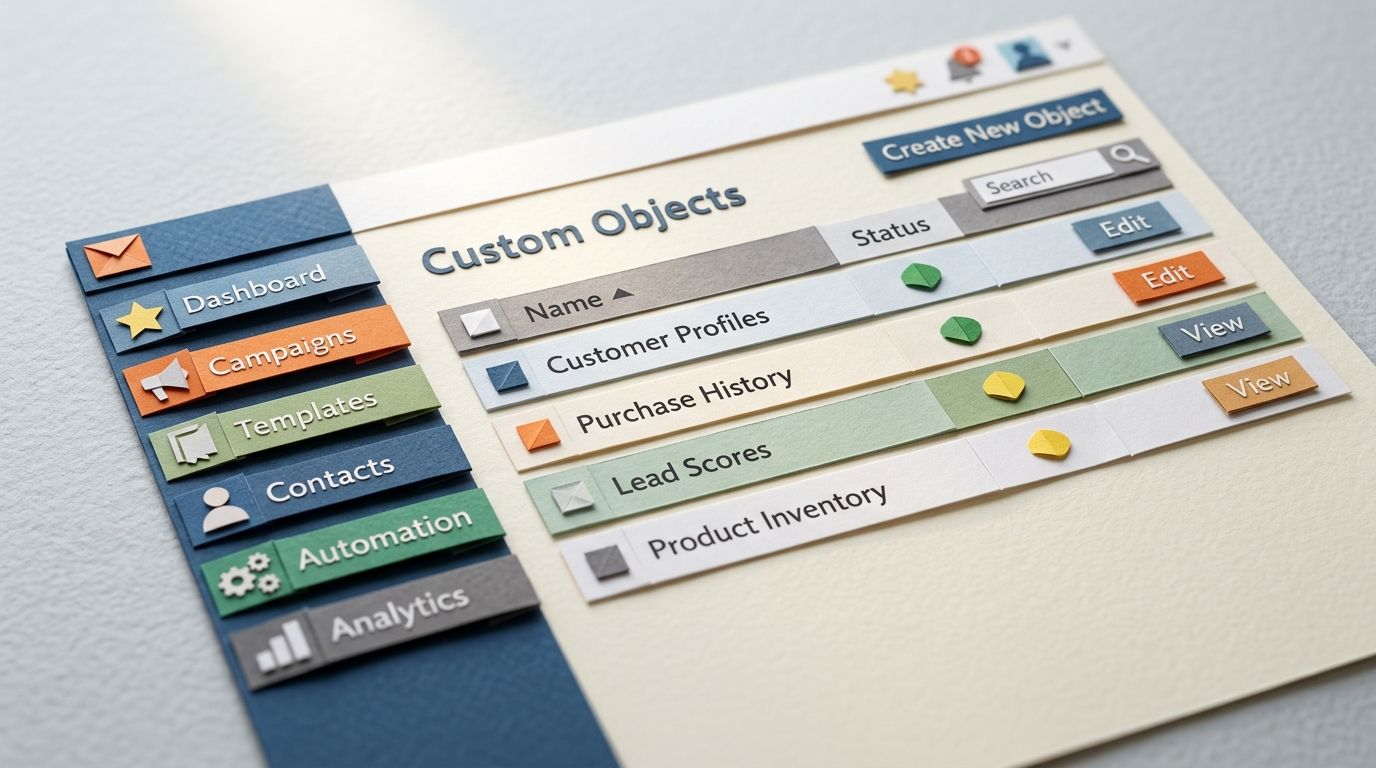
Both Collections and Custom Objects store data that isn't a person. Products, courses, accounts, store locations, pricing tiers... the things your messages reference but that don't map to a single subscriber. Because they do the same broad job, most teams pick one almost at random. The campaign passes a test send, then gets caught out weeks later when it renders blank or stale.
The two features are not interchangeable, and the axis that separates them isn't size or price. It's whether the link between a person and the data needs to survive after the workflow ends. Get that one question right and you'll sidestep the silent failure. Get it wrong and you'll lose an afternoon debugging a template that worked yesterday.
Here's the one-line rule, how each feature actually behaves (quoted from the Customer.io docs, not from memory), how to load each, two worked examples, and the specific mistakes that produce empty merge fields.
TL;DR: Collections and Custom Objects both hold data that isn't a person, but the axis that separates them is persistence, not size or price. An object relationship persists until you delete it; a collection's link to a person ends when the automation ends. Reach for a Custom Object when the link has to outlive the workflow, when you have more than a couple of thousand groups, or when items change a couple of times a day. Reach for a Collection for spreadsheet-style reference data: under 10 MB, rows under 10 KB, 50 per workspace, free on Premium and Enterprise, and Automations only. Most blank renders come from one mistake—storing a Query Collection result as a Journey Attribute, then expecting it after the person exits.
Update (August 2026): Customer.io has renamed Campaigns to Automations, and the objects and collections docs have moved to /messaging/objects-data/. The behaviour described here hasn't changed—the terminology and links have. If the rename is new to you, we covered what changed and what didn't.
Both store non-people data, which is why teams pick the wrong one
Objects and Collections exist for the same reason. Customer.io is built around people you identify and events you track, but plenty of useful data isn't a person: the accounts they belong to, the courses they enrol in, the catalogue you sell from. Both features give you somewhere to put that data and a way to bring it into a message.
Customer.io's own guidance says to weigh three things when choosing: how many groups you have, how often you'll update them, and how you want to relate them to people (Customer.io docs). The first two matter at the edges. The third is the one that quietly breaks campaigns, and it's worth settling at the same moment you decide how you model the data underneath.
The one question that decides it
Ask this: does the association between the person and the data need to survive after the workflow finishes? If yes, you want a Custom Object. If no, a Collection is the lighter, cheaper choice.
Does the association need to survive after the workflow ends?
Everything turns on a single documented difference. In Customer.io's words: "Relationships [to objects] persist until you delete them. Relationships to collections do not persist beyond the workflow, though. After people exit an automation, they're no longer related to a collection" (Customer.io docs).
Read that twice, because it's the whole post. An object relationship is durable. You relate a person to an account today and that link is still there next month, available in segments, Liquid, and triggers, until you remove it. A collection relationship is borrowed for the length of the run and handed back the moment the person exits. You can't even relate collection data to a person outside a workflow; you have to pull it in mid-automation with a Query Collection action (Customer.io docs).
So the rule writes itself. Durable link, frequent changes, many groups: Custom Object. Reference data you dip into during a send and don't need afterwards: Collection.
| Custom Object | Collection | |
|---|---|---|
| Link to a person | Persists until you delete it | Ends when the automation ends |
| Relate outside a workflow | Yes | No—Query Collection action only |
| Update granularity | One object at a time | Replaces all the content |
| Suits | More than a couple of thousand groups; items changing a couple of times a day | Fewer sets, changing infrequently |
| Own limits | Ten of the same type referenceable in Liquid | Under 10 MB per collection, 10 KB per row, 50 per workspace |
| Where it works | Automations, segments, triggers, Liquid | Automations only, not one-time sends |
| Pricing | Tiered | Free on Premium and Enterprise |
Custom Objects: durable entities related to people
A Custom Object is a grouping mechanism for entities that have a lasting relationship with your people, like an account, a subscription, or a sports league someone joins. You give the object its own attributes and set relationships between it and your people. Changes to the object can trigger automations. The object itself can't receive messages or fire events... you message the people related to it (Customer.io docs).
That last point trips people up. When you "message an account", you're messaging the people related to that account object. The object is the hub; the people are the spokes who receive the email.
When to use them, how to load them, and how to reference them in Liquid
Reach for objects when the relationship has to last, the data changes often, or you have a lot of groups. Customer.io's own guidance is to use objects once you have more than a couple of thousand groups, or when you'll update items a couple of times a day. You can update an individual object at any time, without touching the rest (Customer.io docs).
To load them, you create the objects and set relationships to people through the same data you already send Customer.io about your people, or load it via the API. If account-level messaging is the use case, the complete guide to Custom Objects for account-level messaging covers the setup end to end.
In Liquid, reference an object's attributes with {{objects.<object_type>[#].<attribute_name>}}, or pull straight from the trigger in an object-triggered automation with {{trigger.<object_type>.<attribute_name>}} (Customer.io docs). One cap to keep in mind: you can reference at most ten objects of the same type, the ten most recently created, where [0] is the newest and [9] the oldest. Relate someone to an eleventh class and the oldest one drops out of the render (Customer.io docs).
Collections: workspace reference data for Liquid
A Collection is a list of data that lives in your workspace and gets referenced in Liquid, like a product catalogue, a set of promotions, or the classes you offer (Customer.io docs). It exists on its own, independent of any person, and you pull the relevant rows into an automation when someone passes through.
Under the bonnet a collection is just a list of JSON objects with no enforced schema, which is why it's so easy to sync from a spreadsheet. There are limits worth knowing before you commit: each collection must stay under 10 MB, individual rows under 10 KB, and you can't hold more than 50 collections in a workspace. Collections work in Automations only—you can't use them with one-time sends—and they're free on Premium and Enterprise plans (Customer.io docs).
When to use them, how to load them, and the association-scope gotcha
Use a Collection for spreadsheet-style reference data that changes on a schedule and doesn't need a lasting per-person link. Anything you'd otherwise keep in a Google Sheet is a good candidate.
Loading is the easy part. Upload JSON, share a Google Sheet, or push data through the Collections endpoints on the App API (Customer.io docs). Updating is where the sharp edge sits. There's no "edit one row": an API update replaces all the content for the collection, which is why collections suit reference data that changes infrequently rather than records you edit through the day (Customer.io docs).
Now the gotcha that gives this post its name. You bring collection data into an automation with a Query Collection action, and then you choose where to store the result, and that choice decides whether the data lives or dies. Store it as a Customer Attribute and it's written to the person's profile, available outside the automation. Store it as a Journey Attribute and it's temporary, expiring the moment the person exits the automation. Journey attributes carry their own ceilings, too: 100 per journey, and 100 KiB per value (Customer.io docs). You then reference it as customer.<attribute> or journey.<attribute> in your Liquid, the same patterns covered in our Liquid personalisation tutorial. Pick the journey attribute when you needed the customer attribute, and the data is simply gone by the time a later message tries to read it.
Two worked examples
A product catalogue as a Collection
A product catalogue is the textbook Collection. You store each product as a row, query for the ones relevant to each person (by category, price band, skill level), and render them in the email. The catalogue changes on a schedule rather than by the second, and no subscriber needs to stay "related to" a product after the send goes out. Query, render, done.
There's one fork worth flagging. If your products need a durable, per-person relationship, like products someone owns or an active subscription to a specific plan, that's object territory, not collection territory. This is the exact trap teams fall into migrating from Klaviyo, where the natural instinct is to model products as a flat list. In Customer.io you often want to model owned products as objects, not a flat list, precisely because the relationship has to persist.
An account or subscription as a Custom Object
An account is the textbook Custom Object. Several people belong to it and the relationship lasts for the life of the contract. You want account-level changes (a plan upgrade, a seat added, a trial about to expire) to trigger messages to everyone related to that account. Because the relationship persists, you can segment on it, branch on it, and reference it long after any single automation ends. In an account-triggered journey you'd reach the data with Liquid like {{trigger.account.name}} (Customer.io docs).
Run the one question over both and it's obvious. The product in an email this morning doesn't need to outlive the send. The account someone belongs to has to.
The mistakes that cause blank or stale renders
Most blank Collection renders trace back to one decision: storing the query result as a Journey Attribute and then expecting it later. The journey attribute expires when the person exits the automation, so a message that reads it after exit gets nothing. If the data needs to survive, store it as a Customer Attribute, or write it onto the profile with a Create/Update Person action (Customer.io docs).
A handful of others show up again and again:
- Expecting a person to stay related to a collection once the workflow ends. They don't. You can only relate collection data to a person inside a workflow, via Query Collection.
- Referencing more than the ten most recently created objects of a type, then wondering where the older ones went in the render.
- Treating a collection update as a single-row edit. It isn't. You replace the whole collection, so a forgotten re-upload leaves stale prices or sold-out items in your emails.
- Trying to use a Collection in a one-time send. Collections run in Automations only.
The reason these are dangerous rather than annoying is that they fail quietly. The template passes QA, sends fine in testing, and then renders blank the moment a property goes null. No error, no bounce, just an empty merge field in front of a customer. Choosing the right feature on the one question, and storing the result where it needs to live, is what keeps that from happening.
Frequently asked questions
What is the difference between a Collection and a Custom Object in Customer.io?
A Custom Object holds a durable entity related to your people, like an account or a course, and the relationship persists until you delete it. A Collection is workspace reference data you query inside an automation, and its link to a person does not survive the workflow. Customer.io's docs put it plainly: relationships to objects persist until you delete them, while relationships to collections "do not persist beyond the workflow" (Customer.io docs).
Should I use a Collection or a Custom Object for a product catalogue?
Use a Collection for a standard product catalogue. It's spreadsheet-style reference data that changes on a schedule and that no person needs to stay related to after a send. Switch to a Custom Object only when a product needs a lasting per-person relationship, such as a product someone owns or an active subscription, because that link has to persist beyond a single automation.
Why did my Collection data disappear partway through a campaign?
Almost always because the Query Collection result was stored as a Journey Attribute, which expires when the person exits the automation. Store it as a Customer Attribute instead and it's written to the profile and stays available (Customer.io docs). The same thing happens if you expect a person to remain related to a collection after the workflow ends; that relationship is scoped to the run and doesn't carry over.
How do I load a Collection, CSV or JSON?
Both work, plus a Google Sheet. You can upload your collection as JSON, as a CSV file, or by sharing a Google Sheet with Customer.io, and you can also create and update collections through the Collections endpoints on the App API (Customer.io docs). For a CSV or Sheet, each column header becomes an attribute and each row becomes an item.
Can a Collection be related to a person like a Custom Object can?
Only inside a workflow, and only temporarily. You relate collection data to a person with a Query Collection action during an automation, and the relationship ends when they exit. You cannot relate collection data to a person outside a workflow at all (Customer.io docs). A Custom Object, by contrast, holds a relationship that persists independently of any automation.
How often can I update Collection data?
Infrequently, by design. There's no single-row edit for a collection; an update replaces all the content for the collection, and the docs steer collections towards data that changes infrequently (Customer.io docs). If you need to change individual records several times a day, that's a sign you want Custom Objects, which you can update one at a time.
What are the size limits on a Collection?
Each collection must be smaller than 10 MB, individual rows are capped at 10 KB, and you can't have more than 50 collections in a single workspace (Customer.io docs). If your reference data is bigger than that, or needs more than 50 distinct sets, model it as Custom Objects instead.
Can I use Collections in a newsletter or broadcast?
No. Collections work in Automations only, and you can't use them with one-time sends (Customer.io docs). If you need catalogue-style data in a one-off broadcast, you'll either need to restructure it as an automation or write the values onto profiles as customer attributes first.
Do Collections cost extra?
Collections are free on Premium and Enterprise plans. Custom Objects are priced on a tier (Customer.io docs). Cost shouldn't drive the choice on its own, though. Picking a Collection to save money and then needing a durable relationship will cost you more in debugging than the object tier ever would.
How do I reference Collection data in Liquid?
It depends on where you stored the query result. For data stored as a Customer Attribute, reference it with the customer object, like {{ customer.course_recommendations }}. For data stored as a Journey Attribute, use the journey object, like {{ journey.course_recommendations }} (Customer.io docs). If the result is an array you can loop over it or use filters like first, last, and map.
What's the difference between storing a Query Collection result as a Customer Attribute versus a Journey Attribute?
A Customer Attribute writes the result to the person's profile, where it's accessible outside the automation. A Journey Attribute stores it temporarily and it expires when the person exits the automation (Customer.io docs). Choose the customer attribute when a later message or another automation needs the data; choose the journey attribute only when the value is needed once, inside the current run.
How many objects of the same type can I reference in Liquid?
Ten. If a person is related to more than ten objects of the same type, only the ten most recently created can render. They're indexed from [0] for the newest to [9] for the oldest (Customer.io docs). Relating someone to an eleventh object pushes the oldest out of the rendered list, which is worth knowing before you build a "all your courses" email.
Can a Custom Object trigger a campaign?
Yes. Changes to an object, or to the relationship between an object and a person, can trigger automations, and you can pull the trigger data straight into your messages with Liquid like {{trigger.<object_type>.<attribute_name>}} (Customer.io docs). The object can't receive a message itself; the automation sends to the people related to it.
Is a Collection just a smaller Custom Object?
No, and treating it as one is the mistake. The difference isn't scale, it's persistence. A Custom Object holds a relationship to a person that lasts until you delete it; a Collection's link to a person lasts only as long as the workflow (Customer.io docs). A tiny set of durable, per-person data still belongs in objects, and a large set of disposable reference data still belongs in a collection.
Sources
- Overview: objects vs collections. Customer.io Docs. Updated 17 August 2026.
- Collections. Customer.io Docs. Updated 17 August 2026.
- Use objects in Liquid. Customer.io Docs. Updated 19 August 2026.
Want this working in your Customer.io workspace?
It's what we do all day for SMBs—strategy, automations, deliverability and hands-on execution.
See how we work as a Customer.io agency →

