
Migrating From Klaviyo to Customer.io Is Not a Flow Port. It's a Schema Rewrite.
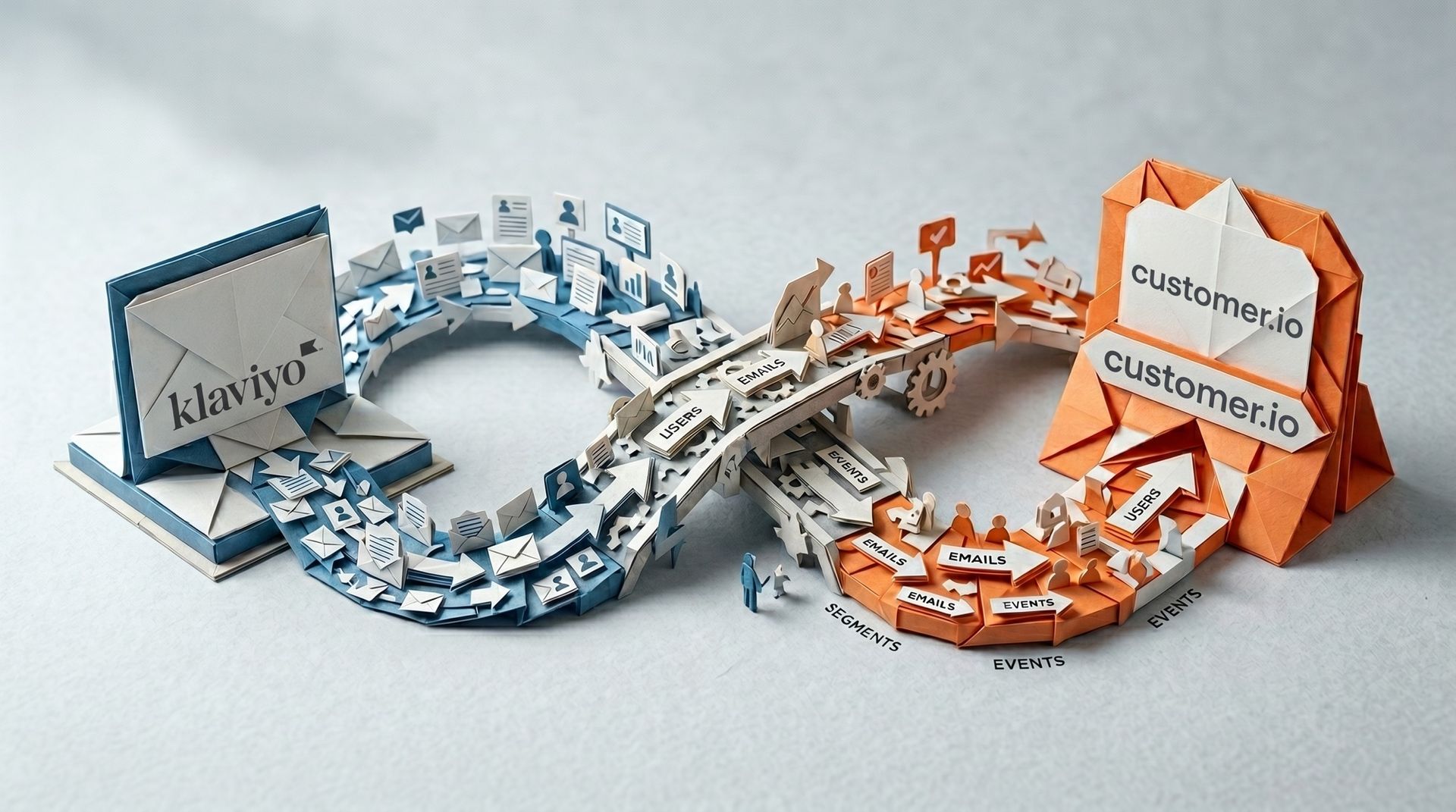
In March 2001, Apple shipped Mac OS X to a developer ecosystem that had a choice to make. Their existing apps ran on Mac OS 9, an operating system whose internal model had not really changed since the mid-1980s. OS X was something different underneath: a Unix-based system inherited from NeXTSTEP, structured around an object-oriented framework called Cocoa.
Apple knew most developers would balk at rewriting on an entirely new framework. So it shipped a porting layer called Carbon: a C-based API designed so existing OS 9 apps could be brought to OS X with minimal effort. Microsoft used it. Adobe used it. Quark used it. Apple's own Finder used it for years. The pitch was pragmatic. Get to OS X fast. Don't rebuild what you don't have to.
Then, over the next decade, every one of those Carbon apps paid a compounding tax. They couldn't use the system-level features that depended on Cocoa's object model. Apple didn't create a 64-bit version of Carbon, and deprecated the entire API in OS X 10.8 in 2012. By the time macOS 10.15 Catalina shipped in 2019, Carbon was removed entirely. Apps that had been "ported" eighteen years earlier had to be rewritten on Cocoa anyway... except now they were doing it against a moving target, behind competitors who'd rebuilt from the start. The apps that did the rewrite in 2001—OmniGroup's apps, BBEdit, the new wave of OS X-native software—became the platform's defining products.
That's the choice in front of every team migrating from Klaviyo to Customer.io right now. The Carbon path looks reasonable on day one. Export the profiles. Recreate the lists. Rebuild the flows. Ship it. And it'll work. Sort of. Then for the next three years you'll wonder why the abandoned-cart recovery is worse than it was in Klaviyo, why segments take twice as long to build, why your CFO can't get a clean revenue-per-recipient number out of the system. The Cocoa path looks scarier on day one and ends in a platform that actually does what Customer.io is designed to do.
This post is about the three things you have to re-model on day one to make the rewrite work. Not the migration mechanics. Not the deliverability protection. Those are covered in the platform-agnostic ESP migration guide. And if you're still evaluating whether Customer.io is the right destination in the first place, that comparison piece will help. This is about the schema decisions you have to get right before you touch a single flow.
TL;DR: Porting Klaviyo flows into Customer.io one-to-one produces a worse version of Klaviyo, not a better platform. Before you touch a single automation, get three schema decisions right. Model carts, products, and orders as Objects rather than just events, so segments and triggers can query them directly. Split each Klaviyo list into a Subscription Center Topic (the consent record) plus a segment (the grouping), instead of dumping everything into one manual segment. Replace Klaviyo's native Predicted CLV and churn-risk scores with a reverse-ETL pipeline from your data warehouse, since Customer.io computes neither natively. Teams that settle these three decisions on paper before migrating tend to migrate once; teams that port first usually end up doing the same rewrite later, under more pressure.
Why is Klaviyo's data model so different from Customer.io's?
Klaviyo's data model is ecommerce-native. The two primary entities are Profiles and Events, with Catalogs sitting alongside them as a third type that's tightly tied to your ecommerce platform. As Klaviyo's developer documentation describes it, profiles hold flat properties about each person, and events carry their own properties object for the per-event details. Catalog data describes items in your product catalog and is frequently modified from your ecommerce backend. The whole model is shaped around viewed product, added to cart, placed order events from a Shopify or WooCommerce store hitting a flat customer profile.
Customer.io's data model is event-and-object-native. The primary entities are People, Events, and Objects connected to people through Relationships. People are the central record in the workspace, but they're not a flat profile—they're a node in a graph. Objects model the non-people things in your business—accounts, carts, orders, subscriptions, courses—and Relationships connect people to those things, optionally with their own attributes (a person's role on an account, for example).
This sounds abstract. It matters because every segment, every campaign trigger, and every personalisation token in Customer.io reads against this graph. Move a flat Klaviyo profile into Customer.io and you get a degraded version of Customer.io—one with all the data of Klaviyo and none of the leverage of Customer.io. The way advanced segmentation in Customer.io actually works depends on the graph being populated correctly. If your data still looks like Klaviyo, your segments will still look like Klaviyo.
| Klaviyo entity | Customer.io entity | What it captures |
|---|---|---|
| Profiles | People | The individual person record |
| Events | Events | Timestamped actions a person took |
| Catalogs | Objects + Relationships | Non-person entities (carts, accounts, subscriptions, courses) connected to people in a queryable graph |
What you lose when profiles stay flat
A specific example. In Klaviyo, you can't reliably segment on nested event properties. The segment conditions documentation is explicit about this. The docs note that "only the primary details of an event are synced as top-level properties, and you can segment only these top-level properties." Data nested inside an "Extra" or "Details" array "is available to insert within an email template" but "you cannot segment based on properties nested within this array."
In Customer.io, the equivalent data lives on an Object with its own attributes, and you can segment on those attributes directly. The Klaviyo constraint that drove your team to flatten everything into top-level properties becomes pointless. The model has changed.
This isn't a feature difference. It's an architecture difference. And it's what makes the schema rewrite worth doing properly.
Rewrite #1: products, carts, and orders need to be objects, not events
Klaviyo's Viewed Product, Added to Cart, and Placed Order events map to Customer.io events too—on the surface. The trap is that Klaviyo's model is event-only, and Customer.io's isn't. If you just port the events, your abandoned-cart flow loses access to most of what made it work.
In Klaviyo, the abandoned-cart flow is triggered by an event (Added to Cart with no subsequent Placed Order within a time window), and the email template pulls cart contents from the event properties. That works because Klaviyo's catalog feature stores the product data and the event carries enough to render the email. The whole thing is event-driven and stateless.
In Customer.io, the equivalent pattern is event-triggered too—the cart abandonment documentation recommends event-triggered campaigns "because they provide more flexibility for targeting cart information than segment-triggered campaigns." But the real leverage comes from modelling the cart as an Object, with the products as related Objects underneath. Now you can segment people related to high-value carts. You can trigger campaigns when the cart object's total_value exceeds a threshold. You can use Customer.io's custom objects to model the relationship between a person, their cart, and the products in it as a graph that your segments can query directly.
This is the most important rewrite to get right. Skip it and your abandoned-cart flow in Customer.io will technically work but always feel one feature short.
The 1,000-person fan-out limit
One constraint to know up front. Customer.io's object-and-relationship campaign documentation is explicit: "a single trigger event can't fan out to more than 1,000 profiles. If a trigger includes more than 1,000 profiles, none of them start a journey."
For most B2C abandoned-cart flows, this is irrelevant. A cart object is related to one person. The trigger fans out to one. But the limit catches teams during flash sales or bulk recovery runs, where a single object change might suddenly relate to 5,000 people simultaneously. The pattern around this is to use an event-triggered campaign with an object lookup inside the workflow, rather than an object-triggered campaign directly. Same outcome, different architecture, no fan-out cap.
Plan the architecture before you build the flow. Not after.
Rewrite #2: list membership is two different things in Customer.io
Klaviyo's lists do double duty. They're the grouping primitive (a List of subscribers who opted into your newsletter) and they're the consent record (the proof that someone said yes to being marketed to). The same object handles both. This is convenient until you have to migrate, because Customer.io splits those two jobs across two different features.
The consent record lives in the Subscription Center. It's organised around Topics—named categories of messages your audience can subscribe to or unsubscribe from. "Newsletter," "Product Updates," "Promotions," "Account Notifications." A person opts in or out of each topic individually. Per the docs, "the subscription center uses topics to control what content people receive." If you want to send a marketing email to a Topic's subscribers, you target that Topic.
The grouping primitive lives in Segments—either Manual Segments (static lists you upload via CSV) or data-driven segments (dynamic, rule-based). Manual segments are the closest analogue to a Klaviyo static list, but they're not consent records. Anyone you put into a manual segment will receive messages if you send to that segment, regardless of whether they actually opted in to that type of content.
Get this wrong and you can quite genuinely violate consent. A user who unsubscribed from your Klaviyo newsletter list might end up in a Customer.io manual segment, and the next marketing send hits their inbox.
How to map your Klaviyo lists correctly
Walk through each Klaviyo list one at a time and ask two questions:
- Did people actively opt in to this list as a consent action (signup form, checkbox, double opt-in)?
- Is the list a permanent attribute of who they are, or a temporary grouping for a campaign?
A "Newsletter" list usually answers yes to both. In Customer.io, that's a Topic in the subscription centre plus a data-driven segment of people subscribed to that topic. Two things, not one.
A "VIP Customers" list usually answers no to (1) and yes to (2). In Customer.io, that's a data-driven segment based on customer attributes (LTV, purchase count, plan tier). No topic needed because it's an internal business label, not a user preference.
A "Black Friday 2024 Buyers" list usually answers no to both. In Customer.io, that's a manual segment, populated by a one-off CSV import or a segment rule based on purchase events.
| Klaviyo list example | Active opt-in? | Permanent or temporary? | Customer.io equivalent |
|---|---|---|---|
| Newsletter | Yes | Permanent | Topic (Subscription Center) + data-driven segment |
| VIP Customers | No | Permanent (internal label) | Data-driven segment only |
| Black Friday 2024 Buyers | No | Temporary | Manual segment |
The mistake teams make is treating every Klaviyo list as a manual segment in Customer.io. The right move is to build a proper subscription centre for the consent-bearing lists and segments for everything else. Get the split right at the start and your compliance posture is intact.
Rewrite #3: predicted CLV and churn risk don't ship with Customer.io
This is the rewrite teams discover late, usually after they've started the migration and assume the feature is somewhere they haven't looked yet. Klaviyo computes Predicted CLV, Churn Risk, Expected Date of Next Order, and Predicted Gender natively. It retrains the model at least once a week. Once your account has at least 500 customers who have placed an order, the values appear on profiles automatically.
| Klaviyo predictive metric | Native in Customer.io? | How to replicate |
|---|---|---|
| Predicted CLV | No | Compute in warehouse, sync via reverse-ETL |
| Churn Risk | No | Compute in warehouse, sync via reverse-ETL |
| Expected Date of Next Order | No | Compute in warehouse, sync via reverse-ETL |
| Predicted Gender | No | Compute in warehouse, sync via reverse-ETL |
Customer.io doesn't have this layer. There is no native CLV. There is no native churn risk score. The platform is designed to be the messaging and decisioning layer, not the predictive analytics layer. If your Klaviyo flows are wired to Predicted CLV thresholds or Churn Risk buckets, those triggers don't have a direct replacement.
There are three options. Two of them are wrong.
The wrong options
Recreating predictive scores with Liquid. This doesn't work and the reason matters. Liquid is a templating language. It can format an attribute, conditionally render content, or do simple arithmetic at render time. It cannot compute a probabilistic model over a customer's historical events. Klaviyo's churn risk model bases the probability on each customer's number and frequency of orders, and the score adjusts over time as orders come in or as the time between orders grows—a learned model running across your full purchase history. You can't reproduce that with Liquid logic.
Skipping predictive segmentation entirely. Some teams shrug and decide their lifecycle marketing will work without churn risk or CLV-based segmentation. Sometimes that's the right call, especially for early-stage businesses where the data doesn't support a model anyway. But if your Klaviyo flows are genuinely driving revenue off predictive attributes, skipping them on the move to Customer.io is a real performance hit you'll feel in the numbers.
The right option
Reverse-ETL from your data warehouse. This is the canonical pattern. You compute CLV, churn risk, and any other predictive scores in your warehouse (BigQuery, Snowflake, Redshift) using whatever model your data team can stand up. Then you sync those scores back to Customer.io as person attributes via reverse-ETL into Customer.io, using a tool like Hightouch or Census, or Customer.io's own data integrations.
The scores live as attributes on the person profile. Your segments and campaign triggers query them like any other attribute. The model refreshes on whatever cadence your warehouse pipeline runs.
If you don't have a warehouse, this is the moment to admit you need one for your lifecycle marketing to keep pace. Or you find a vendor that ships predictive scores as a standalone product and syncs them into Customer.io. What you don't do is pretend Liquid will get you there.
The pre-flight checklist
The migration starts when you've done the rewrite on paper. Not before.
Step 1: Audit your top 20 Klaviyo segments. Pick the segments that actually drive sends. Write down what each one is for: who's in it, what triggers entry, what triggers exit, what business question it answers.
Step 2: Rewrite each segment in Customer.io syntax before you log in. For each one, decide: is this a topic + a segment, or just a segment? Does it depend on predictive attributes that need a warehouse pipeline? Does it depend on event properties that need an object model rebuild? Write the answers down.
Step 3: Map your top events to the object model. For each event you trigger campaigns on, decide whether it should stay as an event-only signal or whether the entity it acts on (cart, order, subscription) should become an object. Get this right before you start instrumenting anything in Customer.io.
Step 4: Decide your predictive layer. Will you sync warehouse-computed attributes via reverse-ETL? Will you use a separate predictive vendor? Will you skip predictive segmentation for now? Pick one. Don't leave it open.
Step 5: Run a parallel pilot on one flow. Start with one flow—often abandoned cart or welcome. Build it properly in Customer.io with the new schema. Run it in parallel with Klaviyo for two to four weeks. Compare metrics. If the rebuilt version performs at or above the Klaviyo baseline, scale to the rest.
The teams that skip steps 1–4 and go straight to "let's just build the welcome flow and see how it goes" are the ones rewriting in Cocoa eighteen years later. The teams that do the work up front migrate once.
Frequently asked questions
How is Customer.io's data model different from Klaviyo's?
Klaviyo's data model is built around Profiles and Events, with Catalogs as a third type tied to your ecommerce platform. Profiles are a flat object with custom properties stored alongside Klaviyo's defaults. Customer.io's data model is built around People, Events, and Objects connected by Relationships. Objects let you model non-people entities (carts, accounts, subscriptions, courses) and connect them to people, so your segments and campaign triggers can query against a graph rather than a flat profile. The practical effect: Customer.io supports patterns like account-level messaging, multi-seat B2B campaigns, and cart-level personalisation that Klaviyo's flat model can't express natively.
Can I export my Klaviyo profiles directly into Customer.io?
You can export profile data as CSV from Klaviyo and import it into Customer.io as person attributes, but a direct one-to-one port is the wrong approach. Klaviyo profile properties don't map cleanly to Customer.io's data model because Customer.io expects relational data (carts as objects, accounts as objects, subscriptions as objects) rather than a single flat profile. Plan the schema rewrite first—decide what becomes a person attribute, what becomes an object, what becomes an event—then export and import in the right shape. Otherwise you've recreated Klaviyo's flat profile inside Customer.io and you've lost the leverage of the new platform.
How do I rebuild an abandoned-cart flow when moving from Klaviyo to Customer.io?
Trigger the campaign on a cart event (Customer.io recommends event-triggered campaigns for cart abandonment because event data gives more flexibility than profile state) and model the cart itself as an Object with the products as related Objects. The campaign then has access to the cart's full attributes—total value, item count, currency, abandonment timestamp—via the object model, not just whatever was passed in the event payload. For high-volume sends, use event-triggered with object lookup inside the workflow rather than object-triggered directly, because object-triggered campaigns have a 1,000-person fan-out limit per trigger event.
What replaces Klaviyo's Predicted CLV in Customer.io?
Customer.io doesn't ship a native CLV model. The recommended replacement is to compute CLV in your data warehouse (Snowflake, BigQuery, Redshift) and sync the result back to Customer.io as a person attribute via reverse-ETL, using a tool like Hightouch or Census. The score then lives as an attribute on the person profile and your segments query it like any other attribute. If you don't have a warehouse, this is the moment to consider setting one up—or to use a third-party predictive vendor that syncs into Customer.io. Trying to recreate CLV with Liquid doesn't work because Liquid is a templating language, not a modelling engine.
What replaces Klaviyo's churn risk score in Customer.io?
Same pattern as CLV. Compute churn risk in your warehouse or via a predictive vendor and sync the score back to Customer.io as a person attribute. Klaviyo's churn risk model bases its probability on each customer's number and frequency of orders, adjusting up or down over time—a learned model over each customer's full purchase history. To replace it in Customer.io, you need a model that does the same thing, run somewhere outside Customer.io, with the result fed into Customer.io as an attribute your segments can read.
Do Klaviyo lists become segments or subscription topics in Customer.io?
Both, depending on the list. Klaviyo lists do double duty: they're the grouping primitive and the consent record. Customer.io splits those two jobs. Consent-bearing lists (newsletter subscribers, anyone who actively opted in via a form) become Topics in the Subscription Center, plus a data-driven segment of people subscribed to that topic. Internal-label lists (VIP customers, power users) become data-driven segments based on attributes. One-off campaign lists (Black Friday buyers, webinar attendees) become manual segments. Audit each Klaviyo list one at a time and decide which bucket it falls into.
How do I handle Shopify product events in Customer.io?
Pass the events through to Customer.io as you would any custom event, but plan to model the products and orders as Objects rather than just events. Customer.io's Shopify integration handles the ingestion side, but the schema decision—whether a product is an event property or its own object—is yours to make. The right answer is usually: orders are objects (with line items as related objects), products are objects, and the actions a person takes (viewed product, added to cart, placed order) are events that reference the relevant objects. This unlocks segments like "people whose most recent order contains products in category X" that can't be built cleanly with event-only models.
Why can't I segment on nested event properties in Klaviyo, and does Customer.io fix that?
Klaviyo's segment builder only supports top-level event properties. Nested objects inside event payloads—anything that lives inside an "Extra" or "Details" array on the event—aren't queryable for segmentation. Klaviyo also caps the unique values displayed in segment dropdowns at 1,000, so high-cardinality fields are effectively invisible. Customer.io doesn't have the same constraint, partly because the data you'd nest in Klaviyo events typically belongs on an Object in Customer.io instead. Once your data is shaped correctly—as objects with their own attributes—the segment builder can query it directly.
Do I need custom objects in Customer.io, or are events enough?
For most ecommerce and subscription businesses, you need both. Events capture what a person did and when. Objects capture the state of the things they interact with—the cart, the order, the subscription, the account. Most non-trivial lifecycle campaigns need both: trigger on an event (added to cart) and personalise on object attributes (cart total, products in cart). For pure B2C messaging at small scale, events alone might be enough. For anything multi-seat, multi-product, or where the entity the person interacts with has its own lifecycle (carts go from open to abandoned to recovered to converted), objects are how you model that cleanly.
How long does a Klaviyo to Customer.io migration usually take?
Three to six months for most mid-market brands, depending on how much you rebuild versus port. The mechanical migration—getting profiles, events, and templates into Customer.io—is the smaller part. The schema rewrite (deciding what becomes an object, mapping lists to topics and segments, setting up the predictive layer via reverse-ETL) takes longer because it forces you to make decisions you didn't have to make in Klaviyo. Teams that try to compress the timeline by porting one-to-one usually end up doing the schema work later anyway, just under more pressure. The complete ESP migration guide covers the deliverability, IP warming, and team-readiness side of the timeline.
When does it make sense to migrate from Klaviyo to Customer.io at all?
When your business has moved past pure ecommerce into a model Klaviyo's data layer doesn't express well: hybrid commerce-plus-subscription, multi-seat B2B, account-based messaging, or anything where you need to model relationships between people and the entities they interact with. Klaviyo is excellent at what it was built for—ecommerce sends triggered by Shopify events. Customer.io is excellent at lifecycle messaging across a richer data graph. If your model still fits Klaviyo's primitives, the migration cost isn't justified. If you're routinely fighting Klaviyo's data model to express what you actually want to send, that's the signal.
What's the order of operations for a Klaviyo to Customer.io migration?
Schema decisions first. Migration mechanics second. Five steps in order: audit your top 20 Klaviyo segments. Rewrite each one in Customer.io syntax on paper. Map your top events to the object model. Decide your predictive layer (reverse-ETL, vendor, or skip). Set up the subscription centre with the right topics. Then start the parallel-running pilot on one flow. Don't touch the migration mechanics until those decisions are made. Teams that go in the other order end up rebuilding later, and rebuilding inside a live system costs more than rebuilding before you start.
Will my consent records carry over from Klaviyo to Customer.io?
Mechanically yes, the data exports cleanly. Conceptually it depends on how Klaviyo encoded the consent. List membership in Klaviyo combines opt-in status with grouping, so when you migrate you need to extract the consent piece (subscribed to newsletter list = consented to newsletter topic) from the grouping piece (in newsletter list = currently in newsletter audience). Then you populate the Customer.io Subscription Center topics for each person based on what they were subscribed to in Klaviyo. Double opt-in records, suppression lists, and explicit unsubscribes all need to be carried across with their original timestamps and reasons. Treat the consent migration as a project of its own, not a footnote on the data import.
Can I run Klaviyo and Customer.io in parallel during the migration?
Yes, and you should for most non-trivial migrations. The parallel-running window is where you validate that your rebuilt flows in Customer.io perform at or above the Klaviyo baseline before you turn Klaviyo off. Practical approach: pick one flow to migrate first (often abandoned cart or welcome), build it properly in Customer.io with the schema rewrite applied, run it on a subset of your audience for two to four weeks, compare metrics against the equivalent Klaviyo cohort. If it performs, scale the new build to the full audience and migrate the next flow. Keep Klaviyo running for the unmigrated flows during this period. Once everything is rebuilt and validated, sunset Klaviyo.
Sources
- Introduction to Klaviyo's data model—Klaviyo Developers, accessed 2026-08-17
- People and their profiles—Customer.io Docs, accessed 2026-08-17
- Objects: how they work—Customer.io Docs, accessed 2026-08-17
- Objects and relationships in campaigns—Customer.io Docs, accessed 2026-08-17
- Cart Abandonment—Customer.io Docs, accessed 2026-08-17
- The subscription center—Customer.io Docs, accessed 2026-08-17
- Manual Segments—Customer.io Docs, accessed 2026-08-17
- Understanding the difference between segments and lists—Klaviyo Help Center, accessed 2026-08-17
- Understanding Klaviyo's predictive analytics—Klaviyo Help Center, accessed 2026-08-17
- Segment conditions reference—Klaviyo Help Center, accessed 2026-08-17
- What is Reverse ETL?—Hightouch, accessed 2026-08-17
- Carbon (API)—Wikipedia, historical reference for the Mac OS X transition
Want this working in your Customer.io workspace?
It's what we do all day for SMBs—strategy, automations, deliverability and hands-on execution.
See how we work as a Customer.io agency →

