
Customer.io Design Studio brand variants: one workspace, several looks
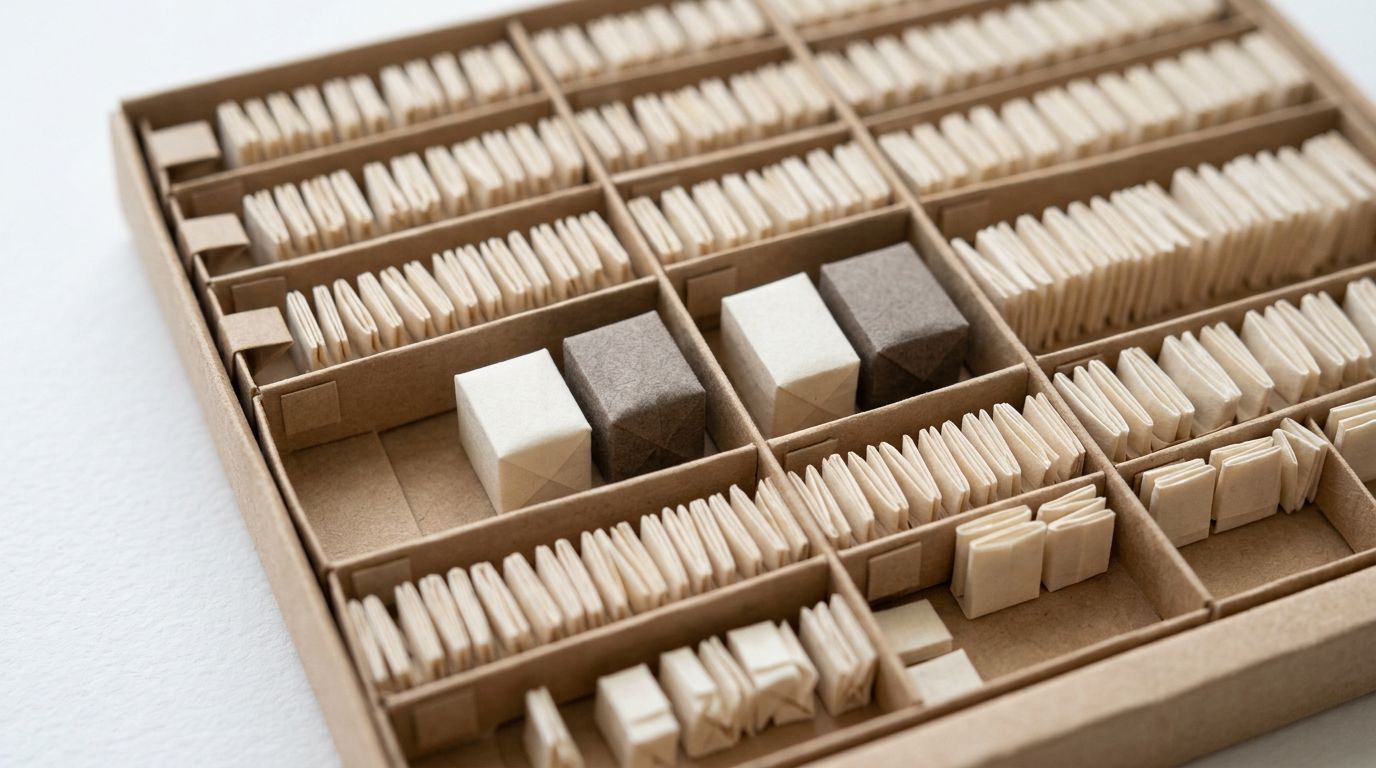
In 1913 the calligrapher Edward Johnston met Frank Pick, Commercial Manager of the London Underground Group. Pick wanted more fare income, and his method was an Underground easier to recognise and use. The meeting led to a commission for a block-letter alphabet. Johnston sent Pick the first examples of his capital letters in February 1916, according to the London Transport Museum.
By its centenary the typeface had been changed only once, in 1979 (It's Nice That, 22 January 2016). That revision, by the designer Eiichi Kono, adjusted the proportions of some letters and added bold and italic. A bold is not a second typeface. It is the same alphabet with more weight, and it works because the alphabet underneath stays one thing.
Customer.io's brand variants, released in Design Studio on 22 June 2026, are the bold and italic of your email brand. The comparison is about weight, not letters: variants restyle components and leave headings and paragraphs alone. They are not a second alphabet, and treating them as one is where the trouble starts.
TL;DR: A brand variant is a saved version of one global component, not a brand theme. Links, buttons, dividers, images and sections can have variants. Headings and paragraphs cannot, and your colours, fonts, spacing and radii stay one shared set of variables. Variants suit primary and secondary buttons, logo and hero images, header and footer sections, seasonal looks, and sub-brands that share your typography and customers. The trap the announcement leaves out: changing the default variant, by editing it or by making another variant the default, restyles existing messages that used it. A seasonal look should always be a new variant. Keep a separate workspace for a brand whose data or team must be walled off, or whose unsubscribe page needs its own logo, since that page takes one logo per workspace. The same goes for a brand that shares no customers or data with the others. A separate sending domain is not a reason to split: one workspace holds several.
What a brand variant is
The release note says you can now "save more than one branded look for a global component" and switch between those looks as you build. Images and sections joined the global components in the same release (release note, 22 June 2026).
The key word is component. On Design Studio's Styles page you first set global variables: your colours, fonts, spacing and radii (Set global styles). You then assign those variables to the global components. A variant is a second or third saved version of one of those components (Assign global styles to components). If global styles are new to you, start with our Design Studio guide.
Variants apply, according to the assign-styles page, to links, buttons, dividers, images and sections. The page rules out text in one line: "You can set variants for all of the components, except headings and paragraphs." Its own examples show the intended use:
- Buttons: a primary and a secondary call to action.
- Images: a logo and a hero image.
- Sections: a header and a footer.
Each variant takes its own values for that component's settings, including dark mode and mobile responsiveness. A button variant can even set its own font. A heading cannot.
The global styles pages carry Customer.io's Beta label, so expect the details below to move.
What a variant does not do
Five limits matter before you plan a sub-brand around variants. The announcement mentions none.
There is one set of text styles. Headings 1 to 6 and the paragraph style each have a single definition. The paragraph style also covers lists, and its font applies to links (assign styles). A sub-brand with its own heading typeface therefore cannot be a variant. The documented route is a container override. Put the headings in a section, box or column and change its styles, and the components inside inherit them (Properties menu). Sections list a font family among their properties, and components nested in a section inherit its text styles (Standard components). The docs do not say whether a section variant can set the font its headings inherit. Test that before you rely on it.
The docs describe no whole-message switch. Variants are chosen element by element, and a new element takes the component's default variant when you drag it in. The docs describe the switch in detail only for links, where the hyperlink menu lets you pick a different variant. Nothing in them re-skins a finished email from one set of variants to another.
There is one brand document. Design Studio can generate your styles and a brand document from up to five sources per run, with Customer.io AI switched on. Your sending domain appears as a source option, and if you have several, the generator uses the oldest. A newer sub-brand domain is never the one used, so add the sub-brand's site as a website link, possible since 21 May 2026 (release note, 21 May 2026). Regenerating can overwrite values you already have: look for the Overwrites current value label. To add rules without touching the parent brand's styles, choose Generate only brand rules and uncheck every style box (Generate styles & brand rules with AI).
Design Studio's AI features read the brand document before they write or edit email content. It describes one brand, so an AI draft for a sub-brand starts from the parent brand's rules. Our Design Studio AI review tests the generator.
There is one unsubscribe page brand. The page your unsubscribe links open takes one logo and one brand colour, set in Workspace Settings. That is the global unsubscribe page, or the preferences page once you have topics (Brand your subscription pages). Every sub-brand in the workspace shares it.
There is no documented cap, and no in-app detail. The docs give no maximum number of variants per component. Global styles apply to in-app messages, but the in-app global styles page does not mention variants at all. Test a variant on an in-app message before relying on it.
The default variant restyles old emails
This constraint cuts against the announcement. Each component has a default variant: the one a new button, image or section takes when you drag it in. After you save changes to your default styles, existing messages that used the old default variant update to the new default styles. That passage sits under Change the default variant, so treat both moves as live: editing the default, and setting a different variant as the default. The docs' advice is one line (assign styles): "If you don’t want existing content to change, create a new variant instead."
The Styles page makes you choose Unlock to edit before you can change the current default. Treat that click as the moment to stop and add a variant instead.
So the safe pattern for a seasonal look is:
- Add a new variant from the Styles page, named for the campaign, such as Button: winter sale.
- Pick it on the buttons in the sale emails only. Never set it as the default, even for the length of the sale.
- After the sale, delete it. If it is still in use, the docs make you choose a replacement variant first.
Turning the default button winter red instead would restyle every email using it once you publish, receipts and password resets included.
Nothing reaches live automations until you publish. Global styles are not saved automatically. You choose between Save in Design Studio only and Save and publish changes (Edit linked messages & publish changes).
The publish list is not filtered by variant. It shows every in-app message and linked email that has at least one global style, whether or not your change affects it. Publishing also compiles every unpublished change in the emails you select. In a workspace carrying three sub-brands, select all is how one brand's copy draft ships with another brand's style fix. Select only the messages whose variant you changed.
Converted emails keep their old styling. Emails converted from the drag-and-drop editor keep their original styles, even where your Design Studio defaults differ (Convert emails to Design Studio). Do not expect a default-variant change to show up in them. Our converter post explains why.
When one workspace is right
The case for keeping sub-brands together is what a workspace split costs. The workspaces docs describe each workspace as a separate instance with its own people, automations and metrics. They say it plainly (Workspaces in Customer.io): "No information is shared between workspaces." Two sub-brands in two workspaces means two profiles for anyone who buys from both, two sets of segments and two dashboards. We set out that cost for countries in our post on one workspace per country, and brands follow the same arithmetic.
The usual objection is the sending domain, and it does not hold. The domain authentication docs say you can add multiple sending domains to a workspace. They only ask you to explain your use case if you need more than 10 (Domain authentication). Our post on sending subdomains covers splitting mail by purpose instead.
Consent has a workspace-level answer too. The subscription centre sorts messages into topics, and a person unsubscribed from a topic does not receive that topic's messages. A topic per sub-brand lets someone leave one brand without leaving the rest. The preferences page lets people manage any topic, so each sub-brand's customers see the other brands' names. We covered the build in our subscription centre guide.
A setup for sub-brands in one workspace:
- Share the text styles. Set headings and the paragraph style once, for the whole family.
- Name colour variables by brand and role, such as Outdoor accent and Kids accent.
- Add variants per sub-brand where the look differs: a button in each accent, a logo image, a header section and a footer section.
- Leave the parent brand's versions as the defaults, so a sub-brand is always a deliberate choice.
- Save fixed header and footer content as custom components, which the docs describe as blocks you create once and reuse (How to create & edit a component). The section variant holds the style; the component holds the content.
- Set dark mode values on every variant as you create it. Our dark mode post covers why that matters.
- Write each sub-brand into the brand document, which you can edit as Markdown, then read what the agent drafts before you trust it.
To see finished emails, browse our email design examples.
When a separate workspace is right
Split when the brands are separate businesses rather than separate looks. Four signs:
- The data must be walled off. Separate legal entities whose customer data cannot sit together.
- The teams must not see each other's people. An Account Admin assigns access per workspace. Account Admins can access every workspace, and that access cannot be switched off. The docs describe no permissions on individual variants, so the wall is the workspace.
- The unsubscribe page must carry each brand's own logo. It takes one logo and one brand colour per workspace, and the preferences page shows every brand's topics. If one brand's customers must never see another brand's logo, that is a workspace.
- The products share nothing. Different events, different attributes and no common customers: the line we drew in the one-workspace-per-country post.
A heading typeface is a tie-breaker, not a trigger. If a sub-brand needs its own heading type and shares customers with the parent, stay in one workspace. Set the font on each message's sections, or on a section variant if your test shows it holds. Splitting would split the people. If it has its own customers too, the typeface is one more reason to go.
Variants or a workspace
| Situation | Use | Why |
|---|---|---|
| Primary and secondary buttons, logo and hero images, header and footer layouts | Button, image and section variants | The docs' own examples |
| A seasonal look for a sale | A new variant, never the default | Changing the default restyles existing messages |
| A product line with its own accent colour and the same fonts | One workspace: colour variables plus variants | Text styles stay shared |
| A sub-brand with its own heading typeface and shared customers | One workspace, with the font set on sections | Headings take no variants; the container override is documented |
| A second sending domain for the same company | One workspace | A workspace holds several sending domains |
| Sub-brands that need separate opt-outs | One workspace, a subscription topic per sub-brand | A topic unsubscribe stops only that topic |
| An unsubscribe page that must show each brand's own logo | Separate workspace | One logo and one brand colour per workspace |
| Separate legal entities whose data must be walled off | Separate workspace | No information is shared between workspaces |
| Teams who must not see each other's customers | Separate workspace | Access is assigned per workspace |
| Different products, different data, no shared customers | Separate workspace | Two data models, no common audience |
The first six rows stay in one workspace; the last four need their own.
The Johnston test
Kono's bold worked because the alphabet under it stayed one. Ask the same question before you add a variant: is this the same brand with more weight, or a different alphabet? If it is the same brand, it is a variant. If it needs its own people, its own unsubscribe page or its own team, it needs its own workspace... and no number of variants will make one workspace behave like two.
If you are planning Design Studio for several brands and want the split decided before anyone builds, that is work our Customer.io agency team does. Tell us how many brands you run.
Frequently asked questions
What are brand variants in Customer.io Design Studio?
Brand variants are saved versions of a Design Studio global component, such as a primary and a secondary button, that you choose between as you build a message. Customer.io released them on 22 June 2026 (release note).
Which Design Studio components can have variants?
Links, buttons, dividers, images and sections can have variants in Design Studio. Headings and paragraphs cannot (assign styles).
Can I run two brands in one Customer.io workspace with brand variants?
Two brands can share one Customer.io workspace with brand variants if they share typography and customers and can live with one unsubscribe page. Variants carry buttons, logos, headers and footers, but not heading or paragraph styles (assign styles). The unsubscribe page takes one logo per workspace (subscription page branding).
Does changing a default variant in Design Studio change existing emails?
Yes: existing messages that used the old default update when you save a change to it, whether you edit the default or make another variant the default. The docs advise creating a new variant if existing content should stay as it is (assign styles).
Can one Customer.io workspace send from more than one sending domain?
Yes: you can add multiple sending domains to one workspace. Customer.io asks you to explain your use case only if you need more than 10 (Domain authentication).
Do Design Studio brand variants work in in-app messages?
Customer.io's docs do not say whether brand variants work in in-app messages. Global styles apply to in-app messages, but the in-app global styles page does not mention variants, so test one before relying on it (in-app global styles).
How many variants can a Design Studio component have?
Customer.io's docs give no maximum number of variants per component (assign styles).
When should a brand get its own Customer.io workspace?
A brand should get its own workspace when its data or team must be walled off, when its unsubscribe page must carry its own logo, or when it shares no customers with the others. A different sending domain or accent colour is not enough (Workspaces in Customer.io).
Sources
- Customer.io, Add brand variants to Design Studio, release note, 22 June 2026.
- Customer.io, Assign global styles to components, documentation, updated 1 September 2026.
- Customer.io, Set global styles, documentation, updated 24 September 2026.
- Customer.io, Generate styles & brand rules with AI, documentation, updated 24 September 2026.
- Customer.io, Design Studio: generate styles from websites with AI, release note, 21 May 2026.
- Customer.io, Style your messages using the Properties menu, documentation, updated 1 September 2026.
- Customer.io, Understand and style standard components, documentation, updated 14 September 2026.
- Customer.io, Edit linked messages & publish changes, documentation, updated 1 September 2026.
- Customer.io, How to create & edit a component, documentation, updated 14 September 2026.
- Customer.io, Convert emails to Design Studio, documentation, updated 24 September 2026.
- Customer.io, Global styles for in-app messages, documentation, updated 1 September 2026.
- Customer.io, Workspaces in Customer.io, documentation, updated 14 September 2026.
- Customer.io, Domain authentication, documentation, updated 1 September 2026.
- Customer.io, Brand your subscription pages, documentation, updated 1 September 2026.
- Customer.io, subscription centre documentation, updated 14 September 2026.
- London Transport Museum, Edward Johnston: the man behind London's lettering, read 28 September 2026.
- It's Nice That, London Underground's typeface: uncovering the designs that form London's handwriting, Emily Gosling, 22 January 2016.
Want this working in your Customer.io workspace?
It's what we do all day for SMBs—strategy, automations, deliverability and hands-on execution.
See how we work as a Customer.io agency →

