
Customer.io lifecycle emails: 10 examples with the numbers
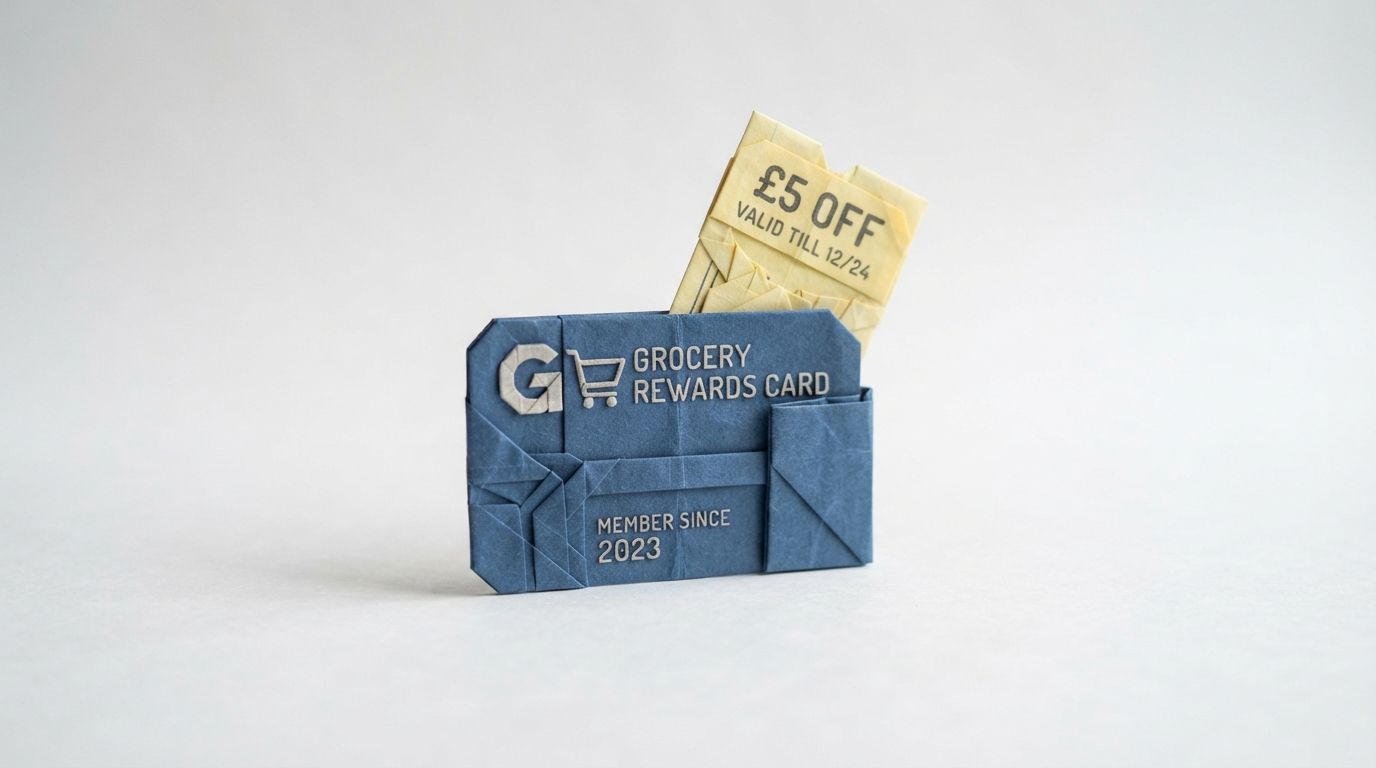
In 1993 Tesco asked its marketing team to look at loyalty cards. Tesco had run Green Shield Stamps before. They rewarded people for visits and spending, but they told Tesco nothing about any one customer.
In 1994 Grant Harrison heard Clive Humby of dunnhumby speak at a conference and brought the firm in on a Clubcard trial. Dunnhumby's analysis of the trial data showed shoppers came back more often and spent more when they were rewarded with money-off vouchers. When Harrison and Humby presented to the board, chairman Lord MacLaurin said: "What scares me about this is that you know more about my customers after three months than I know after 30 years." Clubcard launched nationally on 13 February 1995.
The voucher was never the clever part. Anyone can print a coupon. The clever part was knowing who should get it, and when. Lifecycle email works the same way, which is why most lists of examples miss the point.
TL;DR: Lifecycle email examples usually show you the email and hide the three settings that decide whether it works: the trigger, the wait and the exit. Below are ten lifecycle emails set out in Customer.io terms, each with a real figure where we have one. Where we have none, we say what to measure instead. Three Customer.io traps catch most teams. A goal does not remove anyone from an automation unless it is also an exit condition. A Wait Until is skipped by anyone who already meets it. The Attribute or Segment trigger lets backfilled profiles in straight away. Get those right and the email becomes the least interesting part.
Why examples fail
Search for lifecycle email marketing examples and you get galleries of finished emails. None of them tells you when the email went out, who got it or what stopped the second one from going to someone who had already bought. Those are the decisions that make a lifecycle programme earn money. The copy matters, but it comes last. Each example below follows the same five lines:
- Trigger: what puts a person into the automation, and how often they can re-enter.
- Wait: the Wait Until paths or delays before each email.
- Exit and goal: what takes a person out early, and what counts as a conversion.
- The email: one line on what it says.
- The number: a sourced figure, or what to measure.
For the strategy behind the stages, read our complete guide to lifecycle email marketing. This post is the build sheet.
Three traps first
A goal is not an exit. Customer.io's goals page says people stay in an automation "even if they perform your automation’s goal action". Set a purchase goal on a cart automation and leave the exit conditions alone, and buyers can still get the next reminder. The fix is to recreate the goal in the exit conditions, where every condition is an OR. More in our exit conditions audit.
A Wait Until can be skipped. The Wait Until documentation is clear: a person who already meets the condition on arrival will skip the wait. Worse, with a not in segment condition, people who were never in the segment skip the wait too. Put the condition you want to win as the leftmost path, because a person who meets two paths at once takes the one farthest to the left.
The Attribute or Segment trigger has no memory of time. It launched in April 2025 and replaced the old segment trigger, which used matchtime logic. The triggers page warns that backfilled users "could start the automation right away". If you import last year's sign-ups, they get this week's welcome email unless you add a condition such as created_at is a timestamp after a relative date of 1 day ago.
The ten examples
Welcome email
- Trigger: Attribute or Segment on
created_at, with the relative-date condition above. Frequency left at the default, once. - Wait: None before the first email. After it, a Wait Until with two paths: a condition path for the first useful action, and a Max time path of two days.
- Exit and goal: Goal is the first useful action as an event, for example
profile_completed. Add the same event as an exit condition. - The email: You are in, here is the one thing to do next, and the link goes straight to it.
- The number: No sourced figure. Measure the share of new sign-ups who perform the goal event inside the conversion window, against a holdout.
Activation nudge
- Trigger: Event
signed_up, frequency One time. - Wait: Wait Until with the condition path on the left, performed
project_created, and a Max time path of two days on the right. Anyone who creates a project takes the left path and gets nothing. - Exit and goal: Exit on the event
project_created. Goal is the same event, spelled exactly: conversion criteria are case sensitive. - The email: You signed up to do X. Here is how to do it in two minutes.
- The number: No sourced figure. Add a holdout and compare conversion rates.
Trial ending
- Trigger: Important date on
trial_expires, set to Before the date, at a time of day in the person's own time zone. Filter out a Paid segment. - Wait: A six-day Time Delay, so the second email lands the day before expiry, then a one-day delay and a your trial has ended email.
- Exit and goal: Exit when the person joins the Paid segment. Goal: leaves the segment Trial users, which is the goal Customer.io's own recipe uses, within one week of any delivery.
- The email: Your trial ends on this date. Here is what you keep if you upgrade, and what stops.
- The number: No sourced figure. Measure upgrades inside the goal window, split by which email came last.
One piece of docs archaeology. Customer.io's trial expiration recipe still tells you to select Segment change. The triggers page says that trigger has been phased out. Use Important date instead: it was built for exactly this, and the recipe's own timeline, 7 days and 1 day before expiry, maps straight onto it.
Adoption push
- Trigger: The moment a member becomes eligible for the offer. For a feature, that is usually an event or an attribute change.
- Wait: A Time Window so the first email lands in working hours, then two-day delays between three emails.
- Exit and goal: Goal is the action the offer asks for. Exit on the same action, so people who take it stop hearing about it.
- The email: Here is something new for you, and the one step to try it.
- The number: This is the shape of the AIRE Health EDU sample drop we built in Customer.io: a trigger, a time window and three emails with two-day delays. The results shown alongside that workflow on the case study page are 4,568 sent, 52.6% opened, 21.1% clicked and 17.8% converted. AIRE's previous campaign converted at 7.0%, so that is a 154% increase.
Cart abandonment
- Trigger: Event
cart_updated, carrying the whole cart in the event data, frequency On every event. - Wait: Customer.io's cart abandonment recipe uses three Wait Until paths. The cart updated again, a purchase since the trigger, or a Max time of 45 minutes. Only the Max time path leads to an email.
- Exit and goal: The first two paths end the run, which is how a newer cart cancels an older reminder. Goal is the
purchaseevent, also added as an exit condition. - The email: You left these items. Here they are, with the price and a link back to checkout.
- The number: Baymard Institute puts the average documented cart abandonment rate at 70.22%, from 50 different studies. In Baymard's 2026 survey, 42% of US online shoppers said they had abandoned a cart because they were just browsing, so do not fire the first email at minute one.
Our Slimfy sequence is the proof that depth is found, not planned. We started with a 6-part campaign and kept adding emails. We reached 9 emails before people stopped clicking through, and after three months the sequence was averaging an additional $27,000 per month in revenue.
Post-purchase follow-up
- Trigger: Event
order_completed, frequency On every event. - Wait: A Wait Until on the event
order_delivered, with an event data filter matching the trigger'sorder_id, plus a Max time path as a safety net. Then a Delay path: a few days, then the next weekday morning. - Exit and goal: Exit on a refund event. Goal is a second order.
- The email: How to get the most from what you bought, or a review request once it has had time to work.
- The number: No sourced figure. Measure second-order rate by monthly cohort, against a holdout.
For replenishment, put a timestamp such as refill_due_at in the order event and use an Event time path instead. The docs warn that if the timestamp is missing or badly formatted, "a person could wait forever!" Always add a Max time path beside it.
Usage drop
- Trigger: Attribute or Segment on a data-driven segment such as No login in 14 days, frequency Every re-match. Customer.io's own frequency example is a segment called "Inactive for two weeks".
- Wait: Wait Until with a condition path, not in the inactivity segment, on the left, and Max time on the right before a second email.
- Exit and goal: Exit when the person is no longer in the inactivity segment. Goal: leaves the segment.
- The email: One useful thing that changed since you last logged in.
- The number: No sourced figure. Measure the share who leave the segment inside the goal window.
The not in condition behaves here because everyone entered by joining the segment, and the trigger already guarantees they start inside it.
Win-back
- Trigger: An Attribute or Segment trigger on lapsed customers, for example past bookers with no booking in your chosen window.
- Wait: Delays of several days between emails, with a cohort branch in front if you are testing two versions.
- Exit and goal: Exit and goal both on the booking or purchase event.
- The email: We have missed you, here is what is new, book again.
- The number: The Kip win-back we built in Customer.io is three emails behind an A/B test cohort branch. The case study shows both versions: plain text signed by co-founder Sam Leigh, and a designed one with a dog photo and a Book Today button. The example campaign shows 1,465 sent, 43.1% opened and 7.2% converted.
Renewal and failed payment
- Trigger: For renewals, Important date on a custom object's
renewal_date, Before the date. Customer.io's docs suggest a reminder 14 days before an account expires, and the audience can be limited to related people whose role is admin. For failed payments, an event from your billing system such aspayment_failed. - Wait: For renewals, a Wait Until on the account's
plan_typechanging. For failed payments, a condition path onpayment_succeededon the left and a Delay path on the right. - Exit and goal: Exit on
payment_succeeded. Goal: the same event. - The email: Your card did not go through. Update it here, and nothing else changes.
- The number: No sourced figure. Measure recovered payments as a share of failed ones. Our dunning email flow post covers the sequence in full.
One warning for object-triggered renewals: if one update would start journeys for more than 1,000 related people, none of them start.
Sunset
- Trigger: Attribute or Segment on a data-driven segment of people with no email clicks in your chosen window.
- Wait: One re-permission email, then a Wait Until with a Message condition, is clicked, on the left and a Max time path on the right. The Max time path ends in a Create or update person action that sets an attribute your other automations filter out.
- Exit and goal: Exit when the person leaves the disengaged segment.
- The email: Do you still want these emails? One click keeps you on the list.
- The number: No sourced figure. Measure the share who click to stay, and watch complaint rates on your main sends afterwards.
Use is clicked, not has ever been clicked. Only is counts a click after the person enters the wait.
All ten at a glance
| Example | Trigger | Wait | Exit | Sourced figure |
|---|---|---|---|---|
| Welcome | Attribute or Segment, with a relative-date condition | Max time after email 1 | First useful action | None, measure goal rate |
| Activation nudge | Event, one time | Condition left, Max time right | Activation event | None, use a holdout |
| Trial ending | Important date, before the date | Delay path to the day before | Joins Paid | None, measure upgrades |
| Adoption push | Eligibility event or attribute | Time Window, two-day delays | The offer action | AIRE: 7.0% to 17.8% conversion (case study) |
| Cart abandonment | Event cart_updated |
Three paths, 45 minutes | Purchase | 70.22% abandon (Baymard); Slimfy $27,000 a month |
| Post-purchase | Event order_completed |
Delivery event, then Delay path | Refund | None, measure second orders |
| Usage drop | Segment, every re-match | Not in segment path | Leaves segment | None, measure exits |
| Win-back | Lapsed segment | Delays, cohort branch | Booking or purchase | Kip: 7.2% converted |
| Renewal and failed payment | Important date or event | Plan change or payment path | Payment succeeds | None, measure recovery |
| Sunset | Disengaged segment | Is clicked or Max time | Leaves segment | None, measure stays |
Wait Until chaining removes workarounds
On 26 August 2026 Customer.io added a Delay path to Wait Until. One path can now hold a person for two days and then until the next Friday at 9 AM. Conditions in a path can also use And, Or and nested groups. That simplifies the trial, post-purchase and renewal builds, though a chain longer than 365 days cannot be saved. Our Wait Until chaining audit shows which old branches you can now delete.
When not to copy these
When your events are not trustworthy yet. Goal event names are case sensitive, so if purchase sometimes arrives as Purchase, your goals silently miss. Fix the data first.
When the volume is too small to read. A holdout on a small monthly audience tells you little. At that size, run the automation, watch the goal rate by month and accept that you are judging direction, not lift.
When the copy is the problem. Ours is a claim about where to start, not a claim that copy does not matter. When we rebuilt Frive's automations on behavioural triggers, open rates went from 13.6% to 60.5% and click rates from 1.9% to 9.4%. Triggers and copy changed together, and you need both.
Measuring the rest
Seven of the ten examples have no sourced figure, and we would rather say so than borrow someone else's average.
Set one goal per automation with a conversion window that matches the decision, up to the 90-day maximum. Counted after being sent, a conversion goes to the most recent message. Conversions are also counted independently for each automation, so two automations with the same goal can both claim one sale.
Then add a holdout, and count conversions after being sent. The goals page warns that holdout groups "can appear to have inflated conversion rates when you use open- or click-based criteria". Read the results by monthly cohort, as in our cohort analysis guide. Our beyond the welcome email guide lays the stages out across the first three months.
Where to start
If you have none of these running, build cart abandonment or the activation nudge first: both sit close to revenue and exit on a clean event.
If you would like a second pair of eyes on the triggers and exits in your workspace, that is a large part of what our Customer.io agency work covers. You can see more results on our case studies page, or tell us what you are building.
Frequently asked questions
What is a lifecycle email?
A lifecycle email is an automated email sent because of where a person is in their relationship with your product, not because of a calendar date. Welcome, activation, trial ending, cart abandonment, win-back and sunset emails are all lifecycle emails. In Customer.io each one is an automation with a trigger, a workflow and exit criteria.
What are the best lifecycle email marketing examples to start with?
Start with cart abandonment for ecommerce, or the activation nudge for SaaS. Both have a clear event to trigger on and a clear event to exit on, so you can see whether they work. Add trial ending or renewal next, then win-back and sunset.
Does a Customer.io goal remove people from an automation?
No. A goal only records conversions. Customer.io's documentation says a person continues through an automation even if they perform the goal action, unless they stop matching its filter criteria. To stop messages after a conversion, recreate the goal as an exit condition.
Why did someone skip my Wait Until block in Customer.io?
They already met the condition when they reached the block. Customer.io evaluates Wait Until conditions as soon as a person arrives, and anyone who already matches moves on at once. With a not in segment condition, people who were never in the segment also skip it.
How long should the delay be before a cart abandonment email?
Customer.io's own recipe uses a Max time of 45 minutes before the first reminder. Baymard's 2026 survey found 42% of US shoppers had abandoned a cart because they were just browsing, so a short pause filters out people who were never ready to buy.
Should I use the Important date trigger or a segment for trial reminders?
Use the Important date trigger. It runs a set number of days before a date attribute such as trial_expires, at a time of day you choose, and can use each person's time zone. Customer.io's older recipe uses the Segment change trigger, which the triggers documentation says has been phased out.
How do I measure lifecycle emails without a benchmark?
Give each automation one goal, a conversion window and a holdout group. Customer.io records conversions on holdout groups too. Count conversions after a message is sent, not opened or clicked, or the holdout looks better than it is. Read the difference by monthly cohort.
Sources
- Customer.io, Automation triggers, filters, and frequencies, documentation, updated 14 September 2026.
- Customer.io, Wait until..., documentation, updated 14 September 2026.
- Customer.io, Automation exit conditions, documentation, updated 14 September 2026.
- Customer.io, Automation goals & conversion criteria, documentation, updated 14 September 2026.
- Customer.io, Cart abandonment, recipe, updated 14 September 2026.
- Customer.io, Trial expiration reminders, recipe, updated 14 September 2026.
- Customer.io, Chain multiple delays together in a single Wait Until block, release note, 26 August 2026.
- Baymard Institute, 50 Cart Abandonment Rate Statistics 2026, read 5 October 2026.
- Wikipedia, Tesco Clubcard, read 5 October 2026.
Want this working in your Customer.io workspace?
It's what we do all day for SMBs—strategy, automations, deliverability and hands-on execution.
See how we work as a Customer.io agency →

